← All Posts

Hashim Sultan

Dec 31, 2025
Table Of Content

Imagine having every project, deadline, and deliverable at your fingertips, all in one digital dashboard. No more jumping between scattered tools or losing track of important details.
This guide is your step-by-step blueprint for building and mastering a notion project tracker, designed for peak productivity in 2026. Whether you work solo or in a team, you’ll discover how to harness Notion’s full power to streamline workflows and achieve your most ambitious goals.
We’ll explore Notion’s project management fundamentals, how to build and customize your tracker, advanced automation, visualizations, best practices, and the latest trends shaping productivity in 2026. Ready to transform how you manage projects? Let’s get started.
Understanding Notion as a Project Management Powerhouse
Imagine a workspace where every note, task, and document lives together, eliminating the chaos of juggling multiple tools. The notion project tracker stands out for its ability to bring notes, databases, tasks, docs, and wikis into one seamless platform. This centralization means no more fragmented information or lost updates. Teams and clients collaborate in real time, customizing every aspect from properties to workflows. Agencies worldwide use Notion to manage campaign timelines, feedback loops, and client deliverables. With over 30,000 customers relying on custom templates, Notion surpasses spreadsheets and legacy project tools in both flexibility and efficiency. For a deeper dive into what sets it apart, see the Best Notion Project Managers for template strategies and insights.
What Makes Notion Unique for Project Tracking
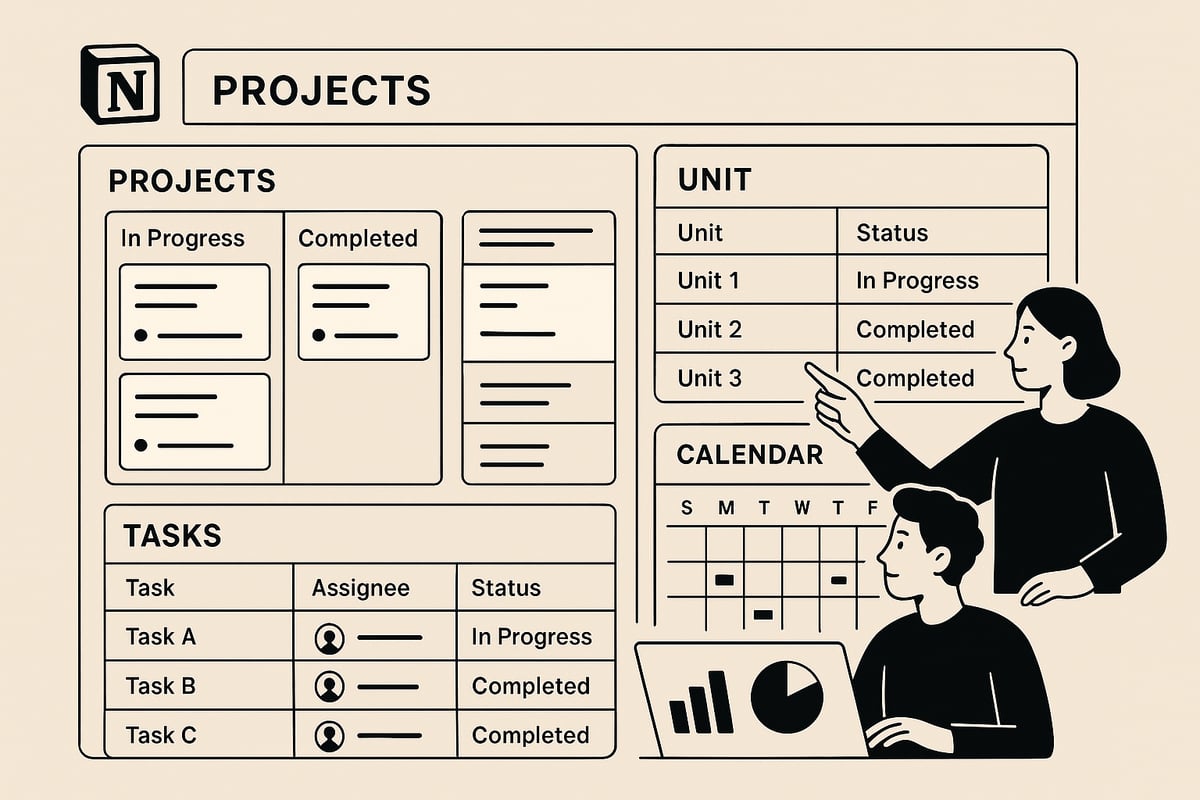
At the core of every successful notion project tracker is the database. Databases act as the backbone, organizing projects, units, and tasks into structured, searchable systems. Properties like status, assignee, deadline, priority, and custom fields allow for detailed tracking and reporting. Notion offers seven flexible views, such as Board (Kanban), Table, Calendar, Timeline, Gallery, List, and Chart, empowering users to visualize information in the way that fits their workflow. Filtering, sorting, and grouping options make oversight intuitive. For example, visualize internal tasks on a Kanban board, then switch to a Calendar view to monitor approaching deadlines. This flexibility is a key reason why Notion supports advanced project management with ease.
Core Concepts: Databases, Properties, and Views
A powerful notion project tracker leverages relational databases to link projects, units, and tasks. Using relations, you can connect different levels of work, ensuring every sub-unit and task rolls up to the parent project. Rollups and formulas automate progress tracking, such as calculating percent complete for each unit. The hierarchical structure—project, unit, then task—mirrors real-world workflows. For instance, a company managing several units within a project can assign unique workflows, yet still monitor overall progress centrally. Relational databases are vital for managing complex projects, as they allow for granular control and big-picture oversight at once.
Relational Databases: Projects, Units, and Tasks
The productivity landscape in 2026 is rapidly evolving, and the notion project tracker is built to keep pace. Remote and hybrid teams are now the norm, demanding digital-first solutions that support collaboration from anywhere. Automation and AI-driven insights are becoming essential, helping teams stay proactive with real-time updates and notifications. Transparency and accountability are prioritized, with dashboards and progress visualizations enabling data-driven decision making. Notion’s adaptability ensures it can meet changing workflow and industry requirements, making it a future-proof choice for project management.
Step-by-Step: Building Your Notion Project Tracker for 2026
Embarking on your journey to design a powerful notion project tracker starts with intentional planning and structure. By following these steps, you will craft a system that scales with your ambitions and adapts to evolving project needs.

Planning Your Project Tracker Structure
Begin by mapping out the essential framework for your notion project tracker. Identify the types of projects you manage, your team’s workflows, and the roles of all stakeholders involved.
List the properties you need, such as status, assignee, deadline, priority, tags, and client. Consider the hierarchy: will your tracker include main projects, sub-units, and tasks? This clarity ensures your setup is scalable.
For example, a creative agency might track campaigns, content pieces, and deliverables. Early planning prevents confusion as your notion project tracker grows. Prioritize a structure that supports both current and future requirements, paving the way for effortless management.
Creating Databases: Projects, Units, and Tasks
The foundation of any robust notion project tracker is a well-structured set of databases. Create three core databases: Projects, Units (or Sub-Projects), and Tasks. Establish relations between these databases to enable seamless navigation and data flow.
Use templates for each database to standardize data entry. When you add a new project, let it automatically generate related units and tasks. This saves time and ensures consistency.
If you need inspiration or want a ready-made solution, explore the Notion Project Manager Template, which provides a customizable framework for complex workflows. Building with these best practices allows your notion project tracker to handle all project complexities.
Customizing Properties and Templates
Tailor your notion project tracker by adding diverse property types. Include select, multi-select, person, date, formula, rollup, and files to capture all relevant details. Use database templates for recurring project types, such as campaign briefs or proposals.
Pre-fill properties and page content to maintain consistency across projects. For instance, a social media campaign template could include objectives, deliverables, and timelines already set up. Unlimited templates per database give your notion project tracker unmatched flexibility.
Standardized templates speed up onboarding and ensure all team members follow the same process. Review and refine templates regularly as project needs evolve.
Visualizing Projects: Views and Dashboards
Maximize the power of your notion project tracker by creating multiple views for every stakeholder. Use Board view to organize tasks by status, making progress easy to visualize. Calendar view helps track deadlines and key milestones.
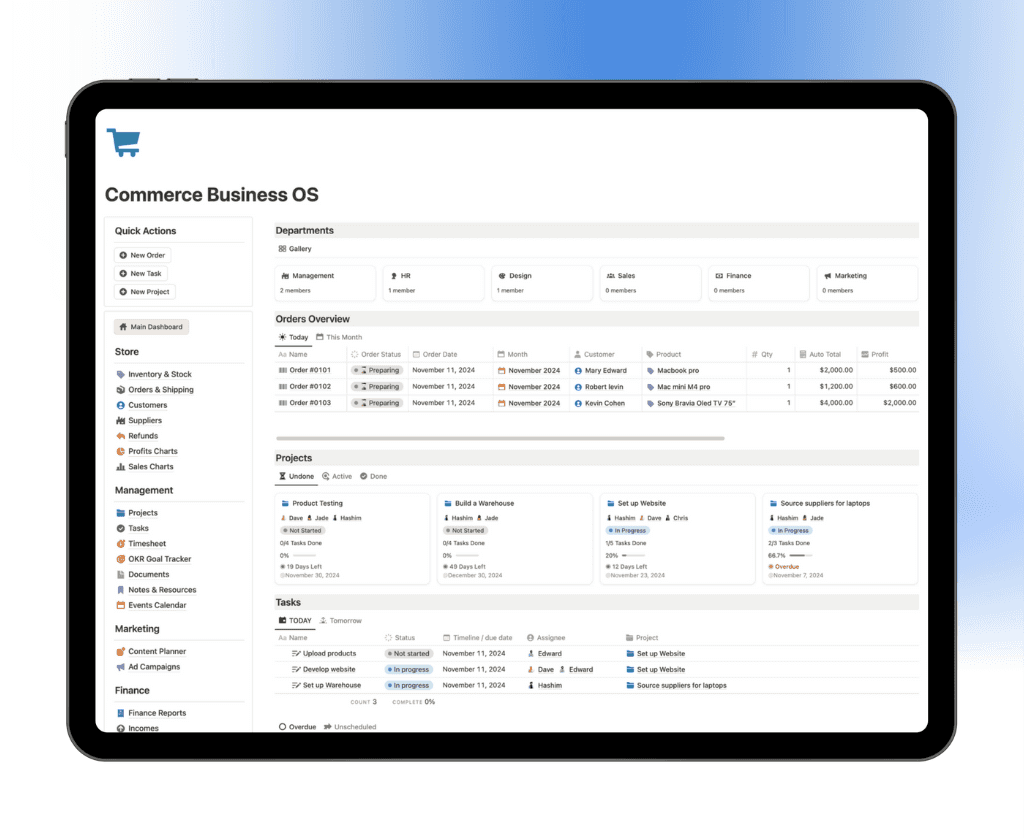
Timeline view is excellent for overlapping projects and campaign planning. Table view offers a quick glance at status, priority, and assignees. Build dashboards combining these views for a holistic project snapshot.
For client work, create a dedicated calendar view to share deadlines transparently. These visualizations transform your notion project tracker into a central hub for decision-making and collaboration.
Automating Workflows with Notion AI and Integrations
Supercharge your notion project tracker with automation and smart integrations. Leverage Notion AI to draft briefs, summarize meetings, and generate actionable insights. Set up automations for status-based notifications, task assignments, and recurring tasks.
Integrate with tools like Slack, Google Drive, Figma, and Miro to centralize your workflow. Intake forms can funnel client requests directly into your tracker, minimizing manual entry.
Agencies often automate repetitive actions, reducing time spent on administrative tasks. With these integrations, your notion project tracker becomes a dynamic, interconnected productivity system ready for 2026.
Tracking Progress and Metrics
Monitor your team’s progress with rollups and formulas in your notion project tracker. Calculate percent complete for units and projects, and visualize progress using Chart view and dashboards.
Group and filter data by assignee, priority, or project type to manage workloads efficiently. For example, a dashboard can track campaign milestones and team assignments in real time.
Data-driven tracking fosters accountability and boosts performance. By regularly reviewing key metrics, your notion project tracker will help you spot bottlenecks and celebrate achievements, keeping your projects on track and your team motivated.
Advanced Customization for Complex Projects
Customizing your notion project tracker for complex projects unlocks powerful capabilities. As teams scale, the need for deeper hierarchies, repeatable processes, rich resource linking, and secure collaboration becomes essential. Let us explore how to implement these advanced features for streamlined project management.
Multi-Level Hierarchies and Sub-Tasks
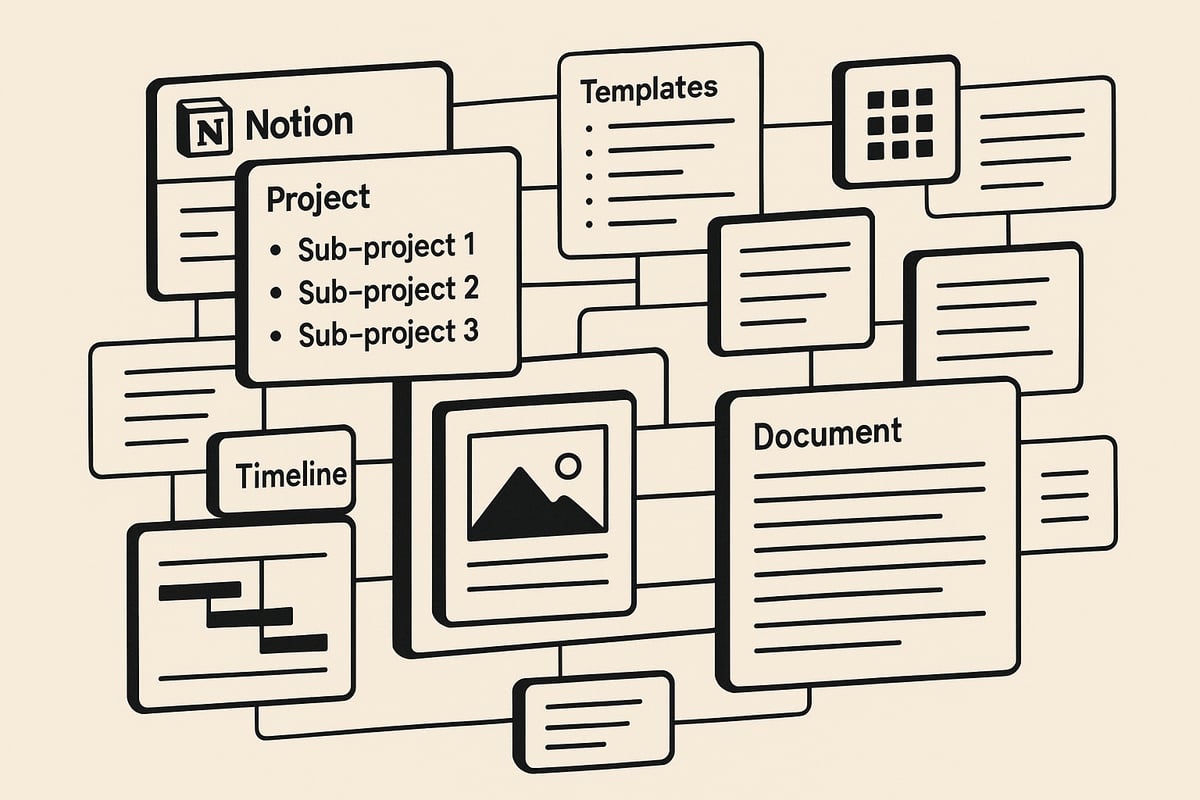
A robust notion project tracker supports deep hierarchies, allowing you to break down large projects into units, tasks, and sub-tasks. Use nested databases or sub-items to accommodate detailed workflows, such as an engineering project with multiple phases, each containing several units and tasks.
When should you use sub-items versus separate databases? Sub-items are ideal for granular control and enhanced display options within a single database. Separate databases work better for cross-project reporting or when linking different data types.
For a hands-on demonstration of structuring complex hierarchies, check out this video on managing complex projects in Notion. Leveraging these features ensures your notion project tracker remains organized and adaptable, even as project complexity grows.
Standardizing Processes with Templates and SOPs
Standardization is crucial for ensuring consistency across your notion project tracker. Create database templates for frequent workflows, such as campaigns, product launches, or training programs. Templates can embed checklists, tables, and standard operating procedures, making it easy to onboard new team members.
For example, a workshop template might include learning objectives, modules, and required materials, all pre-filled for every new session. Notion enables automatic property population, reducing repetitive manual work and ensuring data hygiene.
Templates drive efficiency by keeping every project entry consistent. As your organization evolves, update templates to reflect new processes or compliance needs. This approach keeps your notion project tracker scalable and future ready.
Embedding and Linking Resources
Centralizing project materials within your notion project tracker enhances productivity and transparency. You can embed files, images, videos, and external tools like Google Docs, Figma, Loom, or Miro directly into project pages.
Maintaining a linked knowledge base or wiki alongside your tracker ensures that reference documents, brand guidelines, and training materials are always accessible. For instance, embedding brand guidelines within a project eliminates the need to search multiple platforms.
This centralization reduces information silos and keeps all stakeholders aligned. By making resources easily accessible, your notion project tracker becomes the single source of truth for every project.
Creating Client Portals and External Collaboration Spaces
Notion enables you to create dedicated client portals within your notion project tracker. Share filtered views, such as project status boards or deliverable calendars, with clients for real-time updates and transparent communication.
Clients can provide feedback directly within the portal, reducing email back-and-forth and increasing satisfaction. Tailored collaboration spaces allow you to control exactly what clients see, keeping sensitive information protected.
Setting up external collaboration spaces also streamlines project delivery, as everyone works from the same up-to-date information. These features make your notion project tracker a powerful tool for both internal and external stakeholders.
Managing Permissions and Access Control
Managing permissions is vital as your notion project tracker grows. Assign granular access levels for team members, stakeholders, and clients. Only project leads or admins should have editing rights to master databases, while clients may have view-only access.
Notion supports flexible access management, allowing you to control who can view, edit, or share each component of your tracker. This level of control ensures data security and privacy for sensitive projects.
Regularly review permissions to adapt to team changes or new project requirements. Proper access management keeps your notion project tracker secure and compliant, safeguarding your organization’s data.
Visualizing and Reporting: Dashboards, Charts, and Data Insights
Effective project tracking goes beyond simply logging tasks. In 2026, the true strength of a notion project tracker lies in its ability to transform raw data into actionable insights. Visualizations, dashboards, and real-time reporting are essential for informed decision-making and team alignment.
Building Real-Time Dashboards
A well-designed notion project tracker dashboard acts as a single source of truth for your team. Combine views like Table, Chart, and Board to display live project data side by side. Key metrics such as project status, deadlines, workloads, and performance are visible at a glance, helping everyone stay on track.
For example, a marketing team can build a dashboard that tracks campaign KPIs, milestones, and resource allocation in real time. This approach not only streamlines daily standups but also ensures transparency across departments.
Dashboards are most powerful when customized to your workflow. You can learn more about best practices for building effective dashboards and optimizing workflows in How Notion Can Improve Productivity.
Dashboards in a notion project tracker provide clarity for both teams and leadership, ensuring everyone has access to the latest project insights.
Using Chart and Progress Views
Chart views are essential in any modern notion project tracker. With the new Chart database layout, you can visualize analytics such as task completion rates, project progress bars, and milestone achievements. This makes it easy to spot trends and bottlenecks.
For example, a visual timeline can highlight overlapping projects and upcoming deadlines, making resource planning straightforward. Progress views help you monitor percent complete at every level, from individual tasks to entire projects.
Competitors often require third-party tools to achieve similar visualizations, but Notion’s built-in chart and progress views keep everything centralized. These features empower teams to act quickly on insights, driving project delivery efficiency within the notion project tracker.
Filtering, Grouping, and Sorting for Insights
A robust notion project tracker offers powerful filtering, grouping, and sorting capabilities. Filters allow you to display only the most relevant projects, such as those assigned to a specific team member or those with urgent deadlines.
Grouping tasks by assignee, priority, or project type helps distribute workloads evenly and highlight high-priority items. Sorting by deadline, priority, or custom criteria ensures that critical items always appear at the top of your view.
For example, grouping tasks by assignee makes it easier to balance workloads and prevent burnout. These dynamic views are fundamental for managing complex projects within your notion project tracker, making it easier to focus on what matters most.
Exporting and Sharing Reports
Sharing progress and results is a core function of any notion project tracker. Notion allows you to export project data to CSV or PDF formats, making it easy to create reports for stakeholders outside your workspace.
You can also share real-time dashboards directly with clients or executive teams, ensuring everyone has access to up-to-date information. For example, a monthly progress report can be generated and shared to highlight completed milestones and upcoming deliverables.
Transparent reporting builds trust and accountability, both internally and externally. By leveraging these export and sharing tools, your notion project tracker becomes a powerful communication asset as well as an operational one.
Best Practices and Pro Tips for Notion Project Tracking Success
Keeping your notion project tracker effective requires more than just initial setup. To achieve long-term results, you must maintain consistency, scale thoughtfully, integrate with your tech stack, and stay current with productivity trends.
Maintaining Consistency and Data Hygiene
Consistency is the backbone of a reliable notion project tracker. Establish clear naming conventions for projects, tasks, and properties. Use standardized templates to ensure everyone follows the same process.
Perform weekly reviews to clean up outdated tasks, update statuses, and archive completed projects. This routine helps prevent clutter and keeps your data actionable.
Standardize property usage across all teams.
Schedule regular audits to spot inconsistencies.
Leverage templates to enforce best practices.
A consistent approach will make your notion project tracker scalable and easy to navigate, even as your workload grows.
Scaling Your Tracker for Teams and Organizations
When your team expands, your notion project tracker must adapt. Transition from a personal tracker to a shared system by creating team-wide templates, dashboards, and centralized knowledge bases.
Define clear permissions to control access for different roles. Department-specific trackers can feed into a central dashboard, offering both granular and big-picture views.
Use shared templates for cross-team alignment.
Set up a central database for organization-wide projects.
Assign permissions based on role and responsibility.
This scalable structure ensures your notion project tracker supports collaboration and growth without becoming unwieldy.
Integrating Notion with Your Productivity Ecosystem
A powerful notion project tracker does not exist in isolation. Connect Notion with tools like Slack, Google Calendar, and your email system for seamless communication and updates.
For advanced automations, use platforms like Zapier or Make to trigger actions based on project changes. To further enhance your workflows, explore productivity-boosting templates such as those featured in the Best Notion Productivity Templates guide.
Integrate with key apps for unified notifications.
Automate repetitive actions to save time.
Use curated templates for specialized needs.
Integration ensures your notion project tracker fits effortlessly into your daily operations.
Staying Ahead: Adapting to 2026 Productivity Trends
The world of project management is evolving rapidly. Embrace smart features in your notion project tracker, such as AI-powered suggestions and automated summaries, to stay competitive.
Monitor new best practices and trends, like remote collaboration and real-time analytics. Regularly update your tracker to incorporate emerging tools and strategies.
Experiment with AI features for insight generation.
Stay informed about industry shifts and adapt quickly.
Encourage feedback for continuous improvement.
By evolving your notion project tracker, you ensure it remains a valuable asset in the changing productivity landscape.
Expert-Recommended Notion Templates for Project Tracking
Selecting the right Notion project tracker template is a game-changer for boosting productivity and organization. With thousands of options available, it can be overwhelming to know where to start. Below, you will find a curated approach that guides you through the best templates, expert recommendations, and strategies for long-term success.
Curated List of Top Notion Project Tracker Templates
The Notion template ecosystem has exploded, offering solutions for nearly every industry and workflow. Whether you are managing solo freelance tasks or coordinating enterprise-level initiatives, choosing the right notion project tracker template is crucial.
Here is a quick comparison of popular template types:
Template Type | Best For | Key Features |
|---|---|---|
Agency OS | Agencies | Client CRM, timelines, SOPs |
Freelancer Hub | Freelancers | Invoicing, task tracking |
Startup Planner | Startups | OKRs, product roadmaps |
Enterprise Suite | Large Teams | Multi-database, permissions |
Selecting a template aligned with workplace trends redefining businesses in 2026 ensures your notion project tracker remains adaptable and future-ready.
Explore templates with:
High user ratings and regular updates
Deep customization options
Integration support for external tools
A well-chosen template lays the foundation for efficient project tracking and scalable growth.
Notion4Management: Comprehensive Project Tracker Templates
Notion4Management is a standout provider of expertly crafted templates designed to supercharge your notion project tracker setup. Their collection covers business, personal, and academic needs, all built with a focus on usability and performance.
Key offerings include:
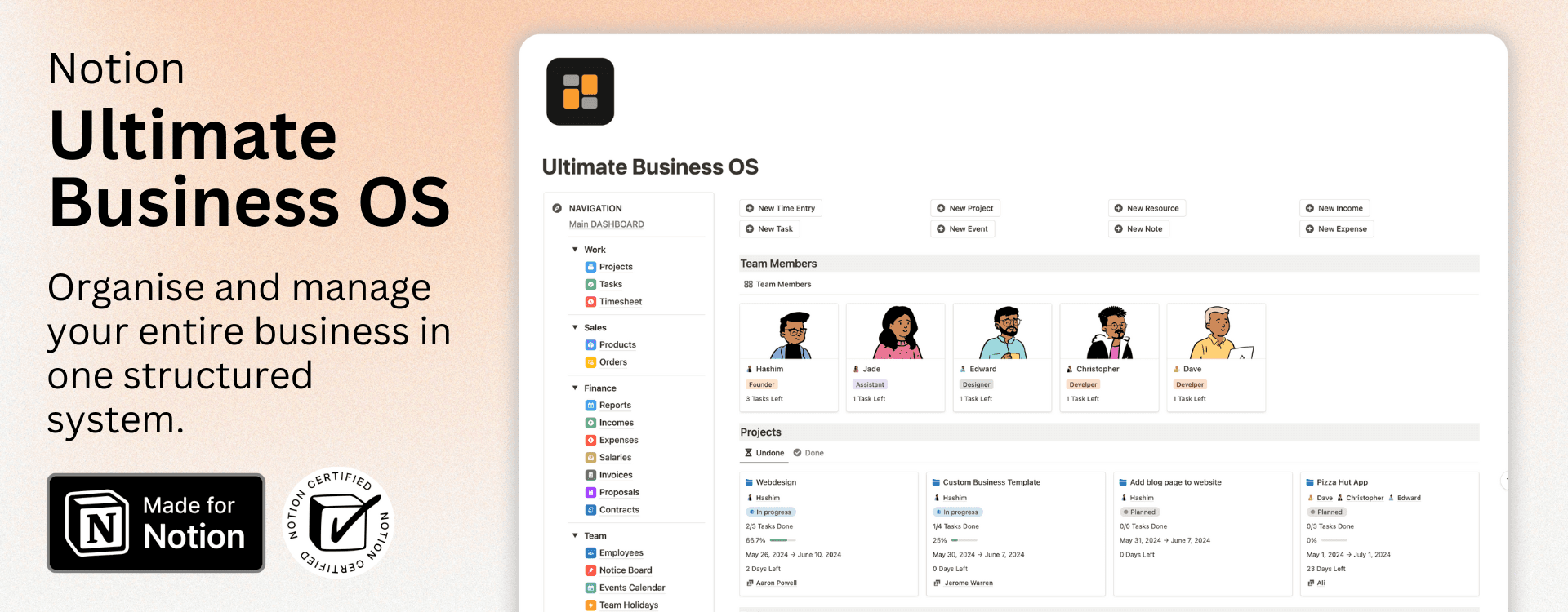
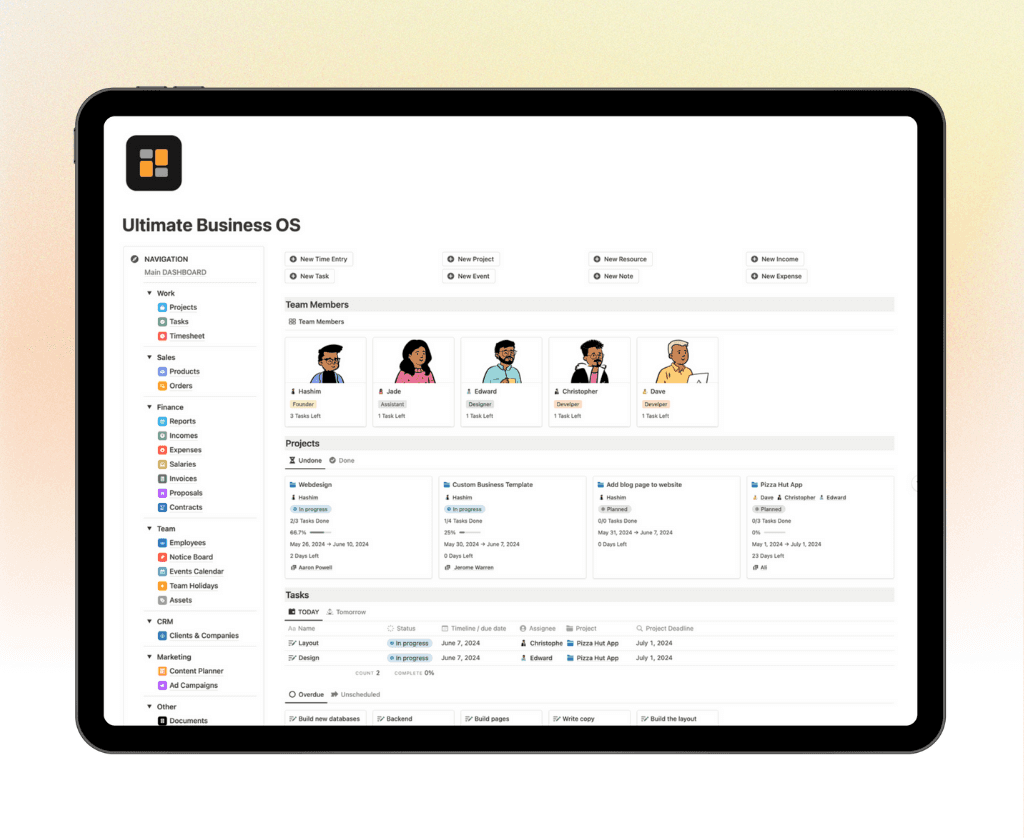
Business OS: Centralizes company projects, SOPs, and dashboards
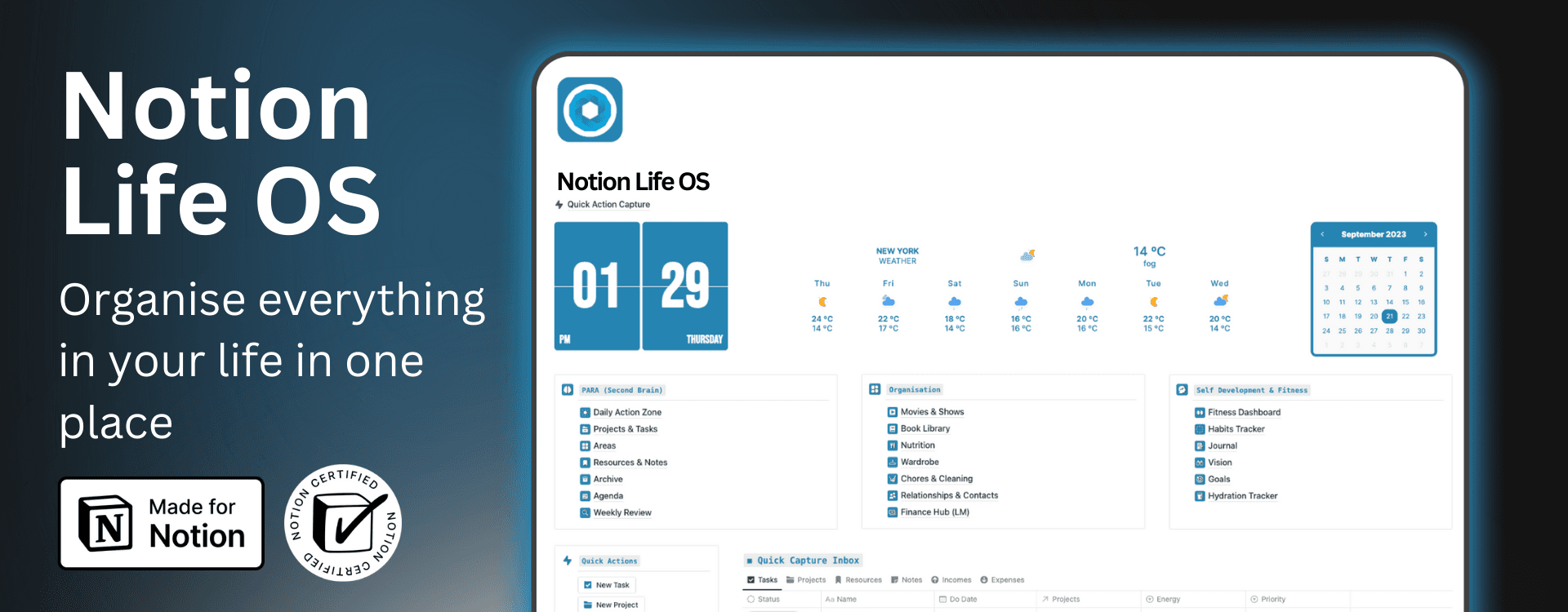
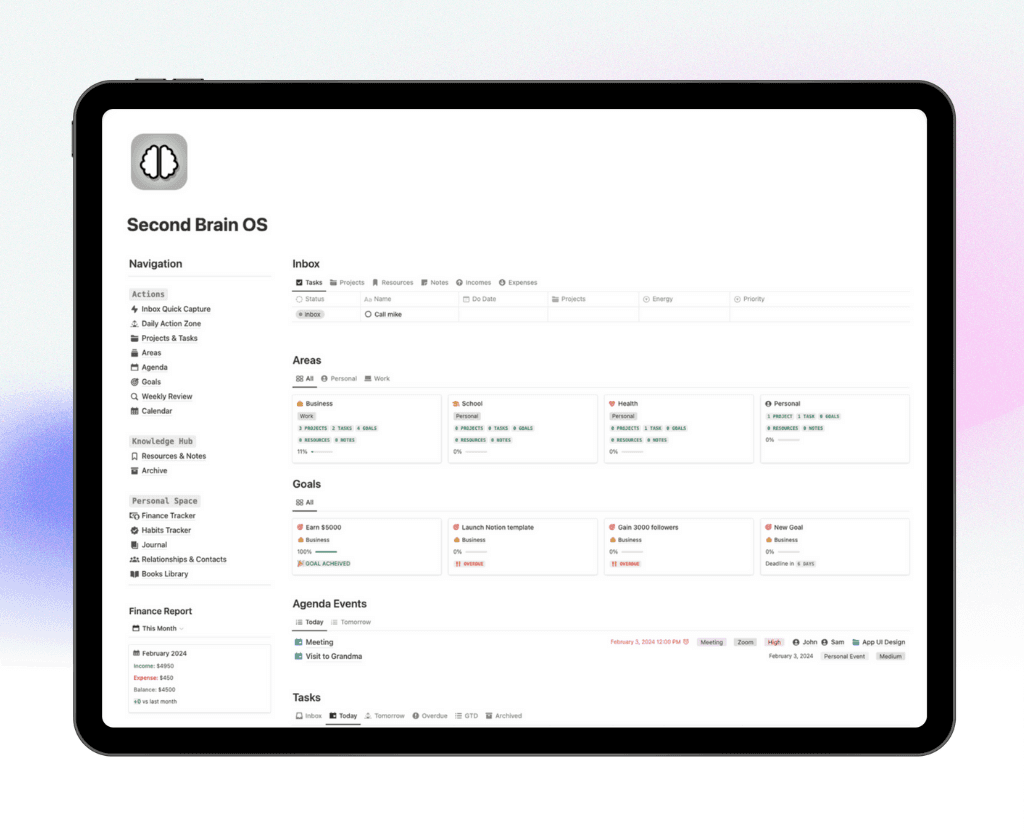
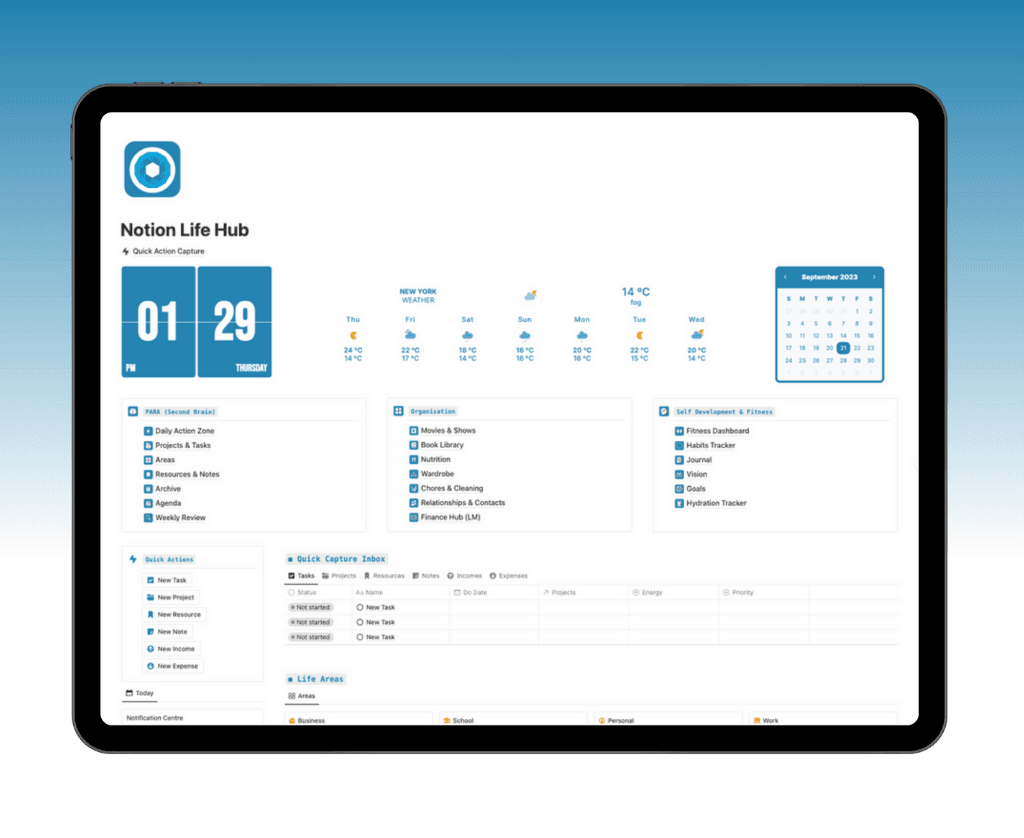
Ultimate Life OS: Balances personal productivity with work tracking
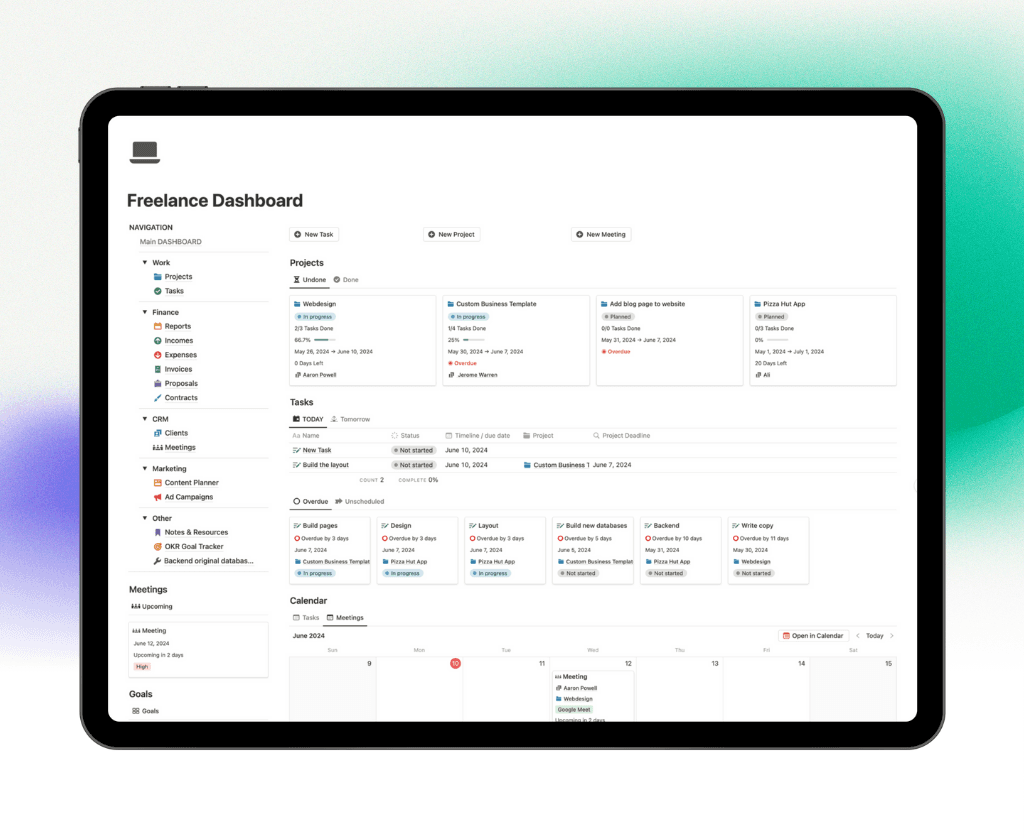
Freelance Dashboard: Streamlines client work and deliverables
Academic Trackers: Organizes coursework and research
Each template is:
Customizable for unique workflows
Supported by direct expert help
Updated regularly with new features
Over 30,000 users trust Notion4Management to streamline their workflows and maximize the value of their notion project tracker.
How to Choose the Right Template for Your Needs
Selecting the ideal notion project tracker template starts with understanding your specific requirements. Consider these factors:
Project complexity: Are you managing simple to-do lists or multi-phase projects?
Team size: Solo, small team, or enterprise?
Integration needs: Do you need connections to Slack, Google Drive, or other tools?
Industry focus: Some templates cater to creative agencies, others to tech or academia.
For example, freelancers often prefer lightweight dashboards, while enterprises benefit from robust, multi-database solutions. Test several templates, review how they fit your workflow, and do not hesitate to customize.
A thoughtful approach ensures your notion project tracker aligns with your daily routines and long-term goals.
Customizing and Scaling Templates Over Time
As your business or team evolves, your notion project tracker template should adapt too. Regularly review your setup to ensure it meets current demands.
Tips for ongoing success:
Add or adjust properties as new KPIs emerge
Update dashboards to reflect changing priorities
Introduce new views for different project types
Scaling up? Consider creating department-specific dashboards or integrating more advanced automations. Flexibility is key—your notion project tracker should grow with you, supporting both immediate needs and future ambitions.
By continually refining your template, you maintain a resilient, future-proof workflow.
Common Pitfalls and How to Avoid Them
Even the most powerful notion project tracker can fall short if common mistakes creep into your workflow. By proactively addressing a few frequent pitfalls, you can ensure your system stays streamlined, reliable, and user-friendly.
Overcomplicating Your Tracker
A common trap with a notion project tracker is overcomplicating the setup. Adding too many properties, databases, or custom views can quickly lead to confusion and inefficiency. When every project becomes buried under layers of unnecessary details, team members may avoid using the tool altogether.
To avoid this, start with a simple structure and expand only as your needs grow. Focus on essential properties and relationships. Evaluate each new feature against whether it truly adds value or just creates clutter. For example, with new AI-powered integrations like those described in AI-Powered Productivity Features in Windows 11, it’s tempting to add every possible automation. Instead, prioritize only the features that directly support your goals.
Begin with basic properties: status, assignee, deadline.
Merge redundant databases.
Regularly audit for unused templates or views.
A streamlined notion project tracker remains easy to maintain and quick to navigate.
Neglecting Data Relationships and Rollups
A robust notion project tracker relies on well-structured data relationships. Failing to connect projects, units, and tasks means losing out on powerful features like automated progress tracking and cross-database rollups. Without these, your tracker becomes a static record rather than a dynamic management tool.
Always set up and maintain clear relational links between your project databases. Use rollups to pull relevant information, such as percent complete, from sub-tasks to parent projects. This not only saves time but ensures your project overview is always accurate.
Link tasks to their parent units and projects.
Use rollups for automatic calculations.
Test relationships with sample data to catch errors early.
By investing in these connections, your notion project tracker will provide real-time insights and reduce manual work.
Inconsistent Processes and Lack of Standardization
Inconsistency can quickly undermine a notion project tracker, especially in larger teams. When team members create their own naming conventions, templates, or workflows, confusion and data silos emerge. This makes collaboration harder and reduces overall reliability.
To combat inconsistency, standardize your naming conventions, property usage, and template designs. Train your team on best practices and perform regular audits to catch deviations early. For example, schedule weekly reviews to clean up outdated tasks and update project statuses.
Use shared templates for recurring project types.
Document standard processes in a central wiki.
Collect feedback and adjust workflows as the team evolves.
A consistent approach ensures your notion project tracker remains scalable, organized, and trusted by everyone involved.
After exploring how to structure your Notion project tracker for 2026 and implement best practices for consistency, you might be ready to take your productivity even further. If you want a turnkey system that brings together all the advanced features, automation, and customization we discussed, you don’t have to build it from scratch. You can streamline your entire workflow and support your team’s growth with a robust, ready-made solution. Discover how you can elevate your project management with Get the Ultimate Business OS—a comprehensive Notion template trusted by thousands to keep projects on track and goals within reach.
← All Posts
Get Lifetime Access
Get instant lifetime access to all current and future Notion templates.
✓ 8 Premium Notion Templates
✓ Lifetime Access
✓ Access to all Future Templates
✓ $300+ value
✓ Bonus 10 Templates
$119
$299
Get it Now
70% OFF