← All Posts

Hashim Sultan

Feb 14, 2026
Table Of Content
Are you finding it hard to stick with new routines or remember your daily goals? If so, you are not alone. Many people struggle to build lasting habits because they lack a clear system for tracking progress.
This guide reveals how to set up, customize, and master a habit tracker in notion for 2026. You will learn a proven strategy that helps you stay accountable and motivated while reaching your goals.
Inside, discover why habit tracking works, how Notion outperforms traditional trackers, and step-by-step instructions to create your perfect system. Start your journey to personal growth and lasting change today.
Why Use a Habit Tracker in Notion?
Are you curious why so many people opt for a habit tracker in notion to manage their routines and reach their goals? The answer lies in a blend of science, flexibility, and future-proof technology. Let’s break down the powerful reasons to choose Notion for your habit tracking journey.
The Science and Benefits of Habit Tracking
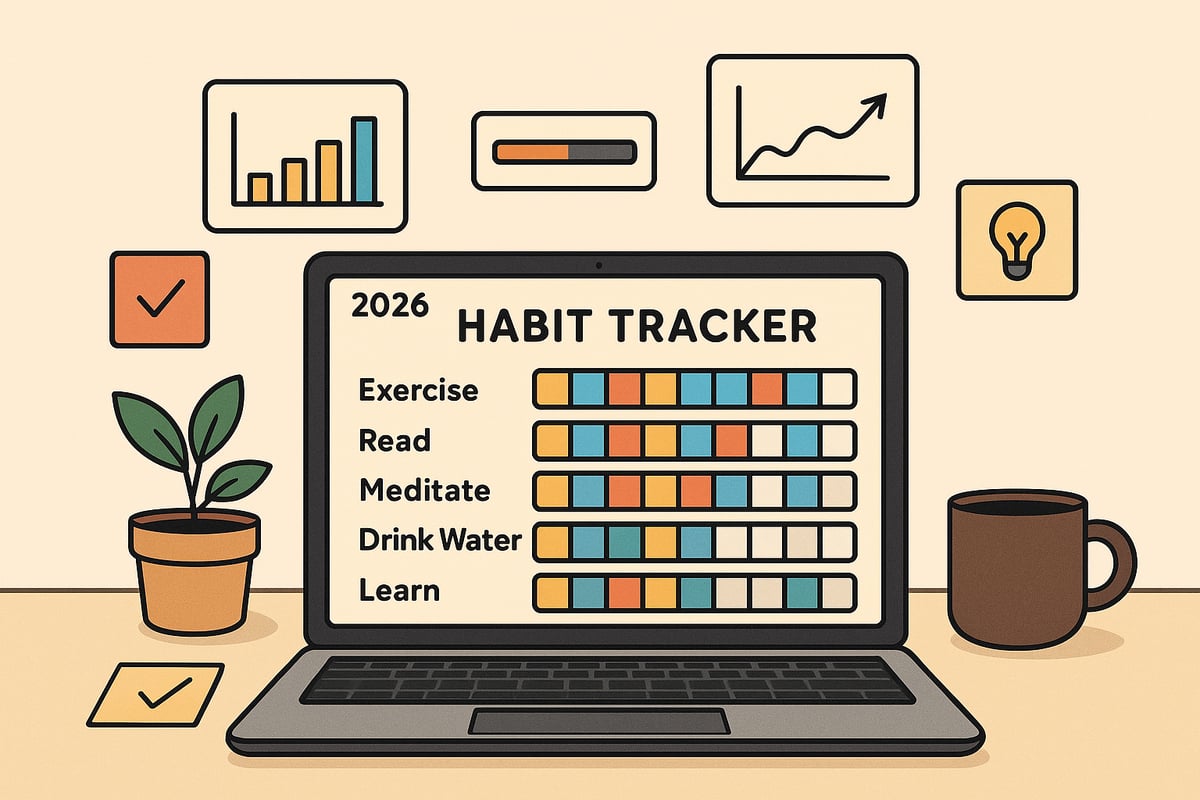
Using a habit tracker in notion increases your self-awareness and accountability. Research shows that people who track their habits are twice as likely to stick with them compared to those who do not. Visual progress, like checking off daily goals, triggers dopamine reward loops, giving you a motivational boost.
Tracking habits also helps you identify patterns, triggers, and obstacles. For example, if you track your morning routine, self-care, or learning activities daily, you can spot what works and adjust quickly. Studies reveal that users tracking 5 to 7 habits are most likely to maintain their routines over time.
Notion vs. Traditional Habit Trackers
A habit tracker in notion provides unmatched customization compared to paper journals or basic mobile apps. Notion is an all-in-one workspace, so you can integrate habits with tasks, projects, and notes in a single platform.
Unlike static spreadsheets or limited habit apps, Notion’s database and formula features enable advanced analytics and visualization. Many users who start with Excel or Google Sheets migrate to Notion for a seamless, flexible workflow and a more engaging tracking experience.
Feature | Notion | Traditional Trackers |
|---|---|---|
Customization | High | Low to Moderate |
Integration | All-in-one | Separate Tools |
Analytics | Advanced | Basic |
Flexibility for Personal and Professional Goals
The habit tracker in notion adapts to any goal—personal or professional. You can track health, learning, productivity, or even business development habits. For example, entrepreneurs can monitor daily outreach, students can track study sessions, and professionals can build consistent routines.
Notion’s flexible structure means there is no one-size-fits-all approach. You can tailor your tracker to your unique workflow, whether you want to track wellness, skill-building, or business KPIs, and adjust it as your priorities evolve.
Community and Resource Ecosystem
One major advantage of a habit tracker in notion is access to a thriving community and a vast ecosystem of resources. You can find free and premium Notion templates, including powerful habit trackers, to jumpstart your setup.
The Notion community offers ongoing support, inspiration, and shared best practices. For those seeking curated options, the Best Notion Habit Trackers blog post reviews top templates to help you choose the right fit. Newsletters and template marketplaces also provide fresh ideas and updates to keep your system innovative.
Future-Proofing Your Habit System for 2026
A habit tracker in notion is built for the future. Notion continues to roll out updates, introducing features like AI integration, automation, and third-party tool compatibility. This ensures your habit tracking system evolves alongside your needs.
You can integrate charts, automate entries, and connect with other productivity apps using Notion’s API. For example, chart integrations and automated workflows make tracking smoother and more insightful, helping you stay ahead as your goals and technology advance.
Ready-to Use Habit Trackers
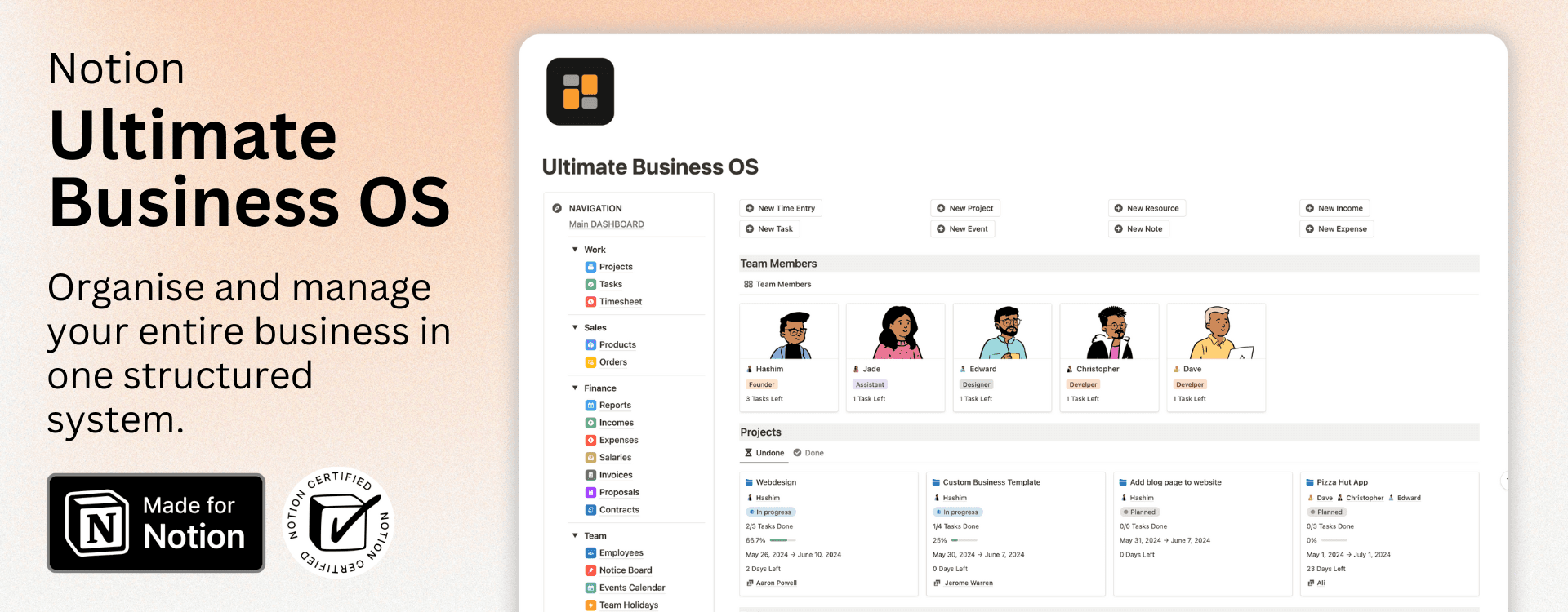
If you're looking for a ready-to-use Notion Habit Tracker that helps you build consistency, track daily progress, and stay accountable to your goals, Notion4Management offers multiple powerful and fully customizable templates designed to fit your workflow.
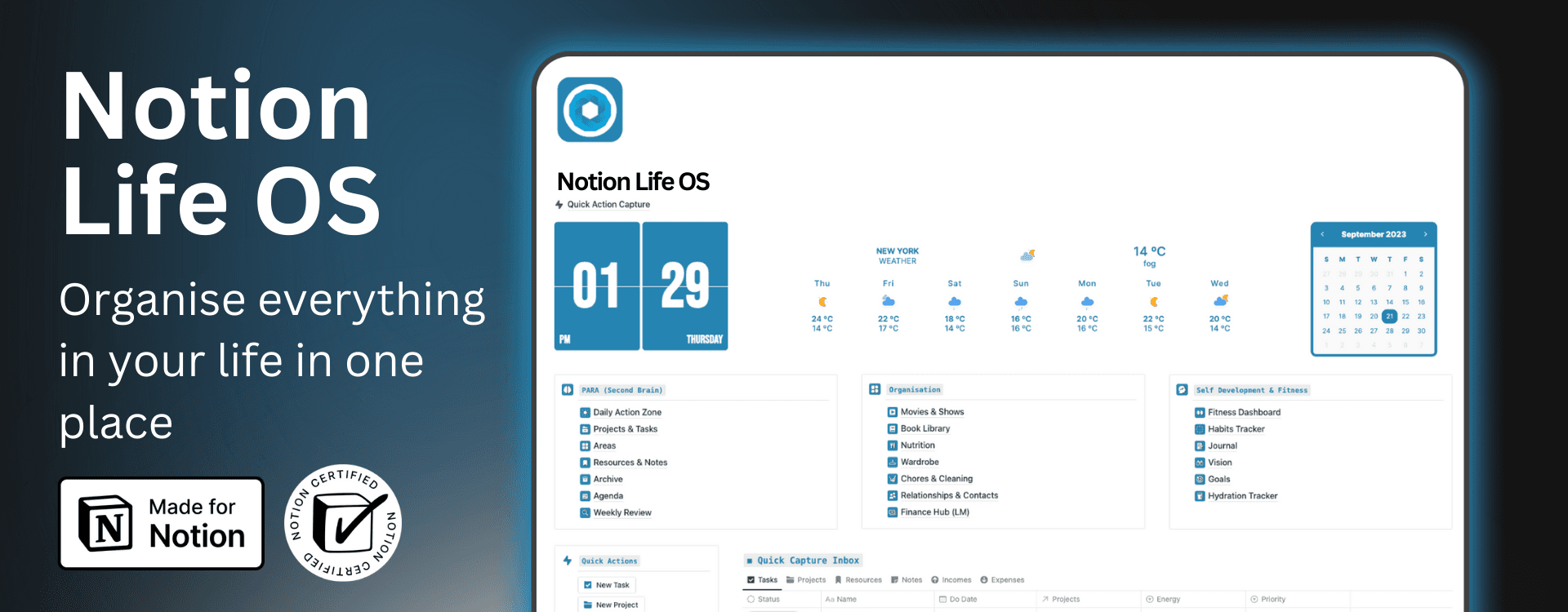
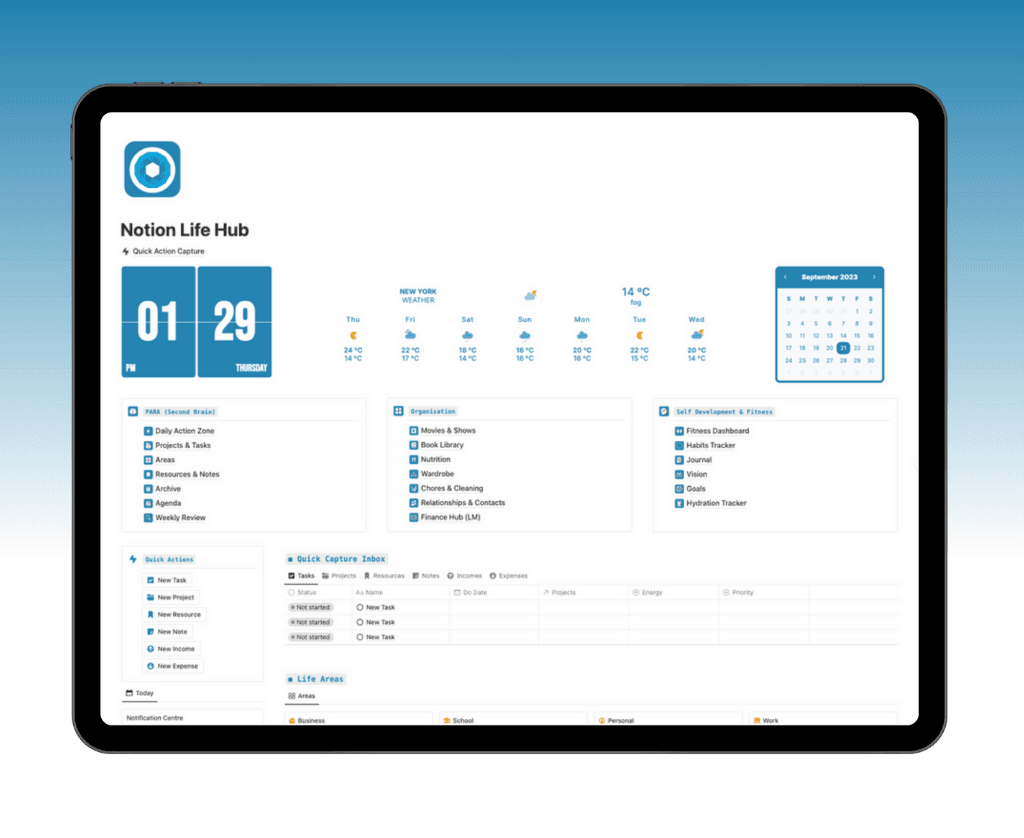
Notion Ultimate Life OS
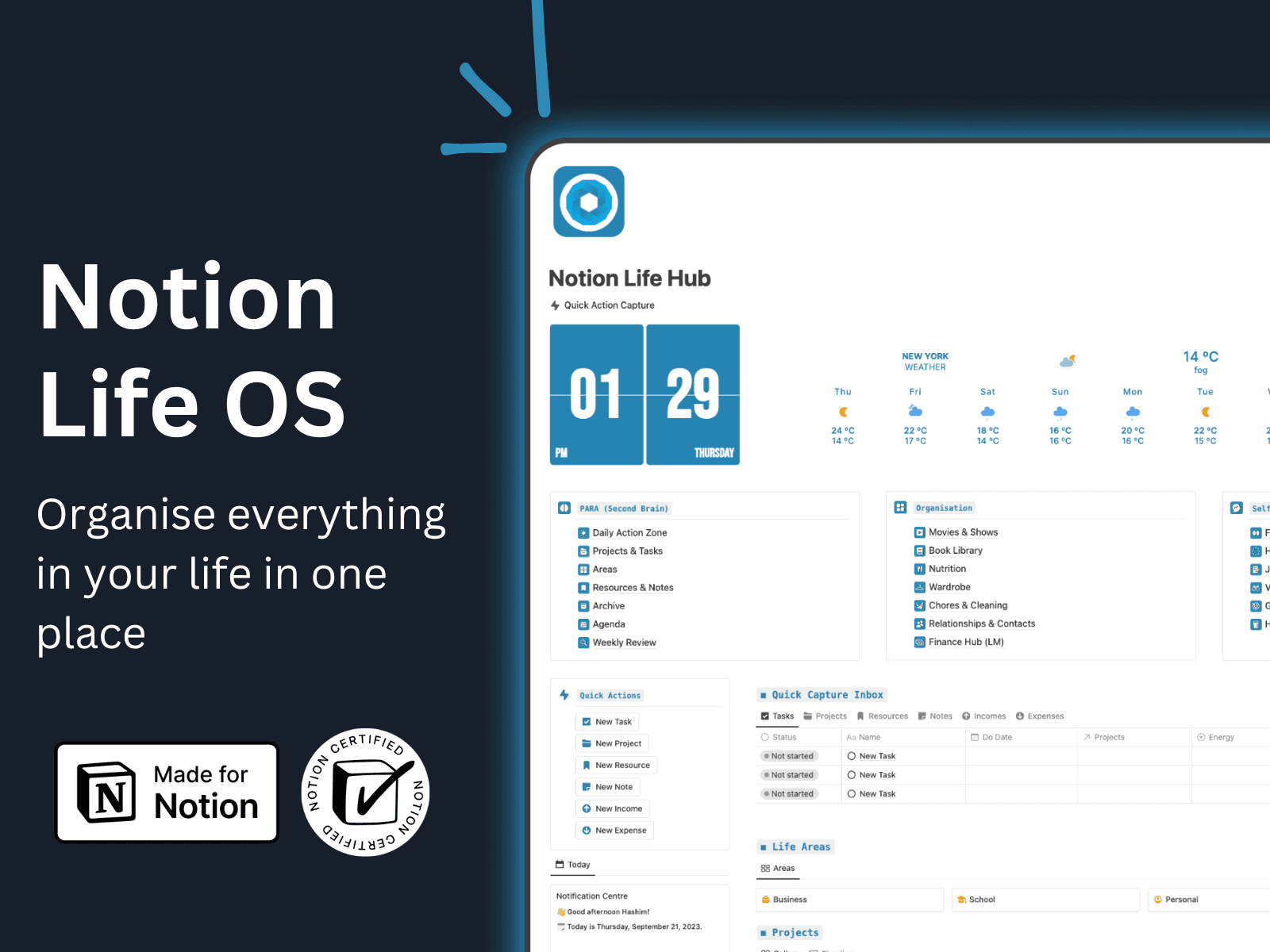
The Habit Tracker in Notion Life OS helps you stay consistent, build better routines, and improve yourself over time with simple daily tracking. You can easily create recurring habits and review your progress inside a clean and organized productivity dashboard.
With this built-in habit tracking system, you can:
• Track daily habits and routines
• Keep an eye on streaks and consistency
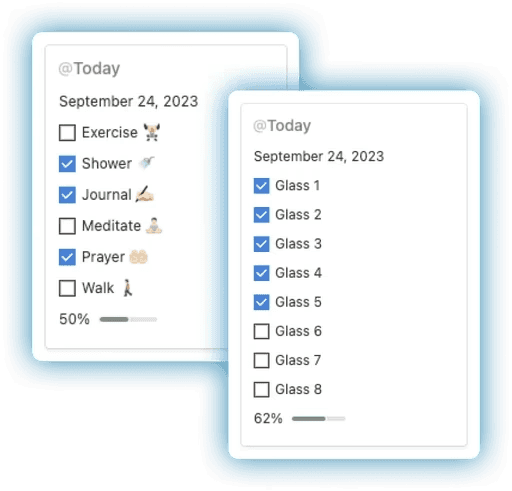
• Log your daily water intake to stay hydrated
• Support your fitness, wellness, and personal growth goals
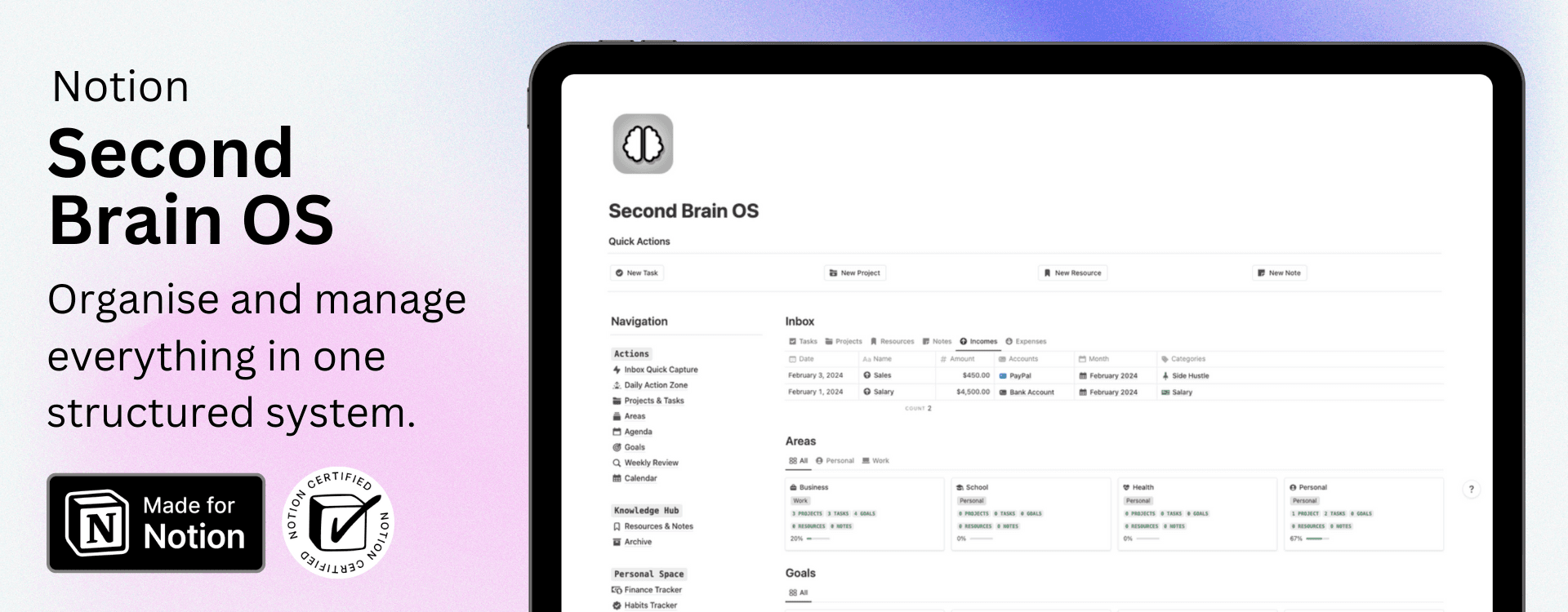
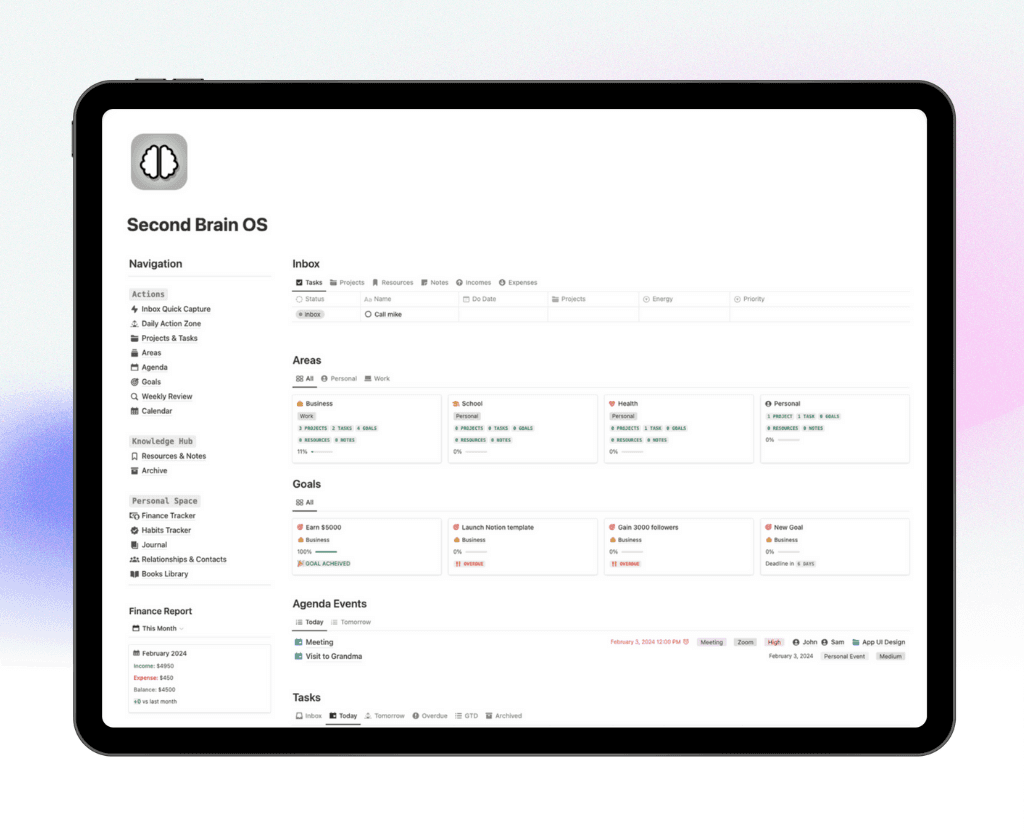
Notion Second Brain OS
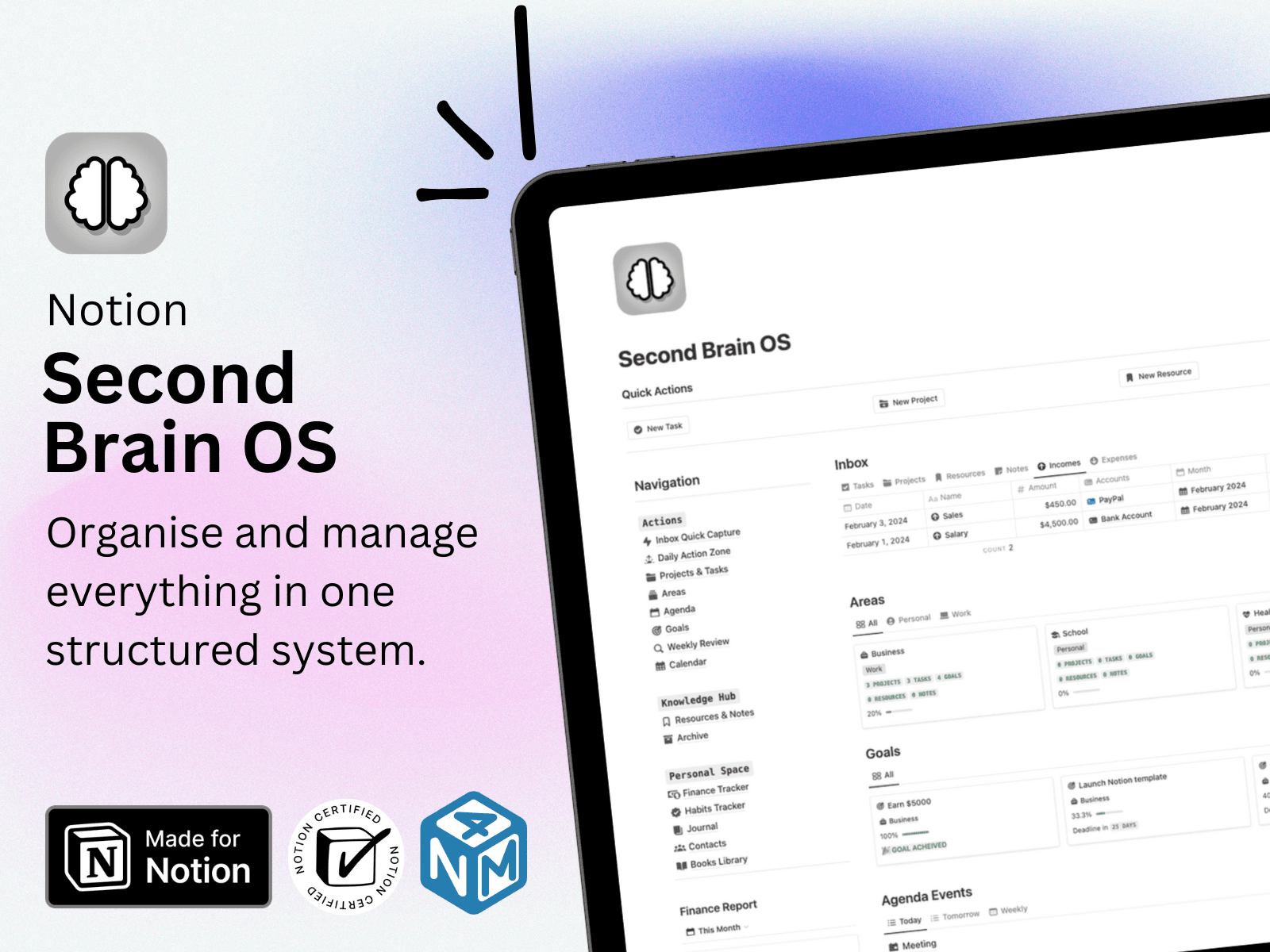
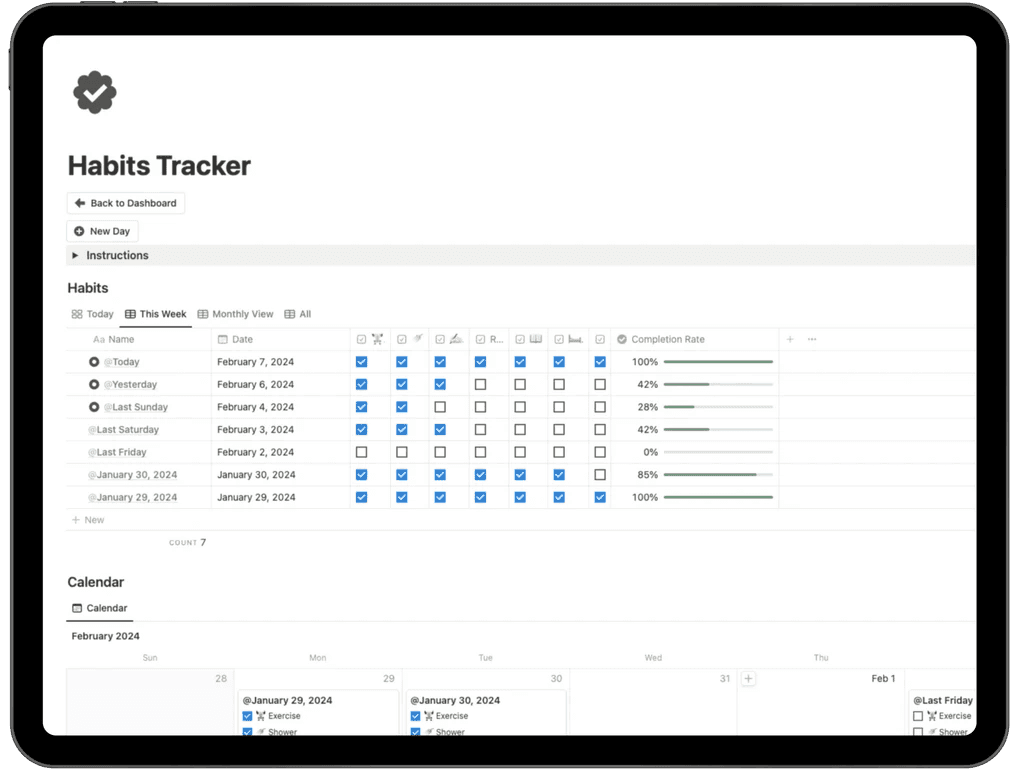
The Habit Tracker inside the Notion Second Brain OS is a powerful productivity tool designed to help you build consistent routines, track daily habits, and improve long-term performance. With structured views like Today, This Week, and Monthly View, you can easily monitor progress and stay aligned with your personal and professional goals.
This smart habit tracking dashboard allows you to:
• Track daily habits with simple checkboxes
• View weekly and monthly performance at a glance
• Measure completion rates with automatic progress indicators
• Identify patterns and improve consistency over time
• Stay organized with a built-in calendar view
Integrated directly into your Second Brain system, this habit tracker keeps your routines, productivity, and personal growth fully connected in one organized workspace.
Notion Habit Tracker Journal For Free
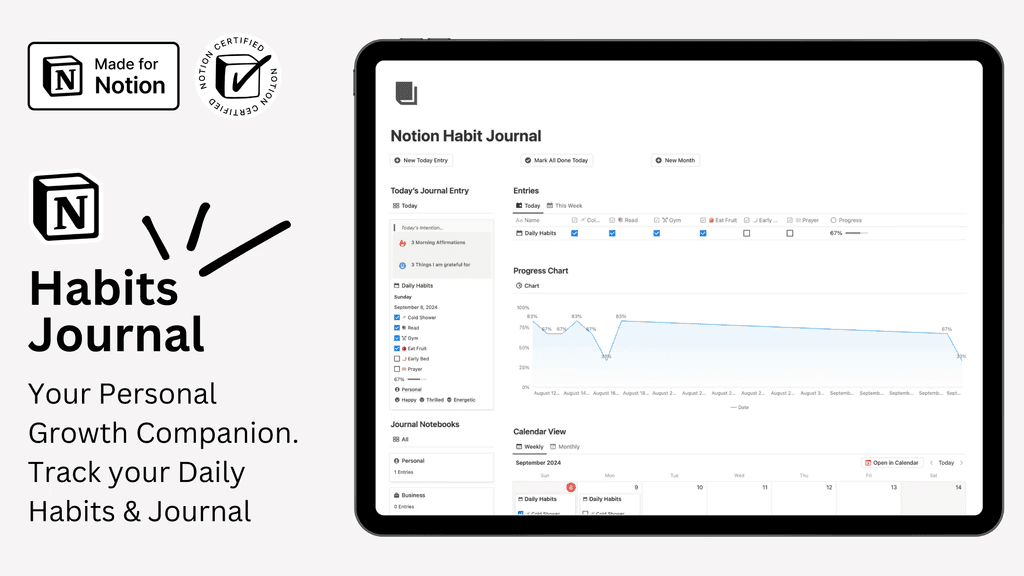
Your Complete Personal Growth & Habit Tracker
Take control of your self-improvement journey with this free all-in-one Notion habit tracker template. Designed to help you build better routines, reflect daily, and stay aware of your emotional well-being, this system combines habit tracking, journaling, and mood monitoring in one organized dashboard. Visual progress reports and customizable views make it easy to stay consistent and motivated.
Key Features:
All-in-one dashboard: Track habits, write daily journal entries, and monitor moods in one place.
Flexible journaling system: Use ready-made journal templates or customize your own layout.
Simple daily habit tracking: Log habits quickly and measure progress toward your goals.
Built-in mood tracker: Record your emotional state and spot patterns over time.
Progress visualization: Generate clear charts and reports to track long-term growth.
Monthly reviews: Reflect on wins, analyze performance, and reset your goals.
Multiple tracking views: Switch between different layouts to match your workflow.
Fully customizable: Personalize the template to fit your lifestyle and productivity system.
Get Notion Habit Tracker Journal
Step-by-Step: Building Your Habit Tracker in Notion
Creating a habit tracker in notion is a powerful way to take charge of your routines. By following these steps, you will build a flexible system that grows with your goals. Let’s break down the process so you can start tracking and improving your habits today.
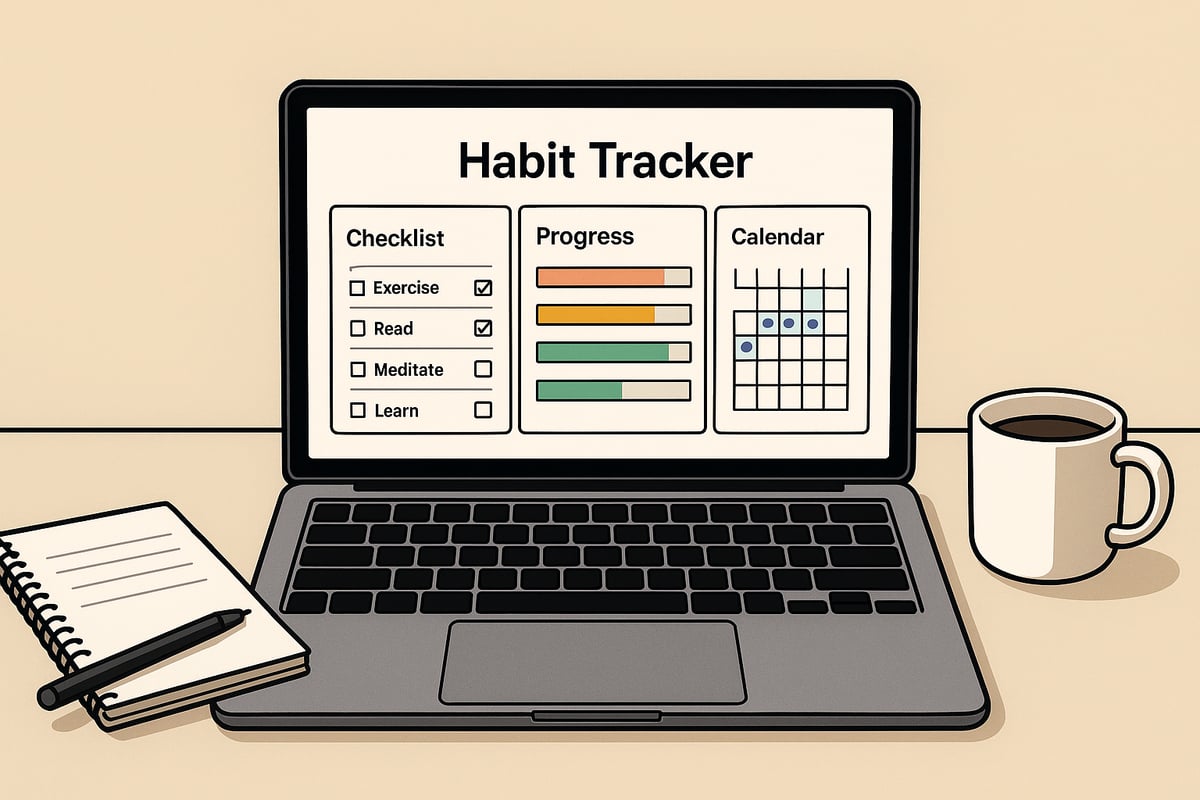
Step 1: Planning Your Habits
Begin by identifying the habits you want to track in your habit tracker in notion. Focus on 5 to 7 key habits that align with your personal or professional goals. Too many habits at once can lead to overwhelm.
Consider categories like morning routines, learning, self-care, productivity, or wellness.
Examples: “Wake up early,” “Read 15 minutes,” “Exercise,” “Journal.”
Start small and scale up as these habits become part of your daily life. This focused approach helps you build consistency and see real progress.
Step 2: Setting Up Your Notion Database
To start your habit tracker in notion, create a new page and add an Inline Database. Give your database a name, such as “2026 Habit Tracker,” for easy reference. Add a Date property so you can log your progress each day.
If you prefer a ready-to-use solution, explore the Notion Habit Tracker Template, which offers a pre-built structure and saves time on setup.
This foundational step ensures your tracker is organized and ready for customization.
Step 3: Adding Habit Properties
Next, add a Checkbox property for each habit you want to track in your habit tracker in notion. Rename each column for clarity, such as “Exercise,” “Read,” or “Hydrate.” This makes daily logging straightforward.
A simple table structure might look like:
Date | Exercise | Read | Hydrate | Journal |
|---|---|---|---|---|
2026-01-01 | ☐ | ☐ | ☐ | ☐ |
This visual setup helps you quickly see which habits you complete each day.
Step 4: Logging and Tracking Daily Progress
Each day, open your habit tracker in notion and enter the date. Check off each habit as you complete it. Use the Name column for easy day labeling, such as “Monday.”
Consistent daily logging builds self-awareness.
Over time, you’ll spot trends and identify days when certain habits are harder to maintain.
This routine makes it easier to stay accountable and motivated.
Step 5: Calculating Progress with Notion Formulas
To understand your progress, add Formula properties in your habit tracker in notion. Create fields like Total Checked, Progress Number, or Progress Bar %.
For example, use a formula like:
Show your progress as a bar for visual motivation. These calculations make your achievements tangible and provide instant feedback.
Step 6: Customizing Views (Table, Calendar, Gallery)
Enhance your habit tracker in notion by adding different views. Create a Calendar view to visualize habits over time, or switch to a Gallery for a more graphical approach.
Configure which properties display, like Progress Bar % and Date.
Hide columns you don’t need to keep your workspace clean.
Custom views help you tailor the tracker to your workflow and review habits weekly or monthly.
Step 7: Weekly and Monthly Reporting
Finally, use grouped views by week or month within your habit tracker in notion. This allows you to analyze trends and see your average progress.
Calculate weekly or monthly averages using Notion’s built-in functions.
Review breakdowns to adjust your habits as needed.
Regular reporting supports long-term growth and makes it easier to celebrate milestones.
Advanced Customization and Automation in 2026
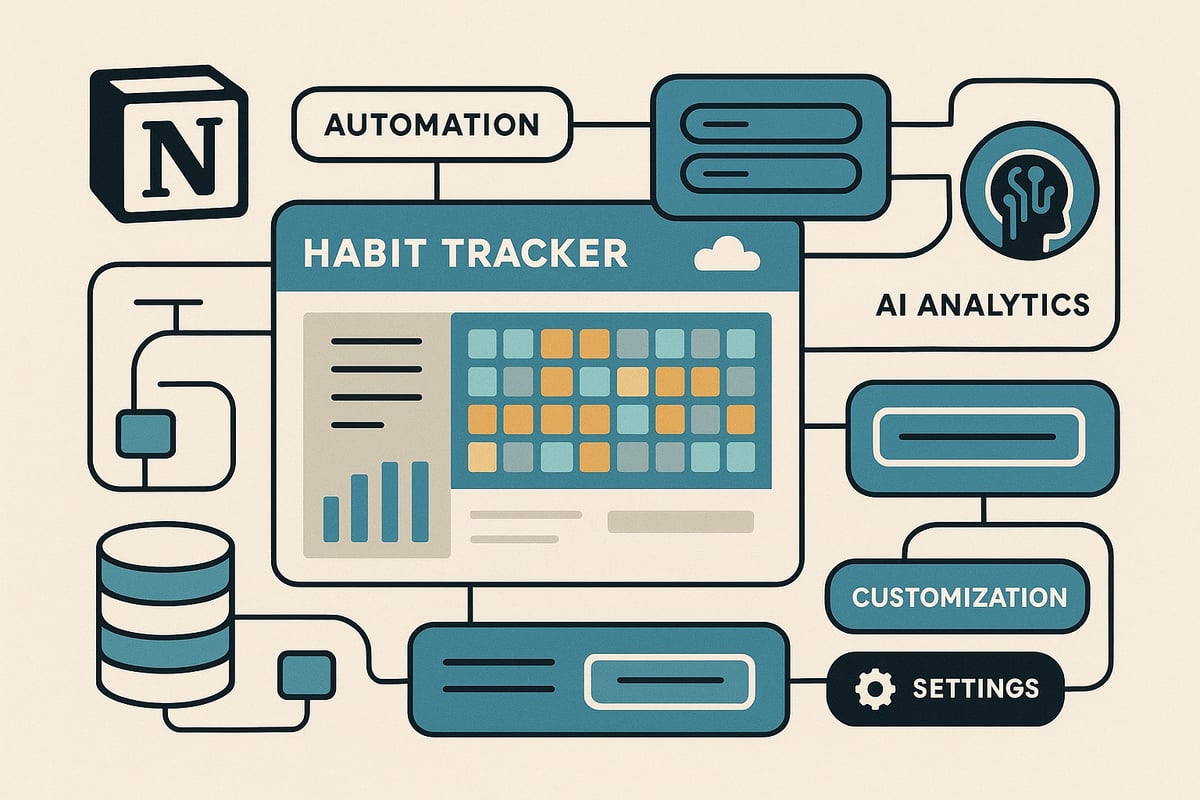
Unlocking the full power of a habit tracker in notion means going beyond basic checkboxes. In 2026, Notion's advanced features, integrations, and automation tools let you create a truly personalized, data-driven system. Whether you want to connect habits to goals, visualize trends, or automate daily entries, these strategies ensure your habit tracker in notion remains adaptable and efficient.
Integrating Advanced Notion Features
Take your habit tracker in notion to the next level by leveraging relations, rollups, and formulas. By linking your habit database to a goal-setting database, you can track how daily actions contribute to long-term outcomes. For example, create a relation property connecting habits to specific projects or themes, then use rollups to aggregate progress per goal. This holistic approach gives you a 360-degree view of your growth, making it easier to spot strengths and areas for improvement.
Feature | Benefit | Example |
|---|---|---|
Relation | Link habits to goals/projects | Habits by project |
Rollup | Aggregate habit data | Total progress per goal |
Formula | Automate calculations | Progress % bar |
With these tools, your habit tracker in notion becomes a central hub for both daily routines and big-picture planning.
Visualizing Progress with Charts and Dashboards
Seeing your achievements visually can be a game changer for motivation. In 2026, you can embed advanced charts directly into your habit tracker in notion. Use built-in Notion chart integrations or embed third-party tools like Google Charts for bar graphs, pie charts, or calendars. Create a custom dashboard combining habits, tasks, and goals for a comprehensive overview. This visual feedback loop reinforces consistency and makes tracking progress engaging.
For example, set up a dashboard that displays weekly streaks, monthly completion rates, and your most consistent habits. By organizing these widgets, you can quickly identify trends and celebrate milestones within your habit tracker in notion.
Automating Habit Tracking with Notion Buttons and Templates
Save time and reduce friction by automating repetitive tasks in your habit tracker in notion. Notion Buttons allow you to generate daily or weekly habit entries with a single click. Set up recurring templates for morning routines, mood tracking, or journaling. These templates can pre-fill your database with habits to check off each day.
Example automation:
This level of automation ensures you never miss a day and keeps your habit tracker in notion streamlined and efficient.
Connecting Notion to Other Productivity Tools
Expand the capabilities of your habit tracker in notion by connecting it to other apps. Use the Notion API to sync habits with Google Calendar, Todoist, or fitness apps. Automate reminders or push notifications using third-party integrations like Zapier or Make.
For instance, set up a workflow that creates a calendar event when a habit is checked, or sends a daily summary to your phone. Integrating with your broader productivity ecosystem reduces manual entry and keeps your habit tracker in notion at the heart of your routine.
AI and Predictive Analytics for Habit Tracking
Harness the power of artificial intelligence to analyze your habit tracker in notion. Notion AI can review your habit data, identify trends, and suggest actionable improvements. For example, AI might highlight that you’re more consistent on weekdays, or recommend adjusting your routines for better balance.
Research shows that AI-powered habit trackers vs. traditional journaling can achieve up to 38 percent higher 90-day adherence rates. By embracing AI-driven insights in your habit tracker in notion, you can optimize your routines and stay ahead of the curve.
Data Security and Privacy in Notion
Protecting your personal data is crucial when using a habit tracker in notion. Notion provides robust privacy controls, including workspace permissions and private databases. Limit access to sensitive habit information by adjusting sharing settings and using strong passwords.
Best practices include:
Creating a private workspace for personal tracking
Regularly reviewing access permissions
Backing up your habit tracker in notion
This ensures your progress remains confidential and your system remains secure, no matter how advanced your setup becomes.
Personalizing Your Habit Tracker for Maximum Motivation
Personalizing your habit tracker in notion can be the difference between fleeting motivation and lasting momentum. By tailoring your workspace to your preferences and routines, you transform habit tracking from a chore into a rewarding daily ritual. Let's explore how to make your habit tracker in notion visually appealing, structured, and deeply motivating.
Designing for Visual Appeal and Usability
The first step in creating a motivating habit tracker in notion is to focus on design and usability. Add icons, covers, and color coding to make your tracker visually distinct and easy to navigate.
Use emojis for each habit to create instant recognition
Apply color highlights to differentiate routines or priorities
Select a cover image that inspires you each time you open your tracker
A visually appealing habit tracker in notion is more likely to draw you in daily. You can also leverage Notion’s drag-and-drop features to rearrange habits or routines as your needs evolve. This ensures your workspace stays fresh and inviting.
Habit Stacking and Routine Building in Notion
To maximize efficiency, organize your habit tracker in notion by grouping related habits into routines. For example, a “Morning Routine” might include hydration, meditation, and reading.
Group habits by time of day (morning, afternoon, evening)
Create checklists for routines to streamline your workflow
Use Notion’s filtering and sorting to focus on specific routines
Habit stacking within your habit tracker in notion helps reinforce positive behaviors by linking new habits to established ones. Over time, this structure makes your daily processes more automatic and less reliant on willpower.
Gamification Strategies for Consistency
Gamification can significantly boost engagement with your habit tracker in notion. Add elements like streak counters, achievement badges, and progress bars to create a sense of accomplishment.
Track streaks for each habit to encourage daily consistency
Set up digital rewards for milestones reached
Include motivational quotes or widgets as positive reinforcement
Research shows that gamified elements can enhance habit formation and sustain motivation. For more insights, see this exploratory study of health habit formation through gamification. By integrating these strategies, your habit tracker in notion becomes both fun and effective.
Reflection and Habit Journaling
A powerful habit tracker in notion supports not just tracking, but also reflection. Add a “Notes” or “Reflection” column to log daily insights, challenges, or victories.
Use journaling prompts for end-of-week reviews
Summarize key learnings and adjust strategies as needed
Capture emotional states to identify patterns in habit performance
By building reflection into your habit tracker in notion, you create space for self-discovery and continuous improvement. This process reinforces your commitment and helps you adapt as your goals evolve.
Adapting Your Tracker as Goals Evolve
Life is dynamic, and your habit tracker in notion should evolve with you. Regularly review and update your tracker to align with shifting priorities.
Add or remove habits as your focus changes
Archive completed or paused habits for historical reference
Update layouts and views to match your current workflow
This flexibility ensures your habit tracker in notion remains relevant and motivating over time. By iteratively refining your system, you maintain momentum and avoid stagnation.
Proven Strategies for Sticking to Your Habits in Notion
Creating habits is challenging, but maintaining them is where most people struggle. Mastering your habit tracker in notion requires more than just setup—it demands intentional strategies for lasting consistency. Let’s explore proven methods that help you stay on track, build motivation, and make your Notion habit tracker a daily success.
Setting Realistic and Achievable Goals
A habit tracker in notion is only as effective as the goals you set. Start by selecting 5–7 core habits, which research shows is optimal for building momentum without feeling overwhelmed. Use the SMART framework—Specific, Measurable, Achievable, Relevant, Time-bound—to define each habit.
For example, instead of “Read more,” try “Read 10 pages daily.” This clarity helps you stay engaged and measure progress. Studies, such as those in Effects of habit formation interventions on physical activity habit strength, confirm that structured habit tracking significantly boosts habit strength, making Notion a powerful ally in your routine.
Establishing Reminders and Accountability Systems
Consistency is key for your habit tracker in notion. Set up Notion’s built-in reminders for daily check-ins. You can also link your habit tracker to calendar apps, so you receive timely nudges wherever you are.
Sharing your tracker with an accountability partner or group adds another layer of motivation. Schedule weekly check-ins, either in person or virtually, to discuss progress and setbacks. This external accountability helps transform your habit tracker in notion into a true support system.
Reviewing and Adjusting Your Tracker Regularly
Regular reviews are essential to maximize the impact of your habit tracker in notion. Set aside time each week and month to analyze your progress. Use Notion’s reporting features, such as progress bars and averages, to spot trends or plateaus.
If you notice a habit is consistently missed, reflect on possible obstacles and adjust as needed. Flexibility ensures your habit tracker in notion evolves with your goals, keeping it relevant and effective as your needs change.
Overcoming Common Habit Tracking Challenges
Even with the best setup, challenges arise. Common issues include missed days, dips in motivation, or the temptation to abandon tracking altogether. To counteract this, use habit stacking—linking new habits to established routines—or introduce mini-habits for quick wins.
Research on perceived user behavior in abandoning wearable health & wellness trackers highlights the importance of user engagement and adapting the system to your lifestyle. Make your habit tracker in notion visually appealing, easy to use, and reflective of your real-life routines to prevent drop-off.
Leveraging Notion’s Mobile and Desktop Apps
Your habit tracker in notion should be accessible anytime, anywhere. With Notion’s apps for mobile and desktop, you can log habits during commutes, breaks, or right before bed. All updates sync seamlessly across devices, ensuring you never lose track of your progress.
Make it a habit to check off tasks as soon as they’re done. Quick, on-the-go tracking keeps your momentum alive and your habit tracker in notion at the center of your daily workflow.
Celebrating Milestones and Progress
Recognition fuels motivation. Use your habit tracker in notion to mark milestones—such as a 30-day streak or hitting weekly targets—with digital rewards, custom badges, or celebratory notes. Visual cues like progress bars and achievement pages boost your sense of accomplishment.
Reflecting on wins, no matter how small, builds confidence. It also reinforces your commitment to the process, making your habit tracker in notion a source of daily encouragement.
Community Resources and Continued Learning
Tapping into the Notion community can supercharge your habit tracker in notion experience. Join online forums, subscribe to productivity newsletters, or participate in challenges for new ideas and support.
Accessing free templates and expert tips keeps your tracker fresh and effective. Learning from others’ successes and setbacks helps you refine your approach, ensuring your habit tracker in notion grows along with your ambitions.
Now that you know exactly how to build and personalize your habit tracker in Notion for 2026, why not take things a step further and supercharge your productivity from day one? With everything you’ve just learned, it’s clear that having the right tools can make habit tracking seamless, motivating, and truly effective. If you want an all in one solution that combines habit tracking, goal setting, and workflow management—designed by experts and trusted by thousands—check out the Get the Ultimate Notion Bundle. It’s designed to help you stay organized and motivated, every day.
← All Posts
Get Lifetime Access
Get instant lifetime access to all current and future Notion templates.
✓ 8 Premium Notion Templates
✓ Lifetime Access
✓ Access to all Future Templates
✓ $300+ value
✓ Bonus 10 Templates
$119
$299
Get it Now
70% OFF