← All Posts

Hashim Sultan

Feb 13, 2026
Table Of Content
Life OS: an all-in-one solution to all your problems
Struggling to Stay Organized and Productive?
Do you often feel overwhelmed by scattered tasks, missed deadlines, and too many responsibilities at once? Without a structured productivity system, your mind becomes the storage space for everything — projects, errands, meetings, finances, habits, and goals.
Using separate tools for task management, habit tracking, and finance planning only creates disconnected databases and a messy workflow. What you truly need is a centralized Notion Life OS dashboard that brings clarity, structure, and focus into one streamlined system.
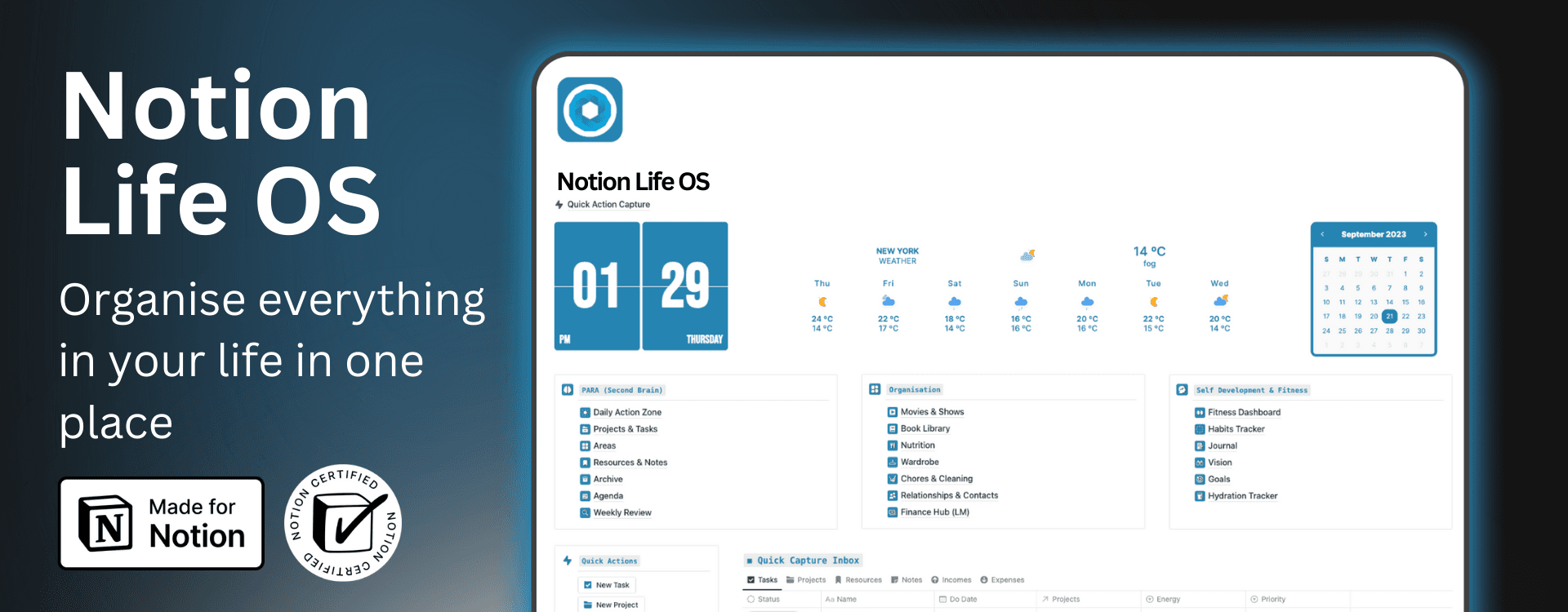
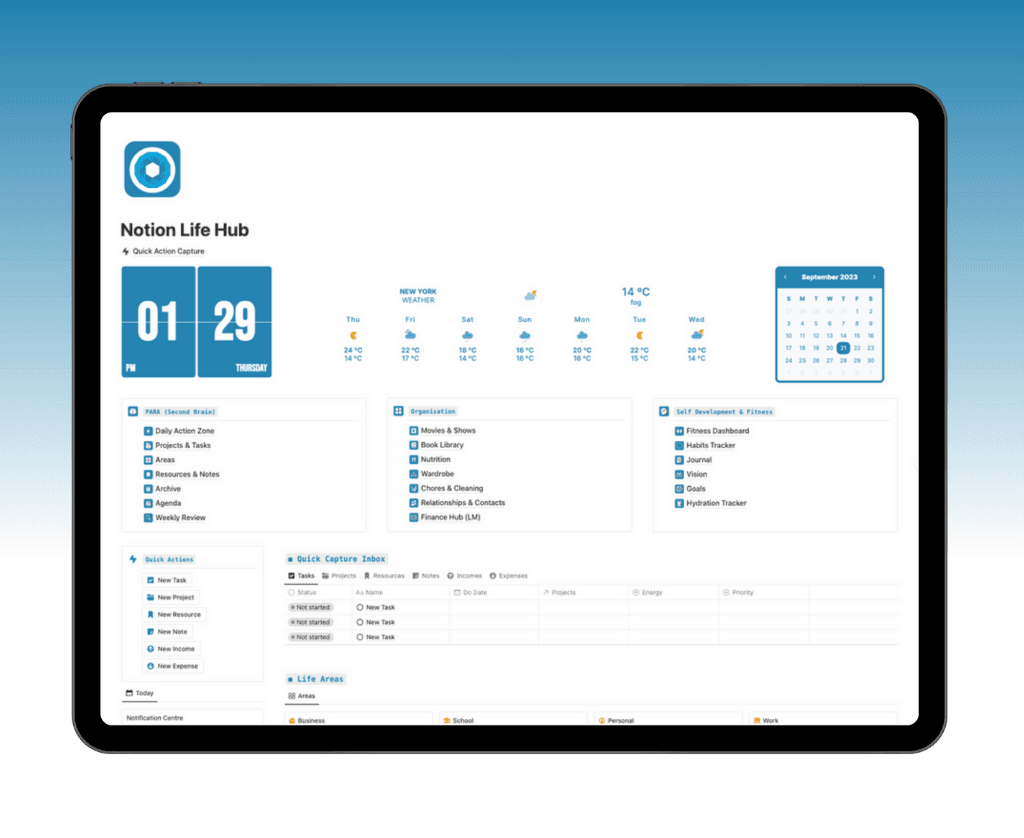
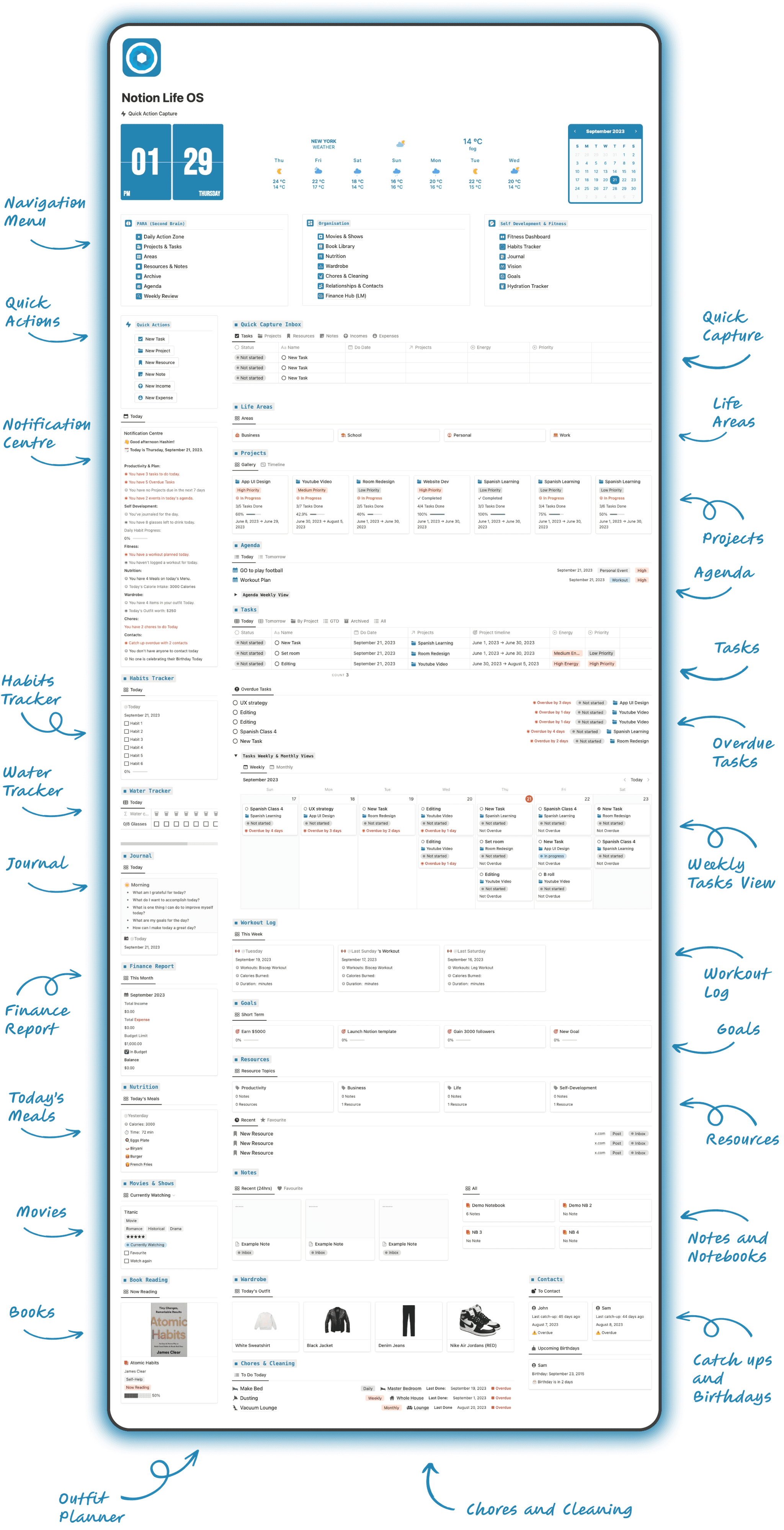
Life OS is an all-in-one Notion life planner template designed to help you manage every area of your life from a single workspace. It connects your:
• Projects and tasks
• Life areas and long-term goals
• Daily and weekly agenda
• Finance tracking and budgeting
• Habit and fitness tracking
• Contacts, chores, and personal organization
• Book and movie tracking
Instead of juggling multiple apps, you operate from one powerful productivity system built for students, entrepreneurs, and professionals.
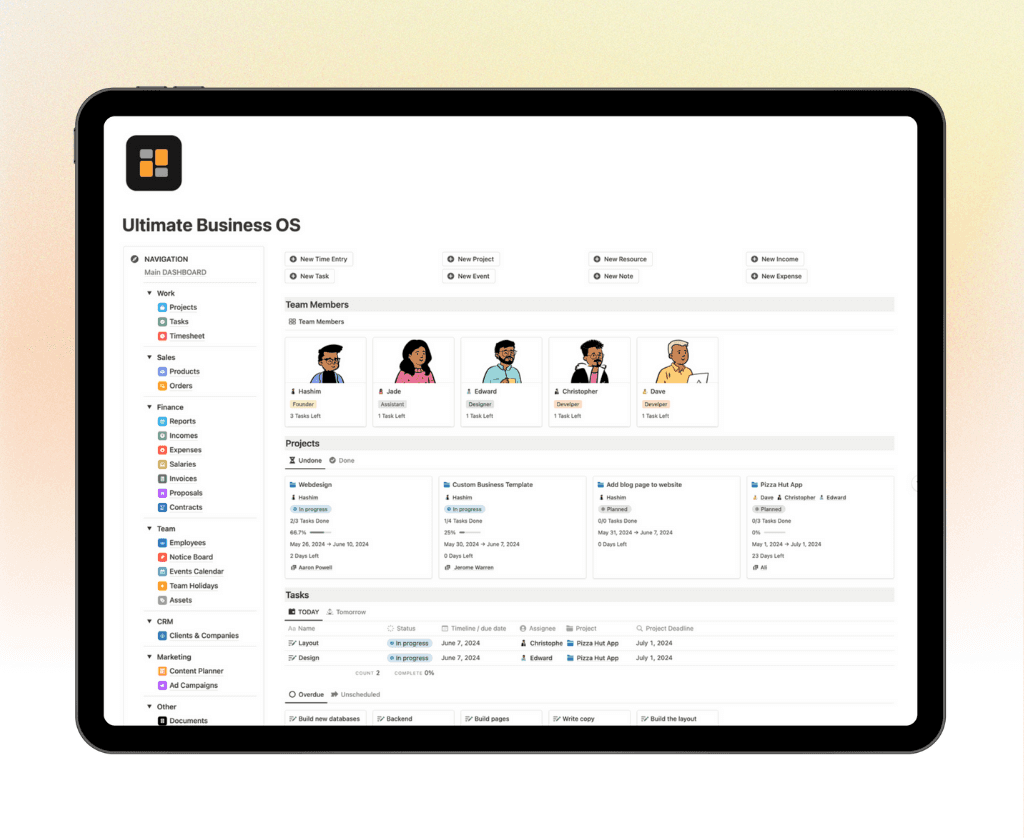
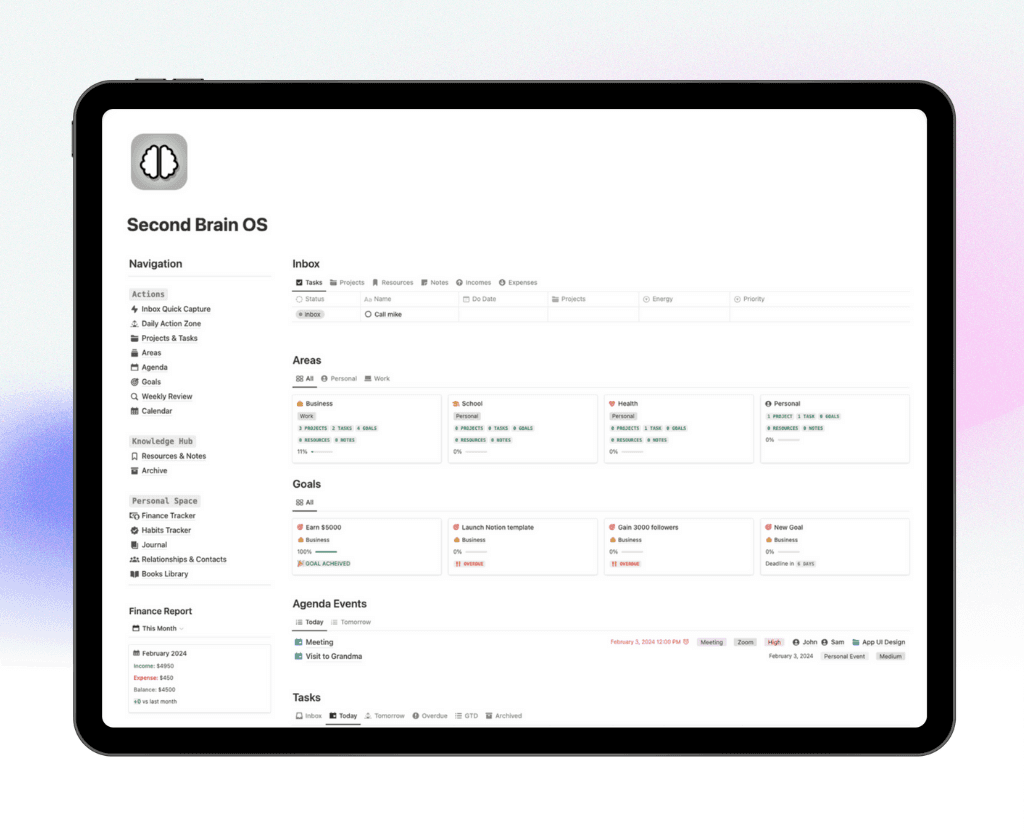
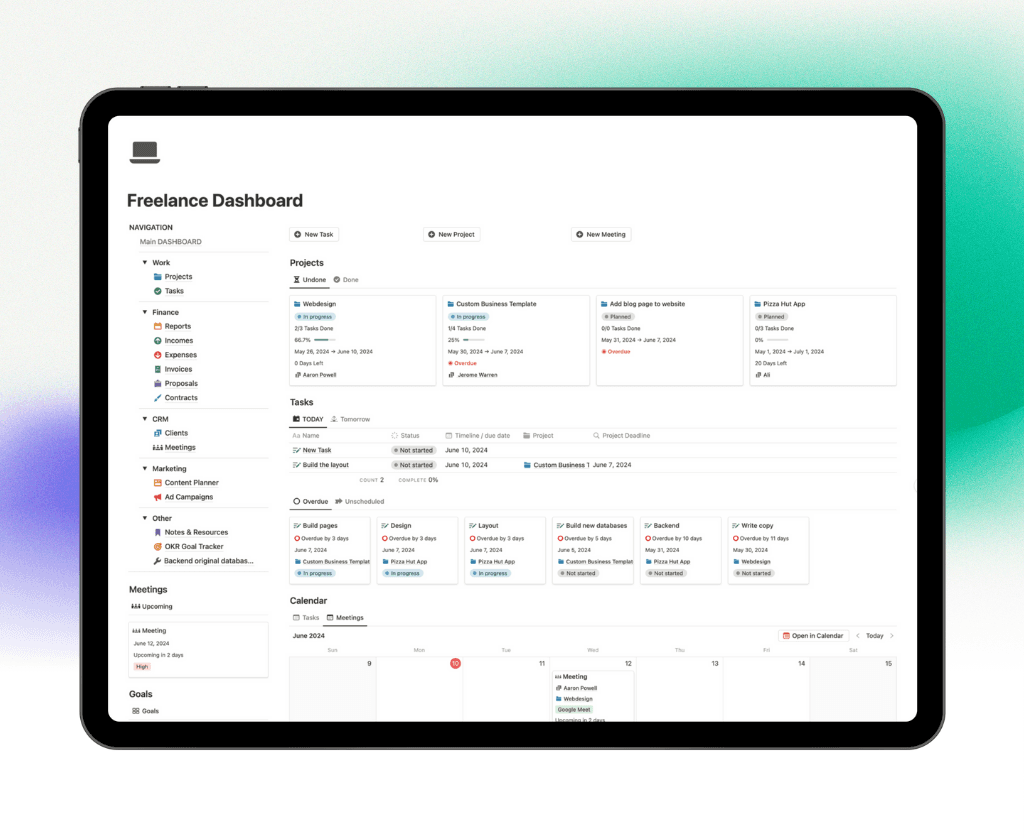
If you’ve explored our guides on Best Notion Dashboards, Second Brain Notion Templates, Notion CRM Templates, or Notion Finance Tracker Templates, you already understand the impact of structured systems. Life OS combines all those concepts into one unified, high-performance Notion workspace.
Life OS isn’t just a template — it’s your personal operating system for productivity, organization, and long-term growth.
Get Notion Life OS
What’s Inside Notion Life OS?
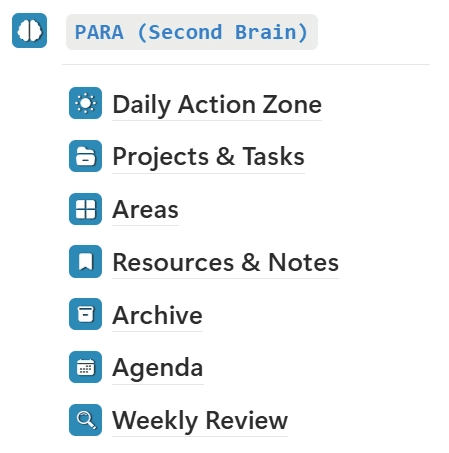
PARA (Projects, Areas, Resources, Archive)
Notion Life OS is structured around the powerful PARA Method, a proven digital organization system introduced by Tiago Forte in Building a Second Brain. This framework helps you organize your Notion workspace based on actionability and execution, not scattered topics.
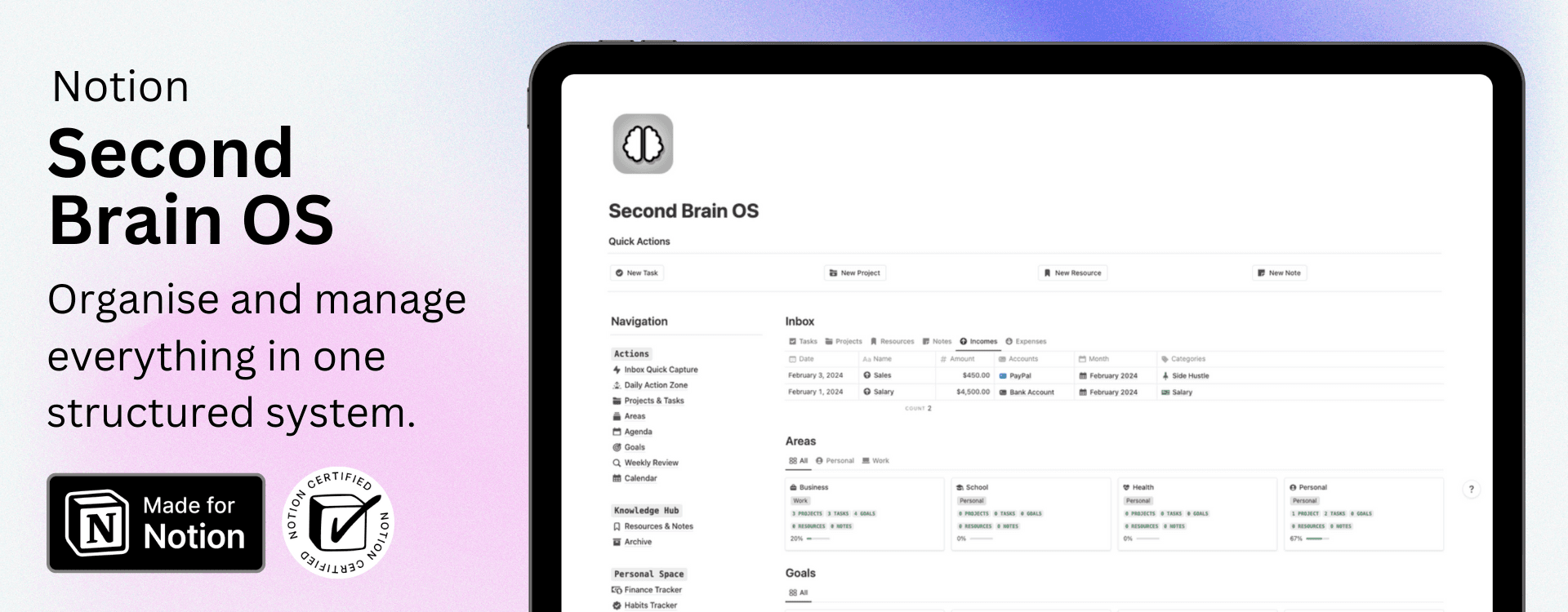
By integrating the Second Brain methodology, Life OS creates a streamlined productivity system that keeps your projects, responsibilities, and knowledge clearly structured and connected.
The Four Components of PARA
• Projects (Active): Short-term goals with deadlines, connected directly to actionable tasks.
• Areas (Ongoing): Long-term responsibilities like Health, Finances, Career, and Personal Development.
• Resources (Knowledge): Topics, research, and learning materials you want to reference or develop.
• Archives (Inactive): Completed or inactive items stored for organized future reference.
This structured PARA framework transforms Notion Life OS into a clean, scalable Second Brain and all-in-one productivity system.
Quickly Capture Your Ideas & Thoughts
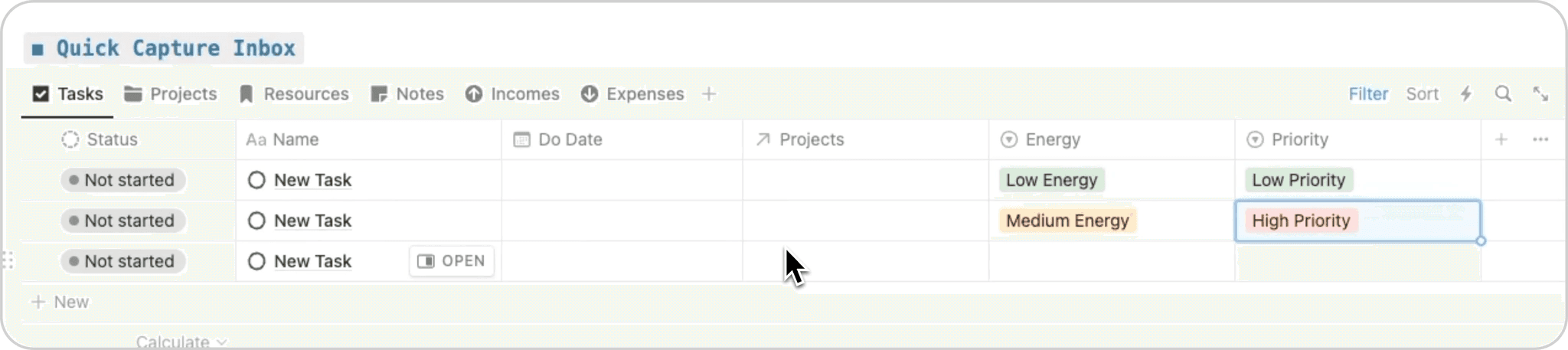
Stay organized and never lose an important idea again with the Quick Capture Inbox inside Notion Life OS. This streamlined capture system allows you to instantly record tasks, projects, notes, reminders, and ideas the moment they come to mind.
Instead of letting thoughts get scattered across sticky notes, random apps, or mental to-do lists, the Quick Capture Inbox centralizes everything into one structured Notion productivity system.
With Quick Capture, you can:
• Instantly add new tasks and action items
• Log project ideas before they’re forgotten
• Capture meeting notes and important reminders
• Store quick thoughts for later organization
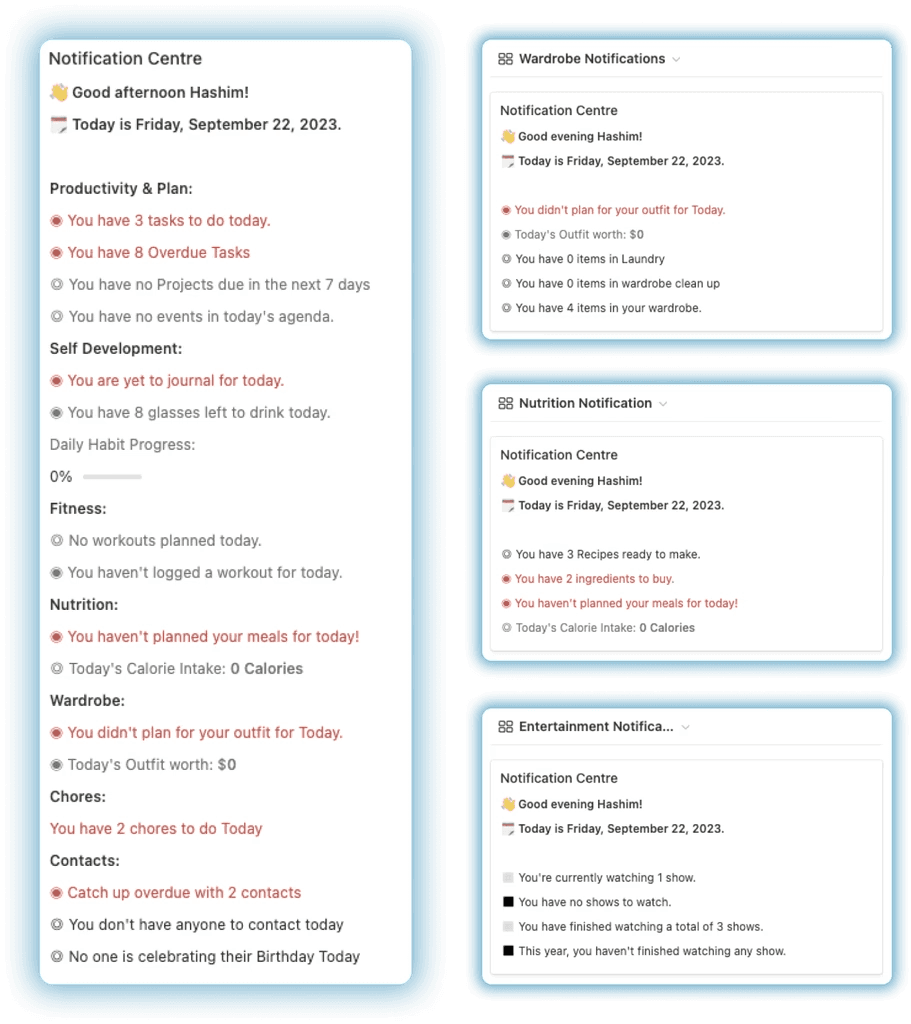
Notification Centre
Experience one of the most advanced features inside Notion Life OS — the Dynamic Notification Centre. This powerful productivity hub acts like a built-in personal assistant, ensuring you stay informed, focused, and in control of your entire workspace.
The Notification Centre automatically displays the most relevant updates in real time, so you never miss critical information. From upcoming deadlines to priority tasks and key updates, everything is surfaced dynamically based on your activity and workflow.
With the Dynamic Notification Centre, you can:
• View upcoming tasks and deadlines instantly
• Track important project updates
• Stay aware of high-priority action items
• Monitor what requires immediate attention
Projects & Tasks
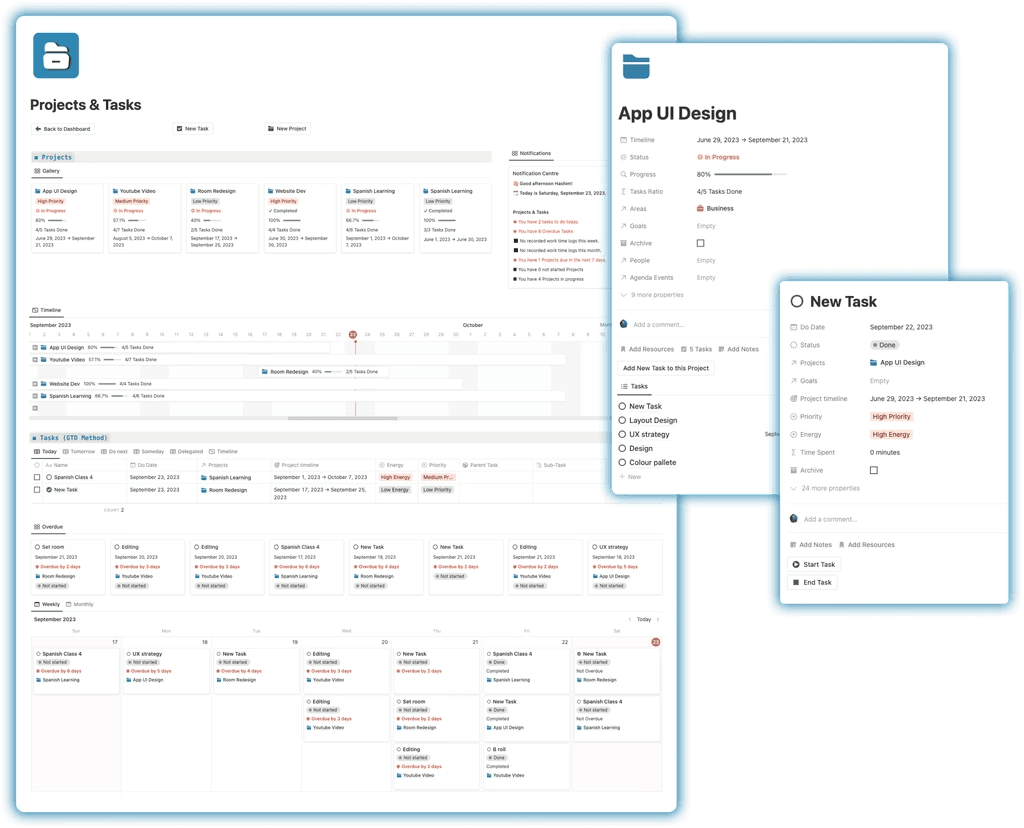
Notion Life OS includes a powerful Projects and Tasks management system designed to keep your workflow organized and actionable. Whether you're handling academic work, personal goals, or business projects, everything is managed from one centralized productivity dashboard.
The built-in Overdue Tasks feature ensures you never miss important deadlines by automatically highlighting delayed action items, helping you stay accountable and focused.
The Tasks Manager is structured around the proven GTD (Getting Things Done) methodology by David Allen, allowing you to:
• Break projects into clear, actionable steps
• Organize tasks by priority and context
• Track deadlines efficiently
• Maintain a clean and structured workflow
Resources & Notes
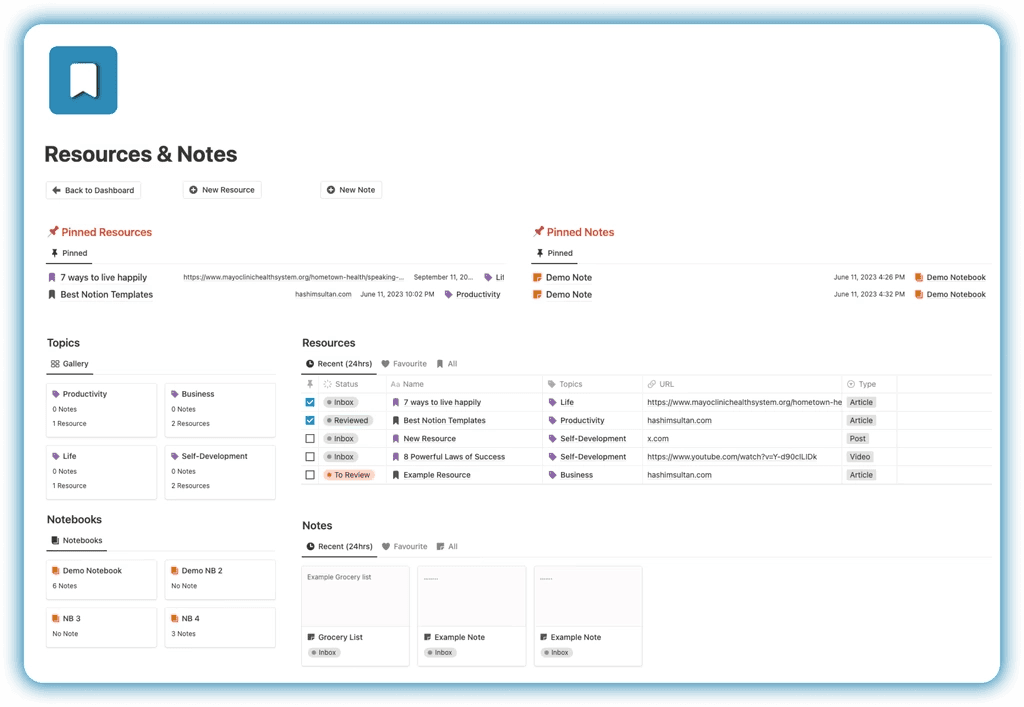
The Resources & Notes system inside Notion Life OS allows you to capture, organize, and manage all your digital knowledge in one structured workspace. Instead of saving valuable content across multiple apps, tabs, or bookmarks, you can centralize everything into a clean and searchable knowledge management system.
Easily queue and store:
• Articles and blog posts
• Quotes and key insights
• Educational videos and tutorials
• Social media posts
• Research material and reference content
Finance Management
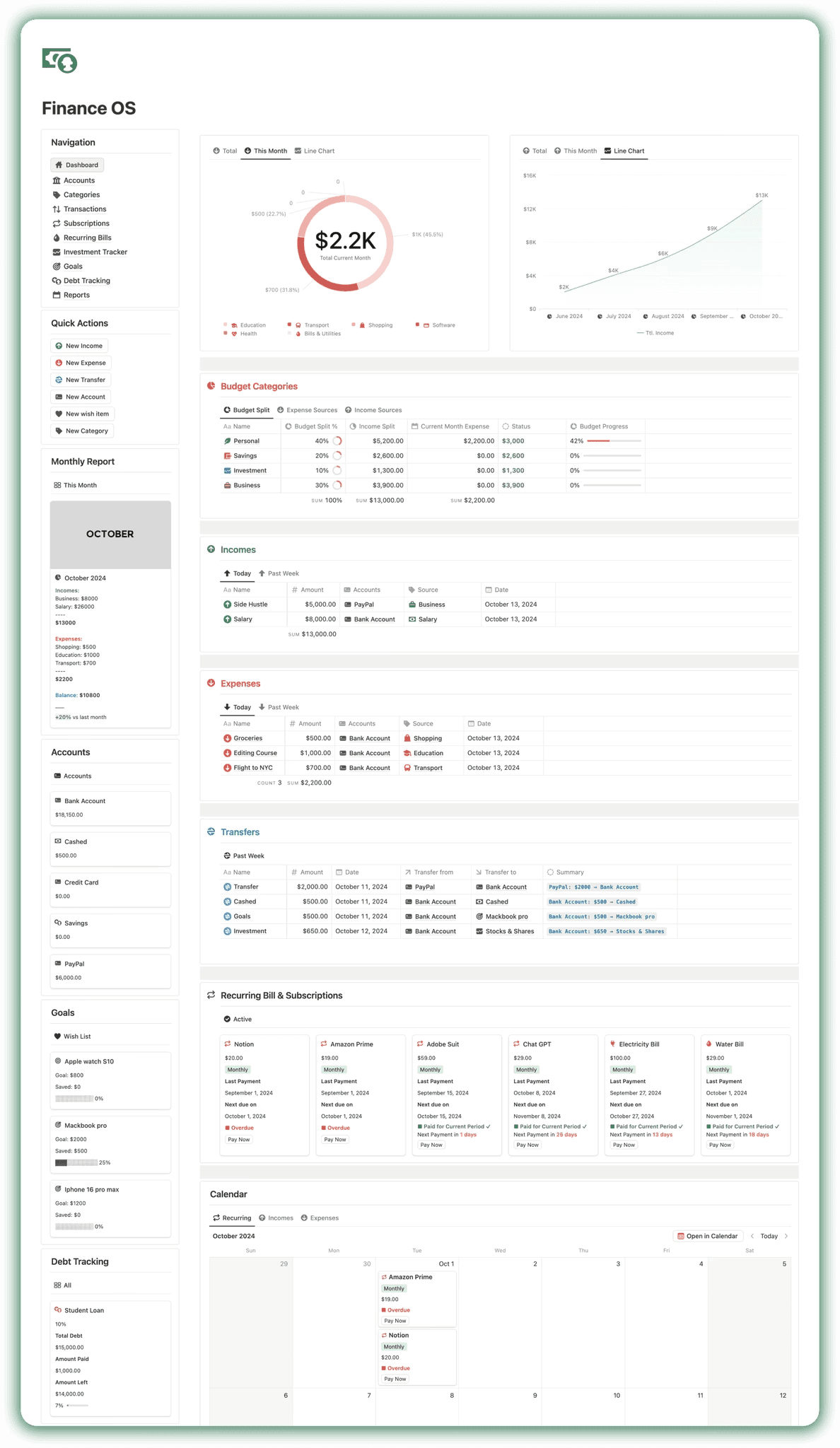
Notion Life OS integrates our powerful Finance OS, a complete all-in-one Notion finance management system designed to help you track, manage, and optimize your personal finances with clarity and control. Instead of relying on scattered spreadsheets or multiple budgeting apps, this structured financial dashboard centralizes everything into one streamlined workspace.
With Finance OS, you can monitor your cash flow, analyze spending habits, and make smarter financial decisions through automated reports and connected databases.
Finance OS includes:
Multiple Account Management
Incomes, Expenses, Transfers
Auto Monthly Reporting
Monthly Budgeting
Average Financial Overview
Wishlist and Debt Tracking
Advanced Subscription management
and more...
Nutrition Planner
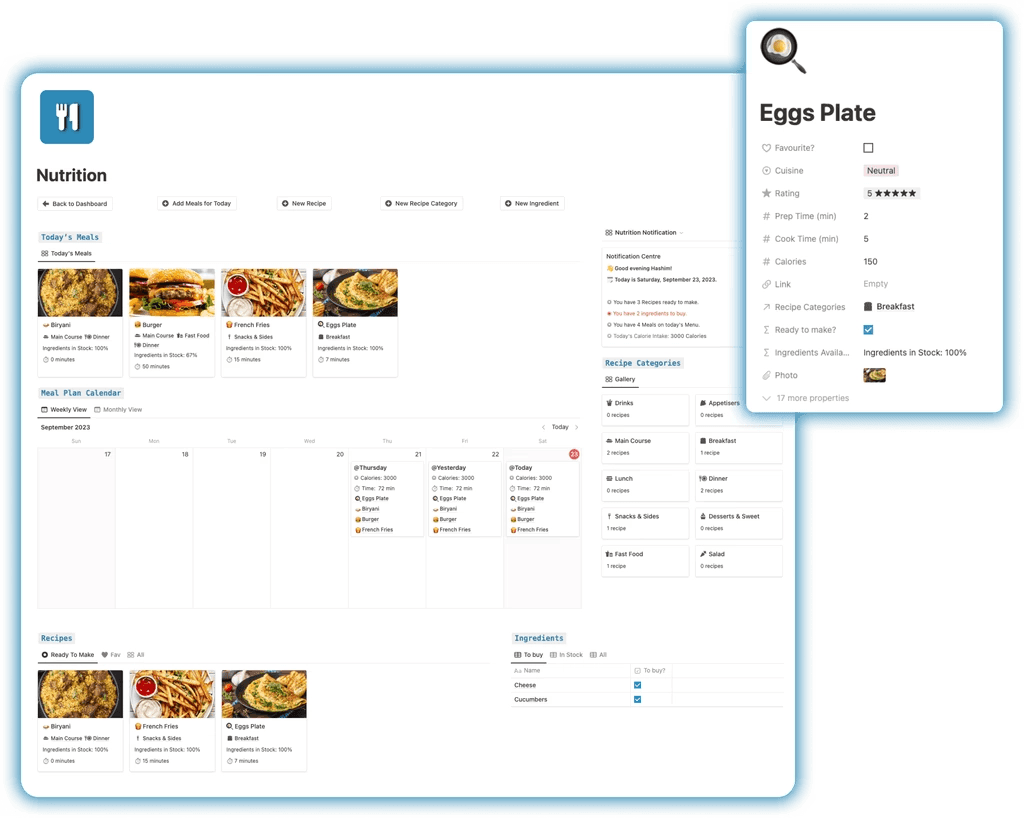
Notion Life OS includes a powerful 3-in-1 Nutrition Planner and Recipe Book designed to help you organize meals, plan nutrition, and manage grocery shopping efficiently. Instead of scattered meal notes or random shopping lists, everything is structured inside one connected Notion dashboard.
With this integrated meal planning system, you can:
• Plan meals by day or week for better dietary consistency
• Organize recipes into custom categories for easy access
• Store detailed ingredients and preparation notes
• Automatically track ingredients to see what you already have
• Generate clear grocery lists based on what you need to purchase
Fitness Tracker
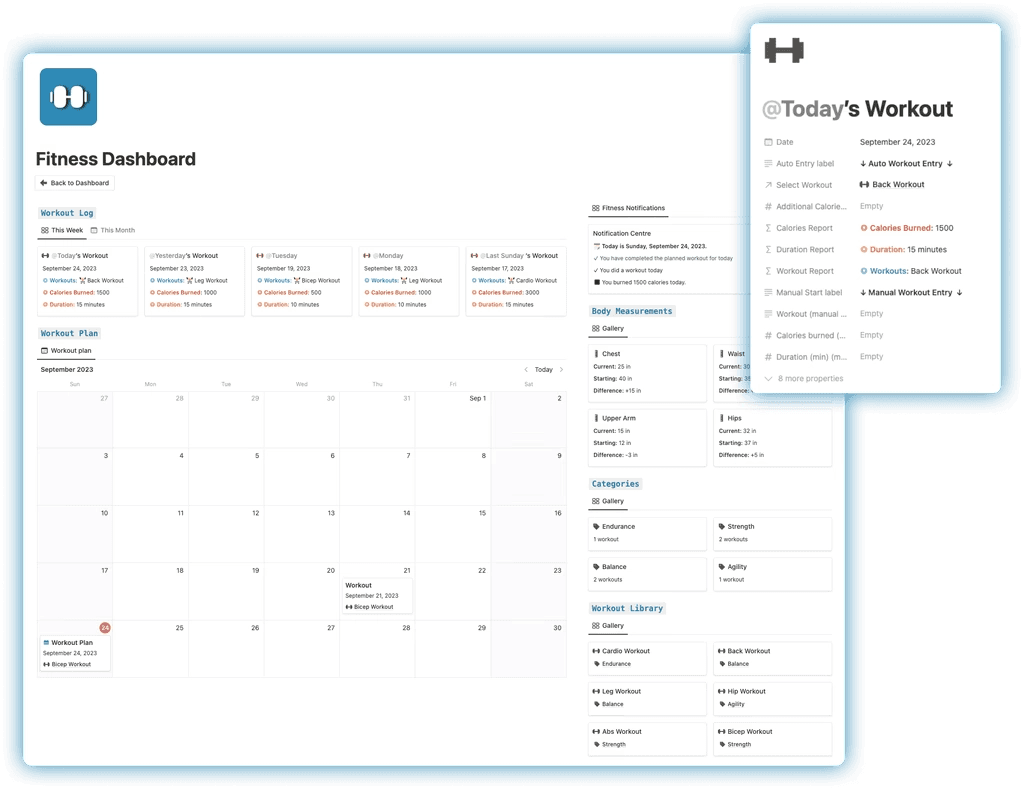
The Fitness Tracker inside Notion Life OS is a complete workout and health management system designed to help you stay consistent, organized, and goal-focused. Track your fitness journey with structured logging tools that centralize workouts, calorie tracking, and body measurements into one streamlined dashboard.
With this integrated fitness system, you can:
• Log workouts and monitor exercise performance
• Track calorie intake and energy expenditure
• Record body measurements to measure progress over time
• Categorize workouts by type (strength, cardio, mobility, etc.)
• Plan sessions in advance using the integrated Workout Planner
• Sync workouts directly with your agenda for structured scheduling
• Use flexible manual entry for custom calorie and time inputs
Wardrobe Manager
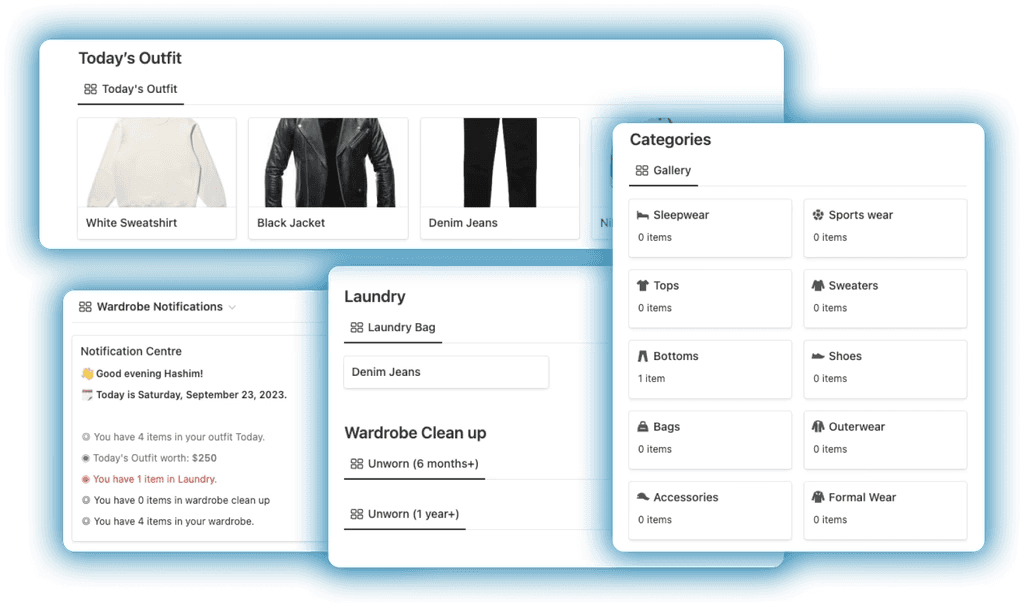
The Wardrobe Manager inside Notion Life OS allows you to create a complete digital inventory of your wardrobe, helping you organize clothing, plan outfits, and manage laundry efficiently. Instead of guessing what to wear or forgetting what you own, everything is stored and categorized in one structured Notion dashboard.
With this built-in wardrobe management system, you can:
• Create a detailed inventory of clothing items from head to toe
• Categorize outfits by type, season, or occasion
• Use the visual Weekly Outfit Planner board to plan ahead
• See a clear overview of what you’ll be wearing each day
• Add items to the Laundry section to track what needs washing
Chores & Cleaning
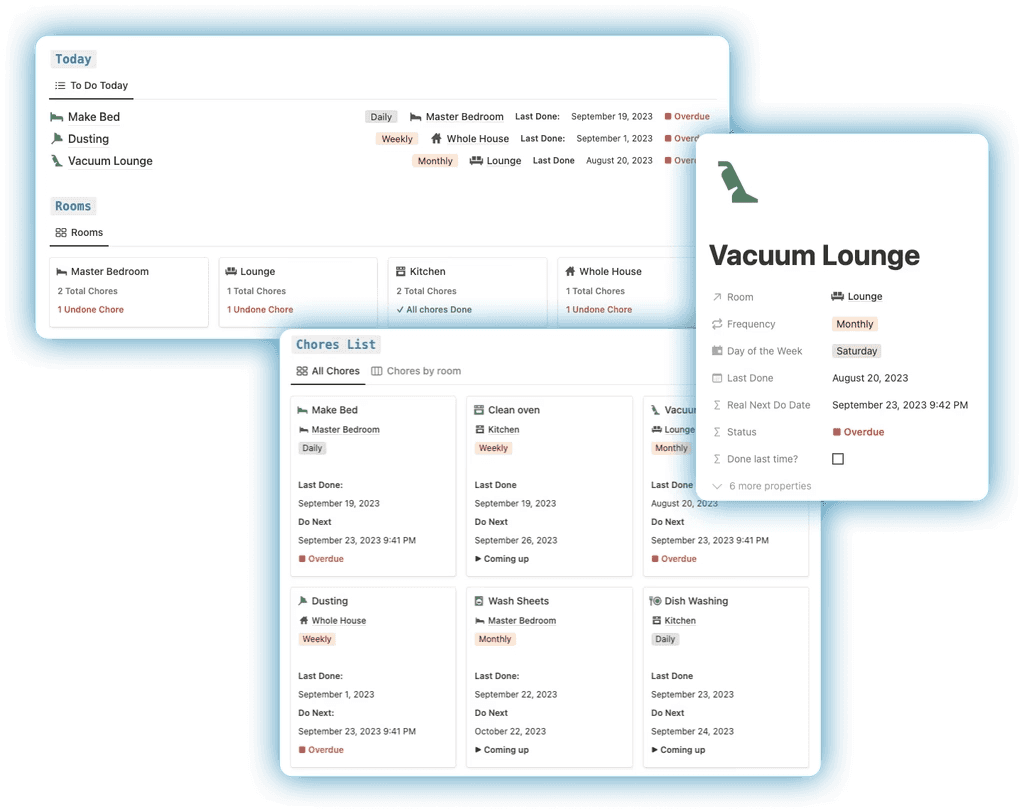
The Chores & Cleaning system inside Notion Life OS helps you organize and automate your household responsibilities with structure and consistency. Manage daily, weekly, monthly, and yearly cleaning tasks from one centralized dashboard, ensuring nothing is forgotten or delayed.
With this built-in chore management system, you can:
• Schedule recurring chores by frequency
• Organize tasks by room for better home management
• Automatically generate to-do items based on set intervals
• Maintain a structured cleaning routine throughout the year
Contacts
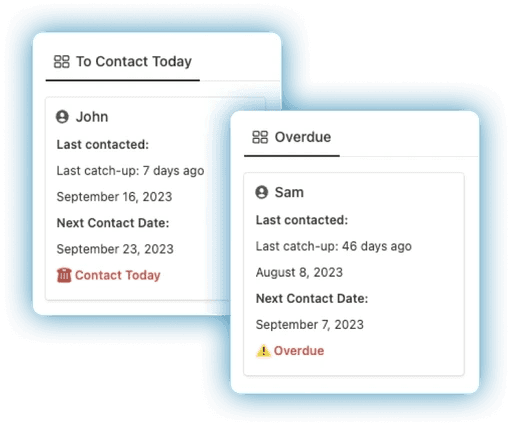
The Contacts Manager inside Notion Life OS allows you to organize and manage your entire personal and professional network in one structured database. Keep track of family, friends, colleagues, clients, and important connections without relying on scattered notes or multiple apps.
With this integrated contact management system, you can:
• Store detailed information for each contact
• Categorize contacts by relationship or type
• Set automatic birthday reminders
• Receive scheduled catch-up notifications
• Maintain consistent relationship tracking
Habit Tracker
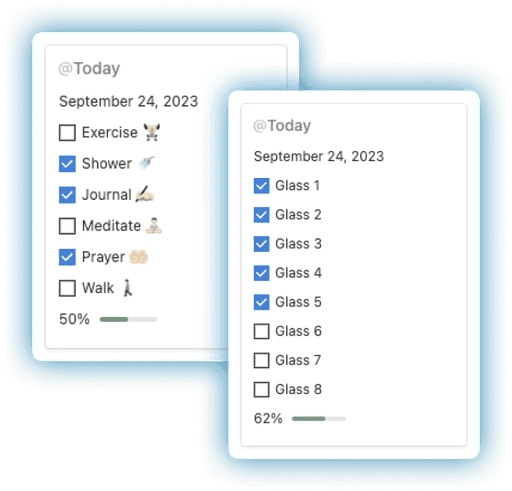
The Habit Tracker inside Notion Life OS helps you build consistency, discipline, and long-term personal growth through structured daily habit tracking. Easily set up recurring habits and monitor your progress inside a clean, organized productivity dashboard.
With this integrated habit management system, you can:
• Track daily recurring habits and routines
• Monitor streaks and consistency over time
• Log daily water consumption to stay hydrated
• Support fitness, wellness, and self-improvement goals
Movies Tracker
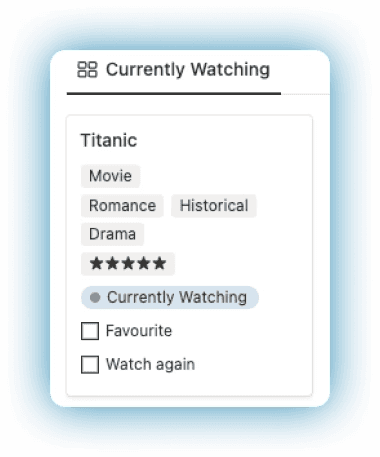
The Movies Tracker inside Notion Life OS helps you organize and manage all the movies and TV shows you watch in one structured entertainment dashboard. Keep track of what you’re currently watching, planning to watch, or have completed — without relying on scattered lists or memory.
With this integrated movie and TV tracking system, you can:
• Categorize content as Watching, Planned, or Completed
• Add personal ratings and mark favorites
• Write notes and reviews for future reference
• Maintain a searchable entertainment library
Book Library
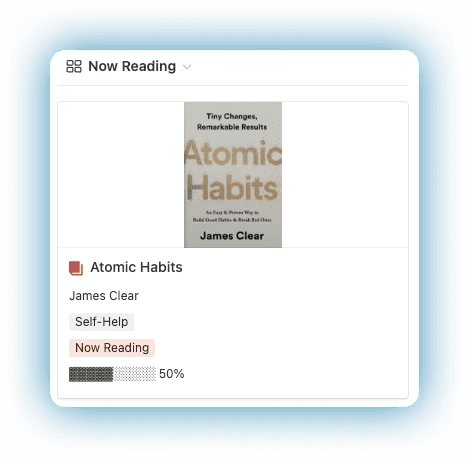
The Book Tracker inside Notion Life OS allows you to organize, monitor, and optimize your reading journey within a structured and searchable digital library. Keep track of books you are currently reading, plan to read, or have already completed — all inside one centralized Notion dashboard.
With this integrated reading management system, you can:
• Categorize books as Reading, Planned, or Finished
• Track progress and completion status
• Add personal ratings and key takeaways
• Store notes, highlights, and summaries
• Build a long-term reading archive
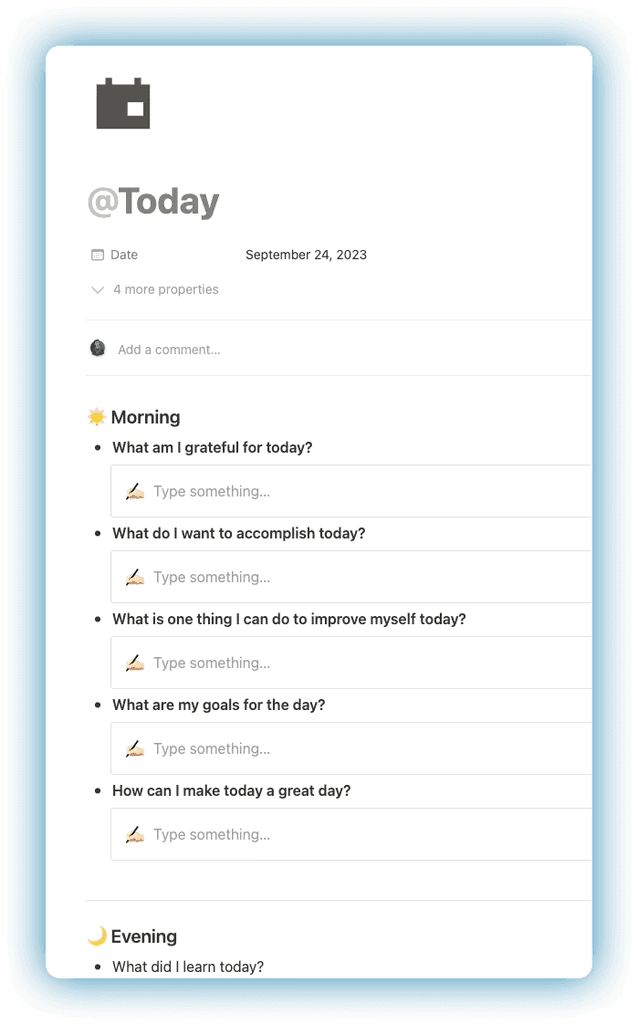
Journal
The Journal feature inside Notion Life OS provides a structured space to document your daily experiences, thoughts, and emotions in one organized digital diary. Instead of scattered notes or unstructured entries, this journaling system helps you reflect with clarity and consistency.
With built-in guided prompts, you can:
• Record daily events and reflections
• Track emotions and mindset patterns
• Document personal growth and milestones
• Build a searchable archive of journal entries
Get Notion Life OS
Conclusion
Notion Life OS is more than just a template — it’s a complete all-in-one Notion Life Planner designed to centralize your tasks, projects, finances, habits, health, and personal organization into one streamlined productivity dashboard. By combining the PARA Method (Second Brain framework), GTD task management, finance tracking, and structured life planning, Life OS eliminates scattered tools and replaces them with clarity, focus, and execution.
If you want to explore more powerful Notion systems, check out our blogs on Best Notion Dashboards, Second Brain Notion Templates, Notion CRM Templates, Notion Finance Tracker Templates, Notion Project Management Templates, and Notion Habit Tracker Templates. These guides break down specialized productivity solutions — while Life OS brings all of them together into one unified, high-performance Notion workspace.
If you're ready to simplify your workflow and build a scalable personal productivity system, Notion Life OS is your ultimate solution.
Get Notion Life OS
← All Posts
Get Lifetime Access
Get instant lifetime access to all current and future Notion templates.
✓ 8 Premium Notion Templates
✓ Lifetime Access
✓ Access to all Future Templates
✓ $300+ value
✓ Bonus 10 Templates
$119
$299
Get it Now
70% OFF