← All Posts

Hashim Sultan

Feb 15, 2026
Table Of Content
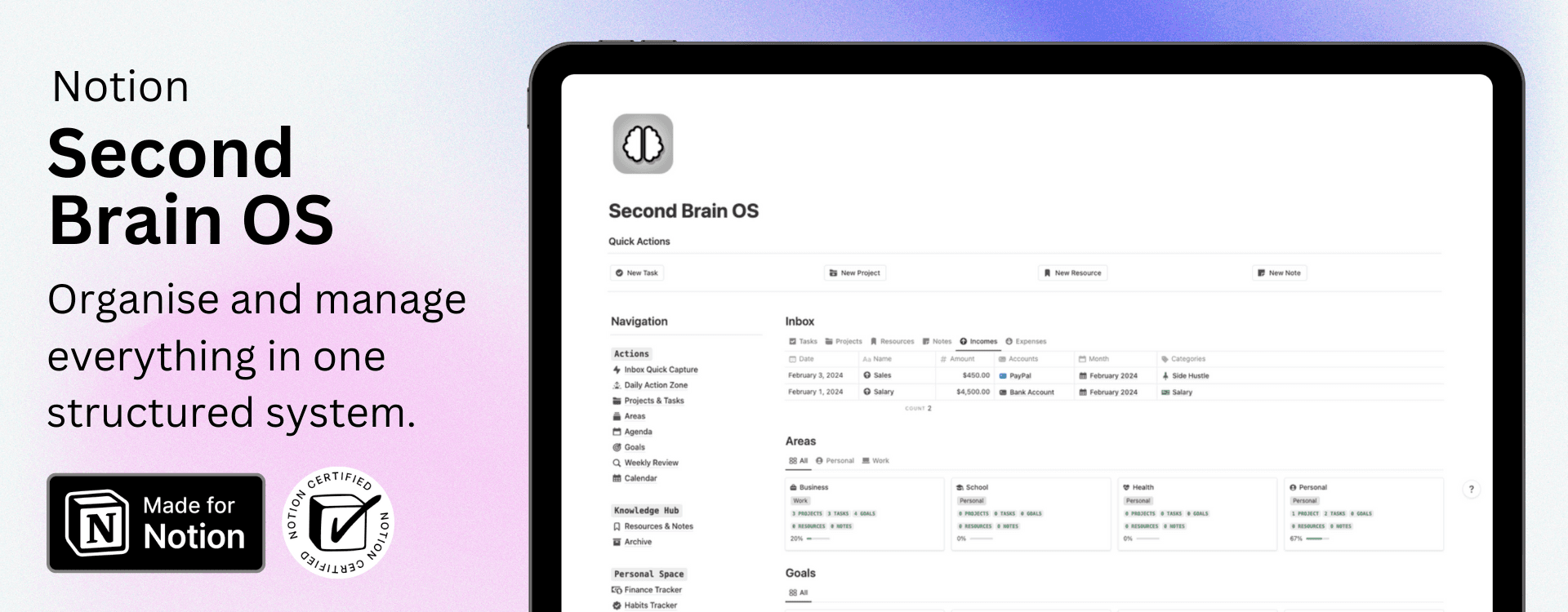
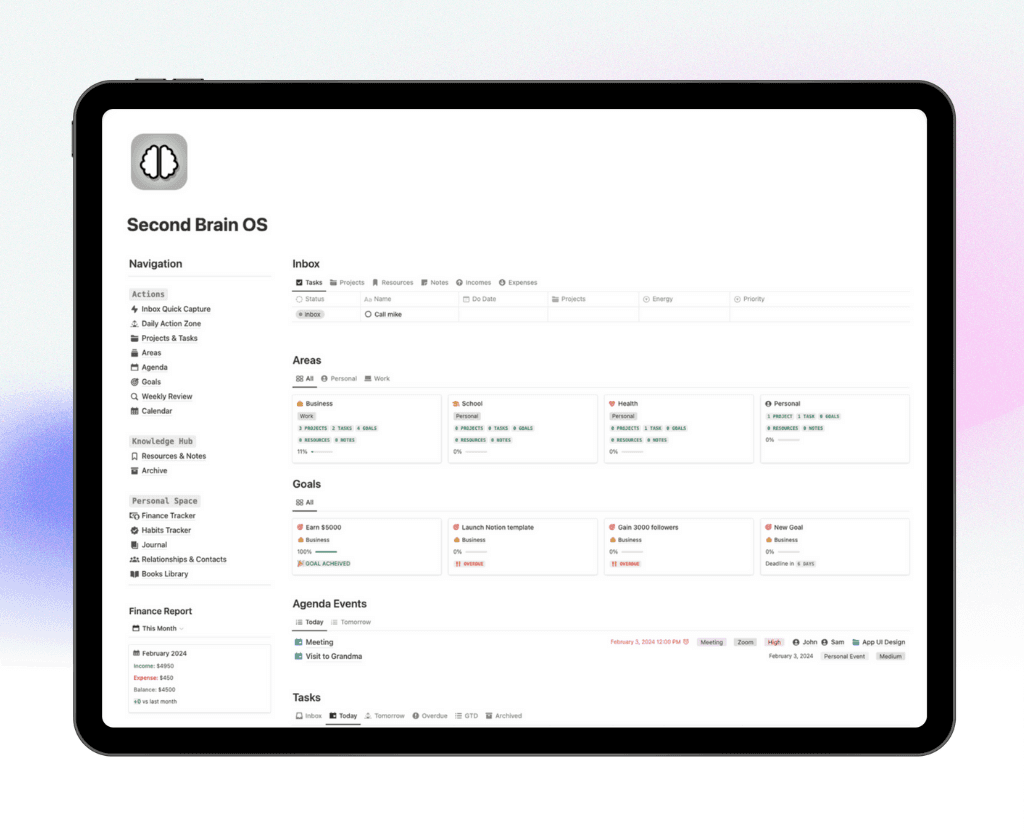
Feeling overwhelmed managing tasks, goals, notes, and finances across different apps? The Notion Second Brain OS is a complete all-in-one productivity system built on the PARA method and GTD workflow to centralize your entire digital life in one structured dashboard.
In this walkthrough, explore everything inside: Projects & Tasks, Goals Tracker, Knowledge Hub, Agenda, Finance Tracker, Habits, Journal, Digital Library, Contacts, and the Daily Action Zone.
If you’ve enjoyed our guides like Best Notion Dashboards, Notion Project Management Templates, and Second Brain Notion Templates, this system brings all those powerful features together into one fully integrated Notion workspace.
Get the Notion Second Brain OS
What’s Inside Notion Second Brain OS?
Projects and Tasks
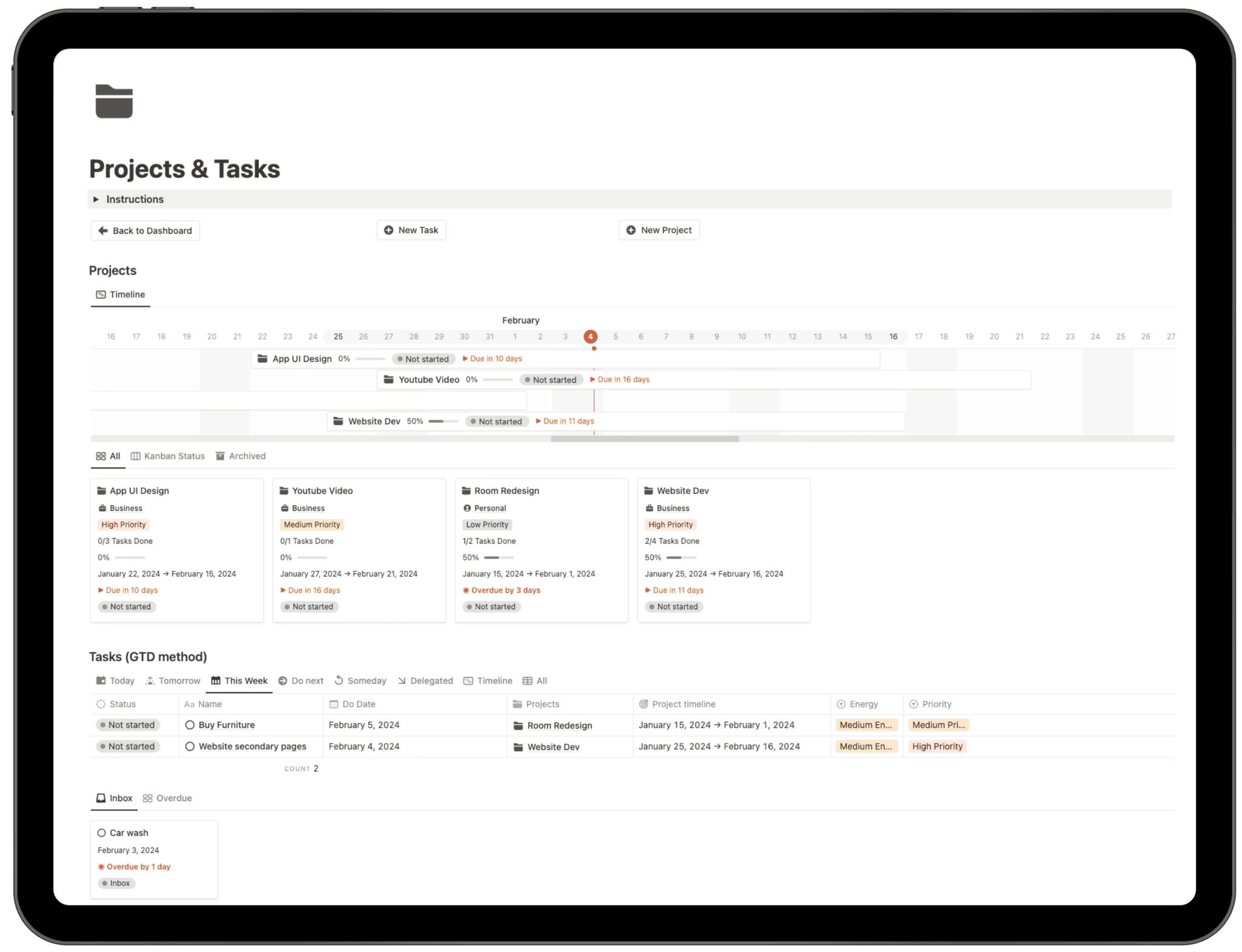
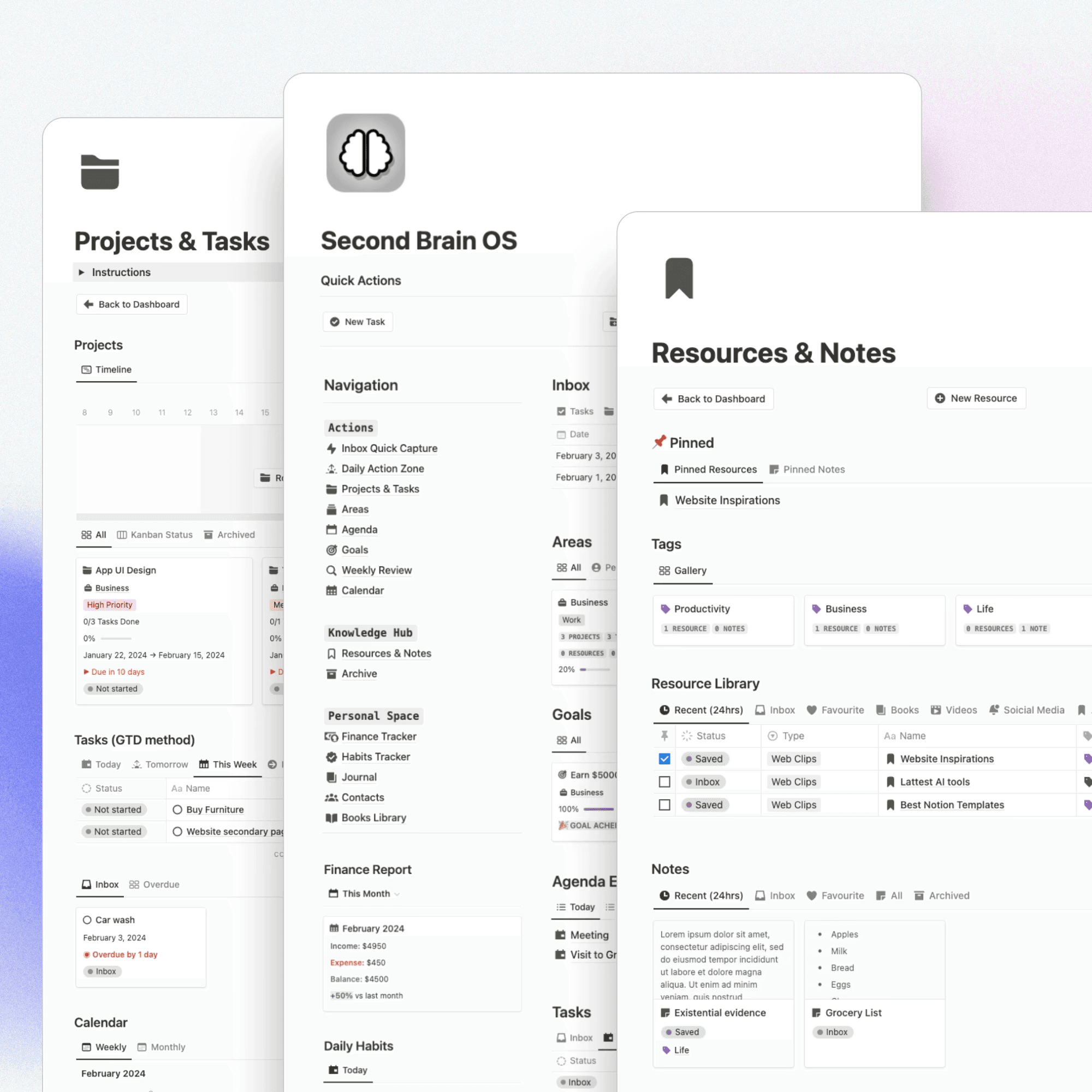
The Projects and Tasks section in the Second Brain OS is a powerful Notion project management system designed to help you organize, track, and execute your work efficiently. It centralizes all your projects, tasks, deadlines, and progress tracking inside one structured productivity dashboard.
You can manage multiple projects with timeline visualization, priority levels, progress indicators, and automatic deadline tracking. The integrated GTD-based task manager allows you to organize tasks by Today, This Week, Upcoming, or Inbox, while linking every task directly to its parent project for complete clarity.
With timeline views, Kanban boards, filtered task views, and progress tracking, this section transforms your Notion workspace into a streamlined project and task management system built for focus, execution, and productivity.
Goals Tracker
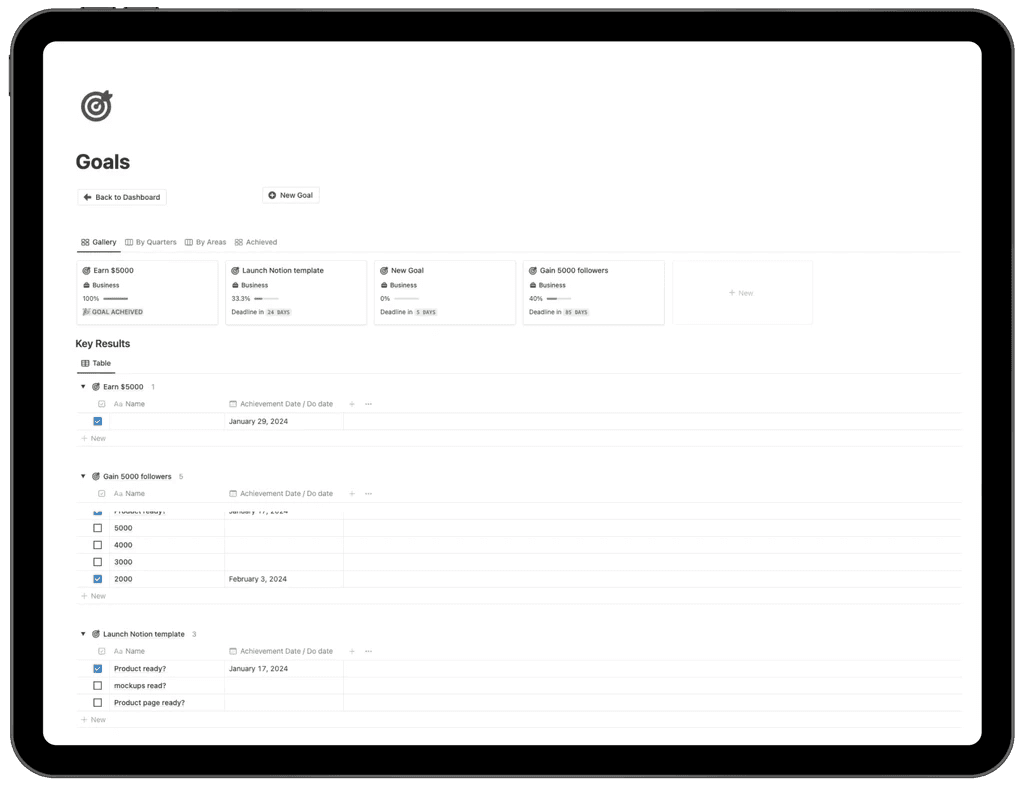
The Goals Tracker inside the Second Brain OS is a structured OKR-based goal management system built to help you set clear objectives and measure real progress through actionable key results. This section transforms your Notion workspace into a strategic goal-setting dashboard where long-term vision meets measurable execution.
You can create quarterly or long-term goals, categorize them by area (Business, Personal, etc.), and monitor completion percentages in real time. Each goal is connected to specific key results, allowing you to break big objectives into trackable milestones with achievement dates and progress tracking.
With organized gallery and table views, automated progress indicators, and structured key result tracking, the Goals Tracker ensures accountability, clarity, and consistent momentum toward your most important targets.
Resources & Notes
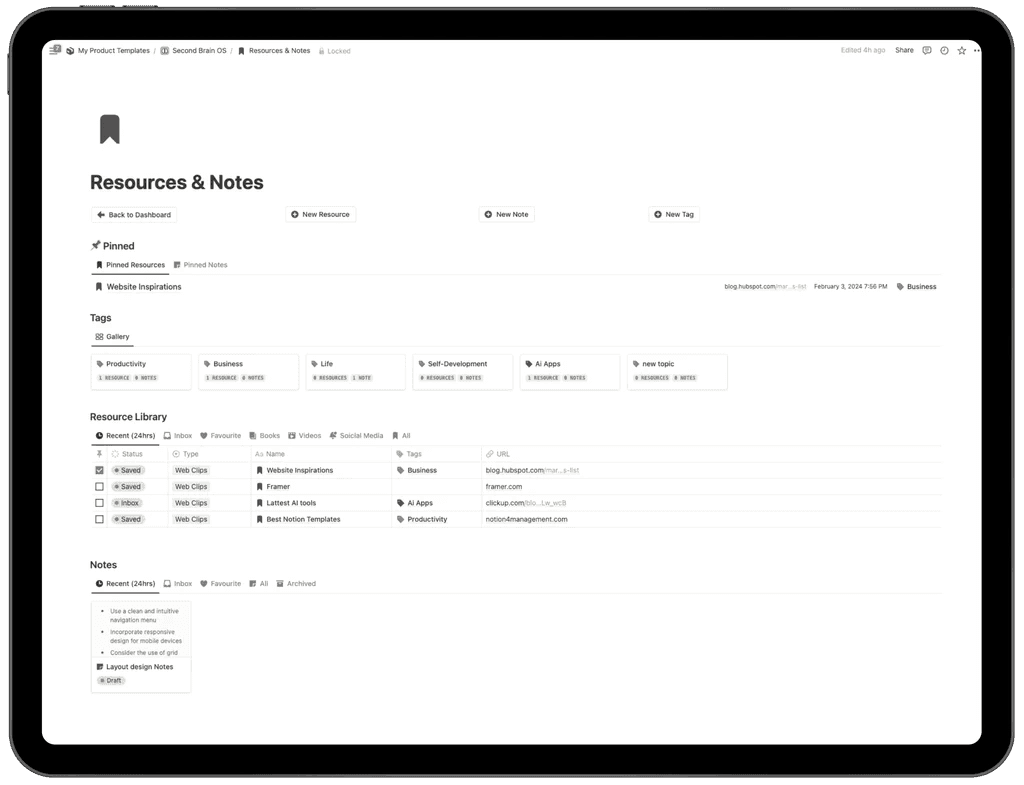
The Resources and Notes section inside the Second Brain OS is your centralized knowledge management system in Notion, designed to help you capture, organize, and retrieve valuable information effortlessly. Whether you're saving web links, business research, study materials, AI tools, or personal insights, everything is stored in one structured digital library.
This section allows you to:
Save web clips, URLs, articles, and online tools
Organize resources using customizable tags (Productivity, Business, Life, Self-Development, AI Apps, and more)
Pin important resources and notes for quick access
Separate saved content into Inbox, Favorites, Archived, and Recent views
Store structured notes alongside related resources
Filter by type such as Books, Videos, Social Media, or Web Clips
With a clean resource library database and integrated note-taking system, this section ensures your ideas, research, and inspirations are always searchable, organized, and easy to access, turning your Notion workspace into a true digital second brain.
Agenda Events
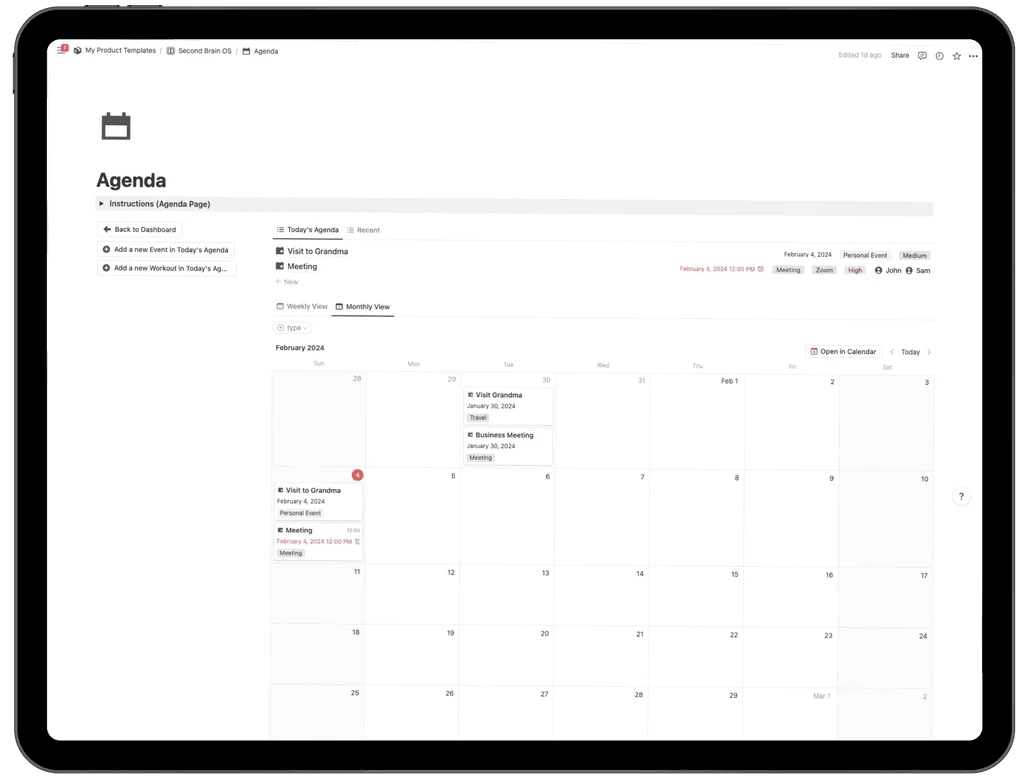
The Agenda Events section in the Second Brain OS is a fully integrated Notion calendar and event management system designed to help you schedule meetings, plan appointments, and organize important events with complete clarity.
You can create personal or business events, assign dates and times, set priority levels, and link each event directly to related projects for seamless workflow alignment. With both weekly and monthly calendar views, you can visualize your schedule, manage upcoming deadlines, and maintain full control over your time.
This structured agenda system ensures your meetings, tasks, and project-related events stay connected, turning your Notion workspace into a centralized productivity and time management hub.
Contacts
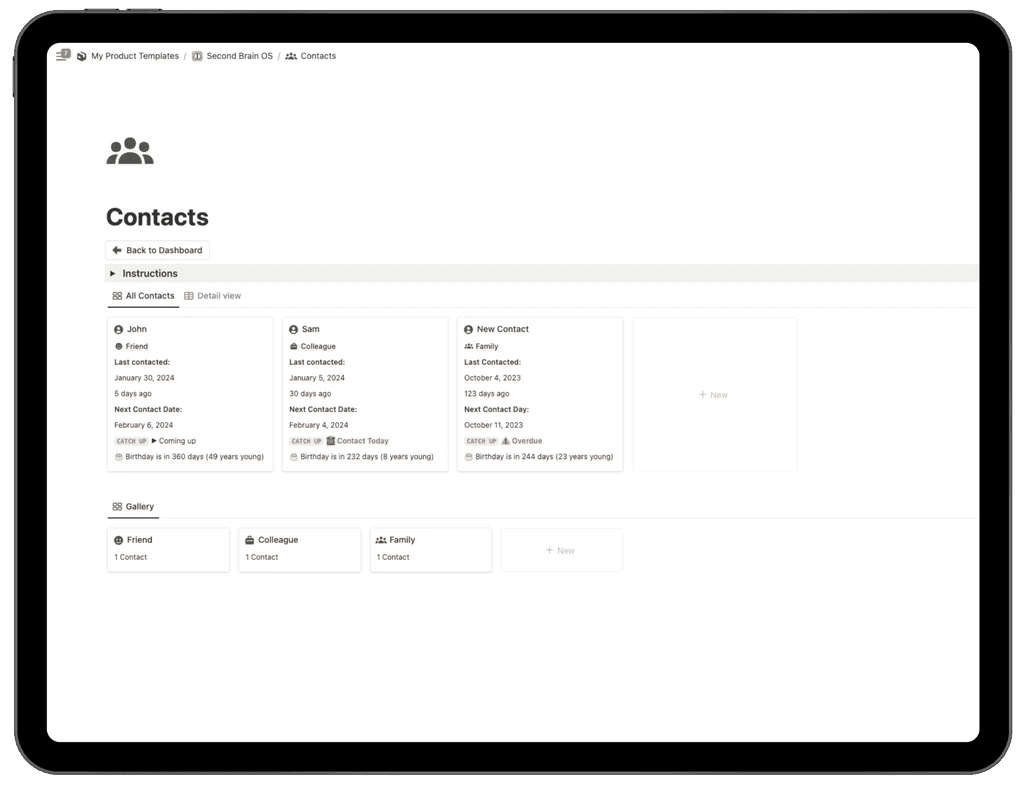
The Contacts section inside the Second Brain OS is a smart contact management system built in Notion to help you organize personal and professional relationships while staying consistent with follow-ups.
You can store detailed contact information, categorize contacts (Friends, Family, Colleagues, etc.), and track important data such as last contact date, next follow-up reminder, and upcoming birthdays. Automated follow-up tracking ensures you never miss an important check-in, while birthday countdown indicators help you stay thoughtful and proactive.
With clean gallery and detailed views, this section transforms your Notion workspace into a lightweight CRM and personal relationship management system, helping you build stronger connections through structured organization and timely communication.
Finance Tracker
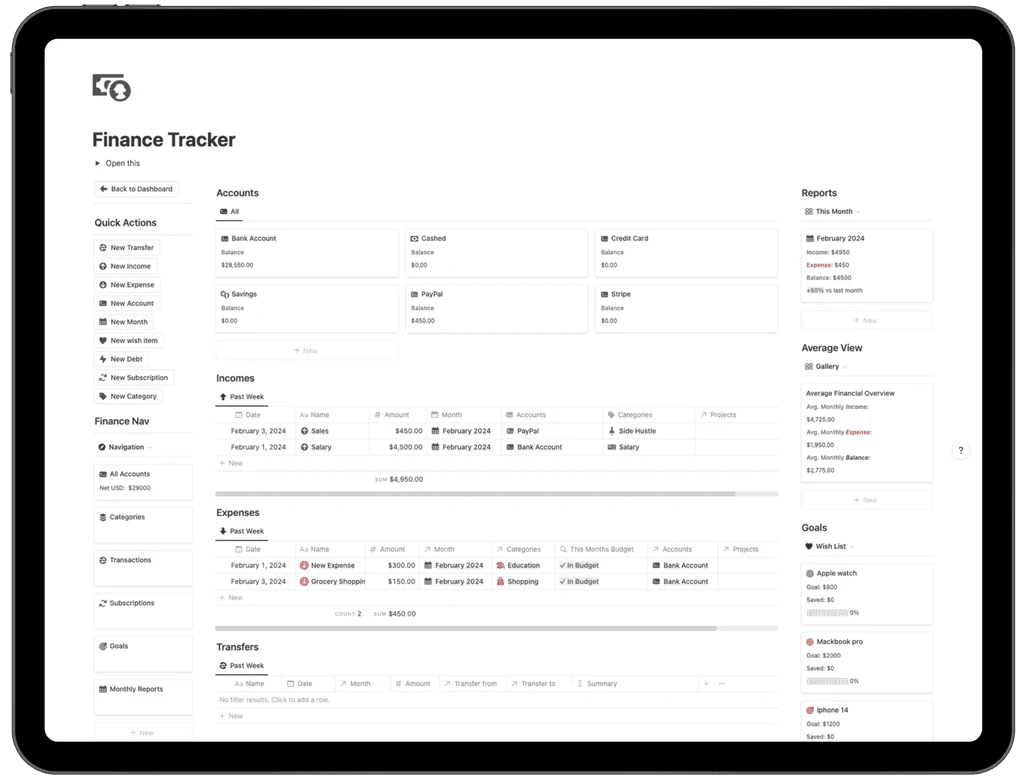
The Finance Tracker inside the Second Brain OS is a complete personal finance management system built in Notion to help you track income, expenses, accounts, subscriptions, and financial goals in one organized dashboard.
You can manage multiple accounts (Bank, Cash, PayPal, Credit Card, Stripe, and more), record transactions, track transfers between accounts, and categorize every income or expense for accurate financial reporting. Monthly summaries and financial reports provide a clear overview of your cash flow, balance, and spending trends.
Habits Tracker
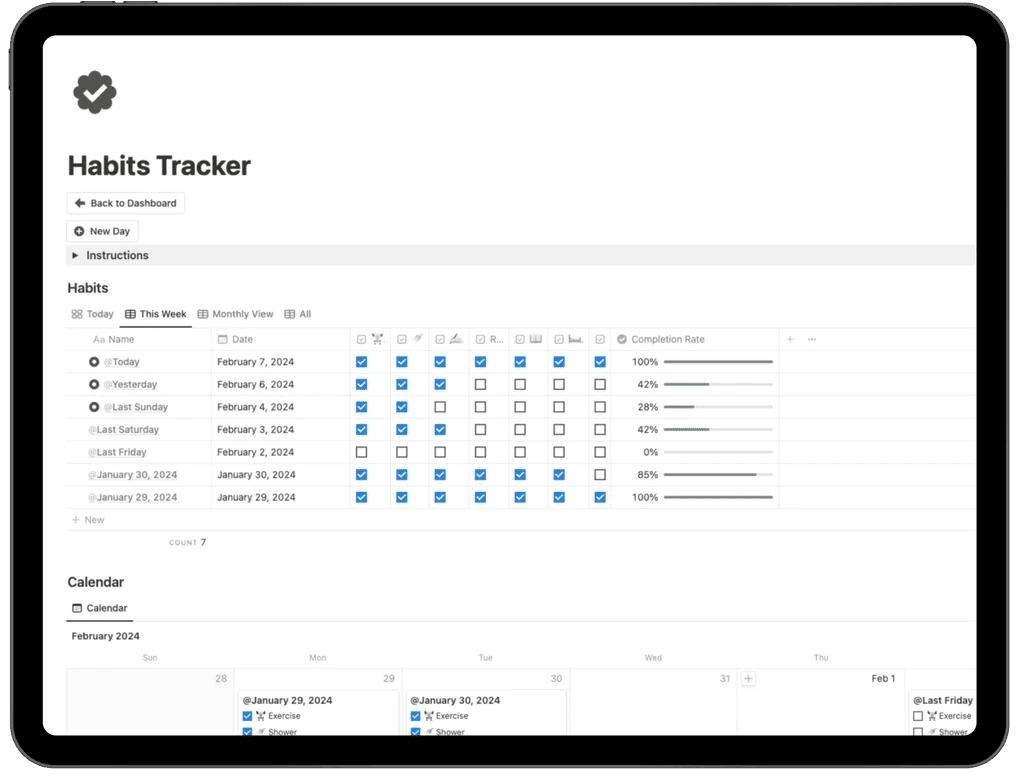
The Habits Tracker section inside the Second Brain OS is a structured Notion habit tracking system designed to help you build consistency, discipline, and long-term personal growth. It allows you to monitor daily routines, measure completion rates, and visualize progress over time inside a clean productivity dashboard.
You can track habits by day, week, or month, mark completions with simple checkboxes, and automatically calculate daily completion percentages. The integrated calendar view provides a visual overview of your streaks and activity patterns, helping you identify consistency gaps and improve routine performance.
By combining daily tracking, progress indicators, and calendar visualization, this section transforms your Notion workspace into a powerful habit management system built for accountability and sustainable self-improvement.
Journal
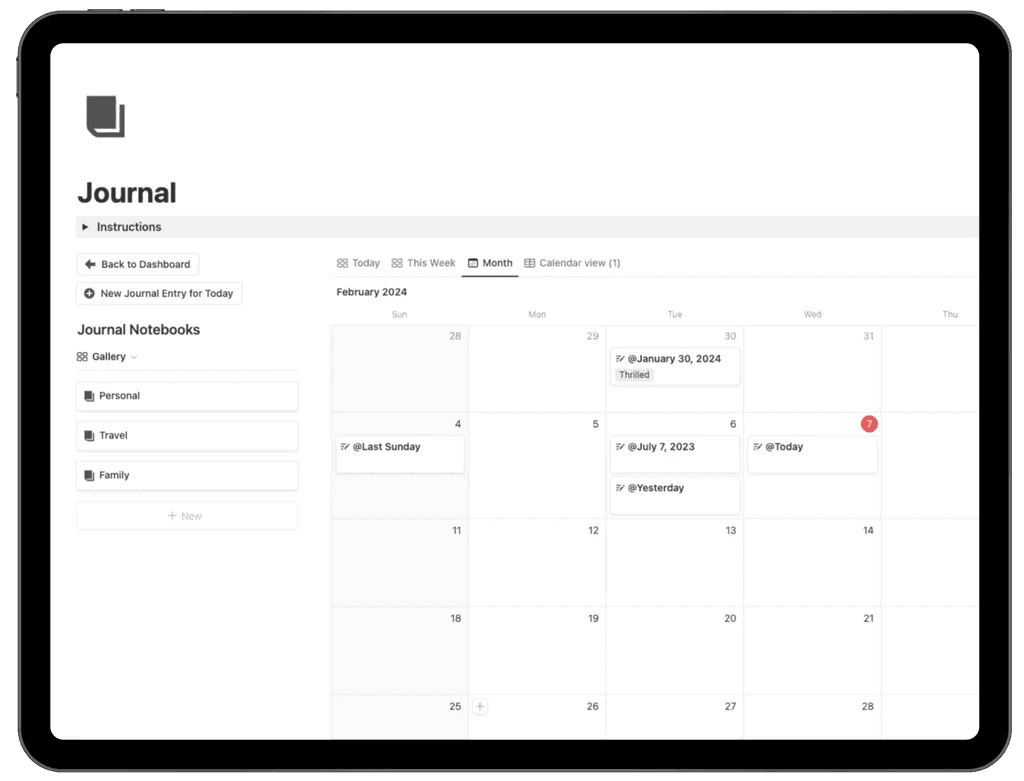
The Journal section inside the Second Brain OS is a structured digital journaling system built in Notion to help you document your thoughts, experiences, goals, and personal growth in one organized space.
You can create daily journal entries, organize them into customizable notebooks (Personal, Travel, Family, and more), and view your reflections through daily, weekly, or monthly calendar views. The calendar layout makes it easy to revisit past entries, track emotional patterns, and maintain a consistent writing habit.
Designed to support self-reflection, clarity, and long-term personal development, this journaling system transforms your Notion workspace into a private digital diary for mindful growth and intentional living.
Digital Library
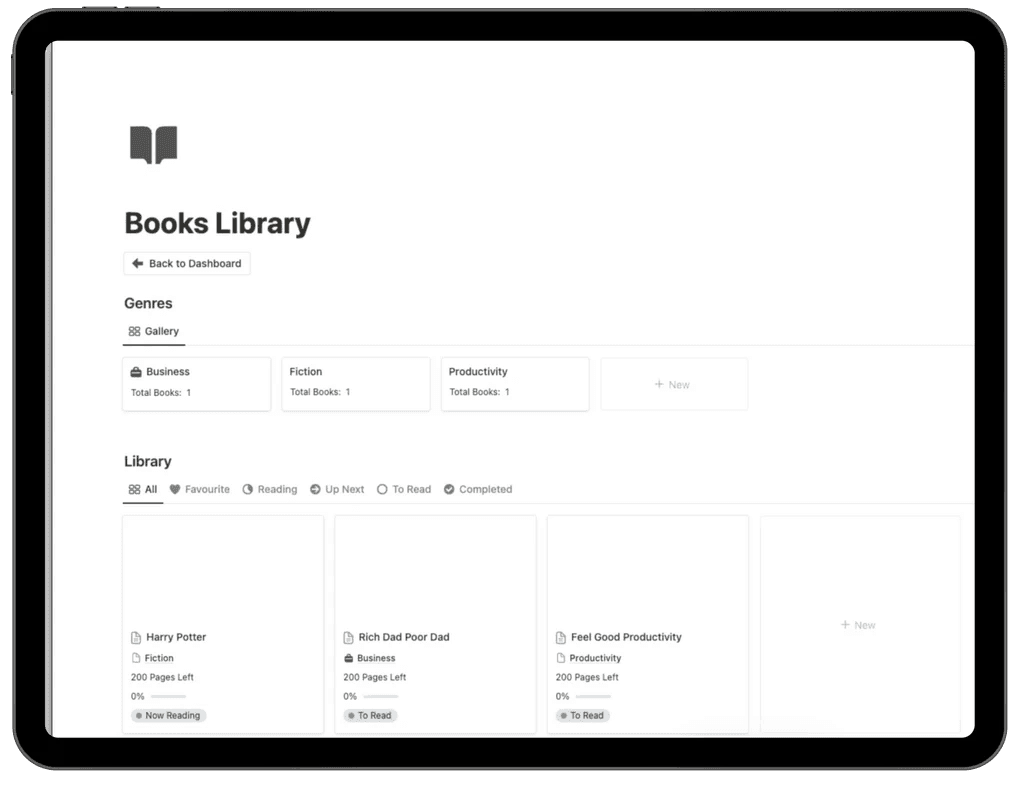
The Digital Library inside the Second Brain OS is a structured Notion reading tracker designed to help you organize your books, monitor reading progress, and capture valuable insights in one centralized system.
You can categorize books by genre (Business, Fiction, Productivity, and more), track reading status (To Read, Reading, Up Next, Completed), and monitor progress with page counts and completion percentages. The organized gallery views allow you to quickly filter favorites, active reads, and finished books for a streamlined reading workflow.
Built for lifelong learners and productivity enthusiasts, this digital book management system helps you stay consistent with reading goals while storing key lessons and reflections inside your personal knowledge hub.
Get the Notion Second Brain OS
Key Features of Notion Second Brain OS
PARA Organization Method
The PARA Organization Method inside the Second Brain OS is built around the powerful productivity framework introduced by Tiago Forte in Building a Second Brain. This structured digital organization system helps you manage every aspect of your life using four core pillars: Projects, Areas, Resources, and Archives, all fully implemented inside Notion.
By applying the PARA framework, you create a scalable, clutter-free productivity system that centralizes your entire digital life.
With this structured setup, you can:
Organize active projects and actionable tasks
Manage long-term life areas such as business, health, study, and personal growth
Store resources, research, bookmarks, and reference materials
Archive completed projects and inactive content for clean organization
Integrate goals, finances, events, habits, notes, and knowledge into one connected system
Instead of dealing with scattered notes, disorganized bookmarks, and files spread across multiple apps, the Second Brain OS consolidates everything into one unified Notion workspace. This centralized knowledge management and productivity framework eliminates digital overwhelm and helps you operate from a single, powerful Second Brain system built for clarity, focus, and long-term growth.
Manage Your Projects & Tasks
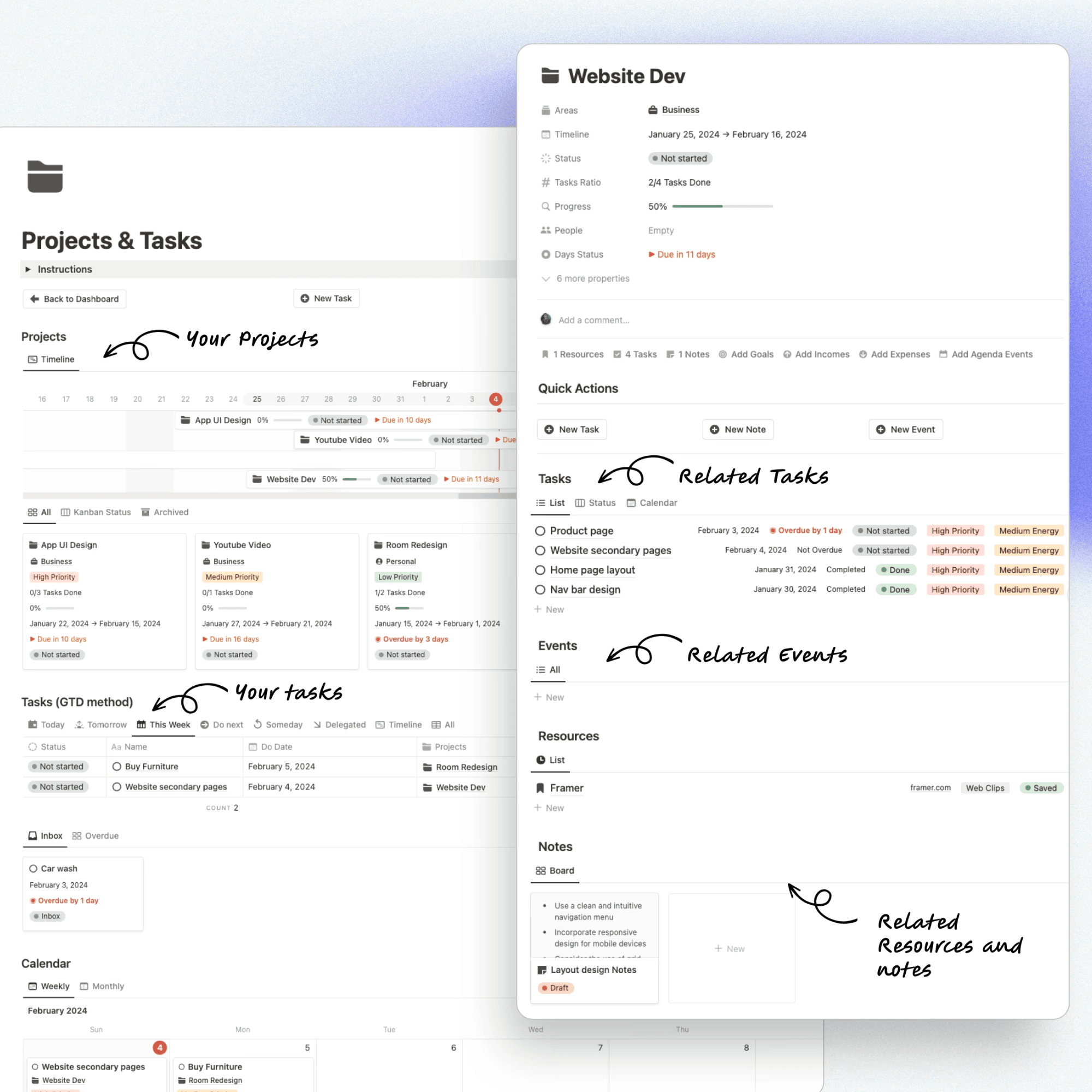
The Projects & Tasks Management System inside the Second Brain OS is a fully integrated Notion project management dashboard designed to help you plan, track, and execute your work with maximum clarity and control. Every project becomes a central hub where related tasks, notes, resources, events, finances, and goals are seamlessly connected in one structured workspace.
This unified system allows you to:
Organize projects by Areas of Life (Business, Personal, Health, Study, etc.)
Break projects into actionable tasks using a GTD-based workflow
Track deadlines, priorities, energy levels, and progress percentages
Link related notes, research, and resources directly to each project
Connect income, expenses, and financial data to specific projects
View related calendar events and milestones in one place
By combining the GTD (Getting Things Done) task management method with the P.A.R.A Organization Framework, this system eliminates scattered to-do lists and disconnected databases. Instead of feeling overwhelmed, you operate from one centralized Notion productivity system that aligns your daily actions with your long-term goals inside a powerful Second Brain workspace.
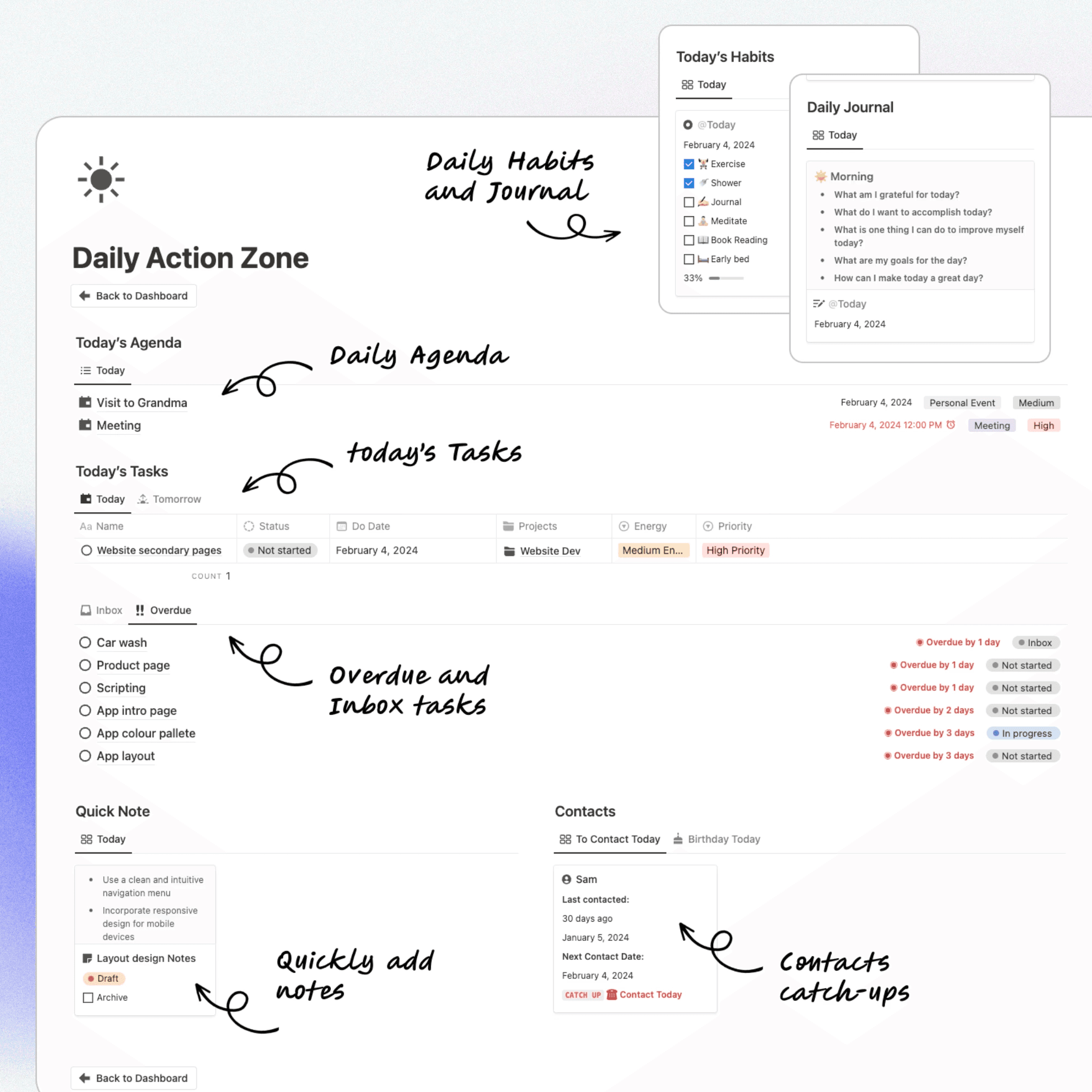
Focus on What Matters with the Daily Action Zone
The Daily Action Zone inside the Second Brain OS is a centralized daily productivity dashboard built in Notion to help you plan, prioritize, and execute your day with clarity. It brings together your most important actions into one focused workspace so you always know what to work on next.
From a single page, you can:
View today’s agenda and scheduled meetings
Track priority tasks and project-related work
Monitor overdue and inbox tasks that need attention
Check daily habits and completion progress
Write quick notes and access your daily journal
Stay consistent with contact follow-ups and reminders
By consolidating tasks, calendar events, habit tracking, journaling, notes, and contact management into one streamlined daily command center, the Daily Action Zone reduces overwhelm and eliminates context switching. It ensures your daily actions align with your long-term goals inside your fully integrated Notion Second Brain system.
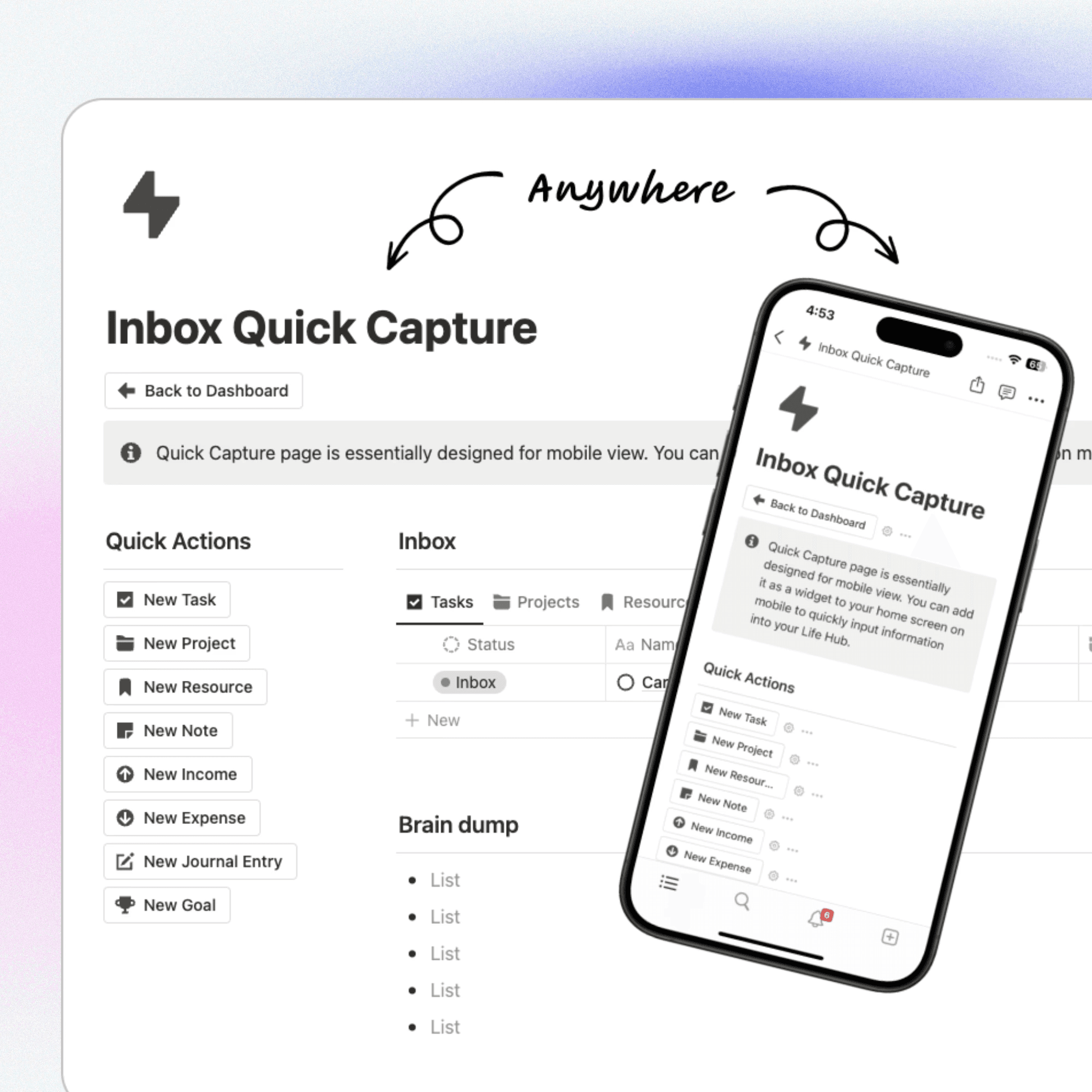
Capture Anything, Anywhere
The Inbox Quick Capture system inside the Second Brain OS is a fast, mobile-optimized input hub designed to help you instantly record ideas, tasks, notes, and resources the moment they come to mind. Built for speed and simplicity, it ensures no thought, reminder, or opportunity is ever lost.
From one quick-access page, you can:
Create new tasks and projects
Save resources, links, and web clips
Add notes and journal entries
Record income and expenses
Set new goals instantly
Everything you capture flows directly into your organized PARA-based Notion system, ready to be processed and categorized later. Whether you're using desktop or mobile, this centralized inbox and brain dump feature allows you to capture information anytime, anywhere, turning your Notion workspace into a true digital Second Brain built for clarity and efficiency.
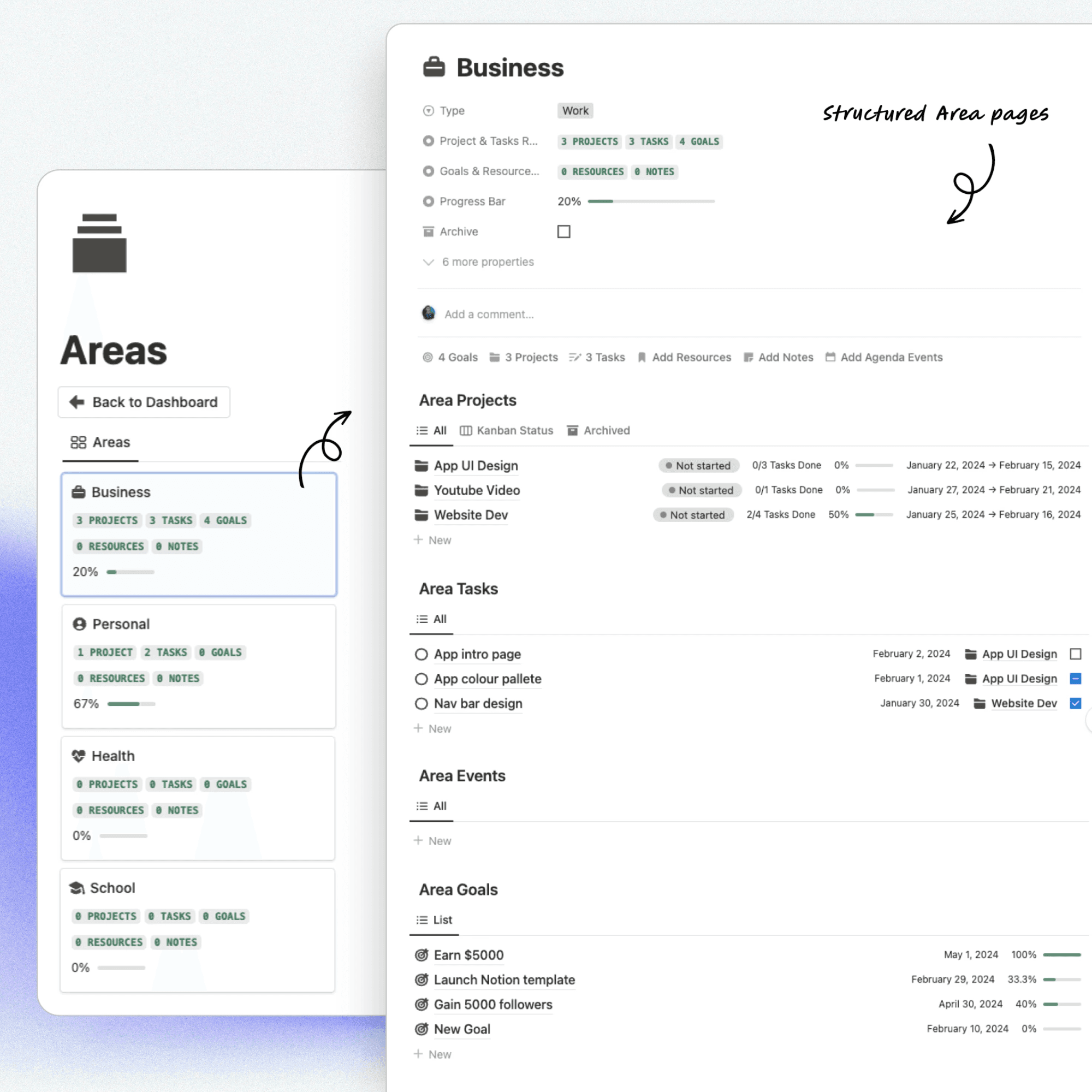
Organise Your Life with Areas
The Areas section inside the Second Brain OS is built on the P.A.R.A. organization framework, allowing you to structure your life into clear, manageable categories such as Business, Personal, Health, School, and more. Each Area acts as a strategic life dashboard where your projects, tasks, goals, resources, and notes are automatically connected and organized.
Instead of managing scattered responsibilities, you gain a structured overview of every important domain of your life.
Within each Area, you can:
Track related projects and task progress
Set and monitor area-specific goals
Store relevant resources and notes
View events connected to that life category
Monitor overall progress with visual indicators
By organizing your life into structured Area pages, you create clarity between long-term responsibilities and short-term projects. This system helps you balance work, personal growth, health, education, and side hustles, all inside one integrated Notion Second Brain designed for efficiency, focus, and sustainable productivity.
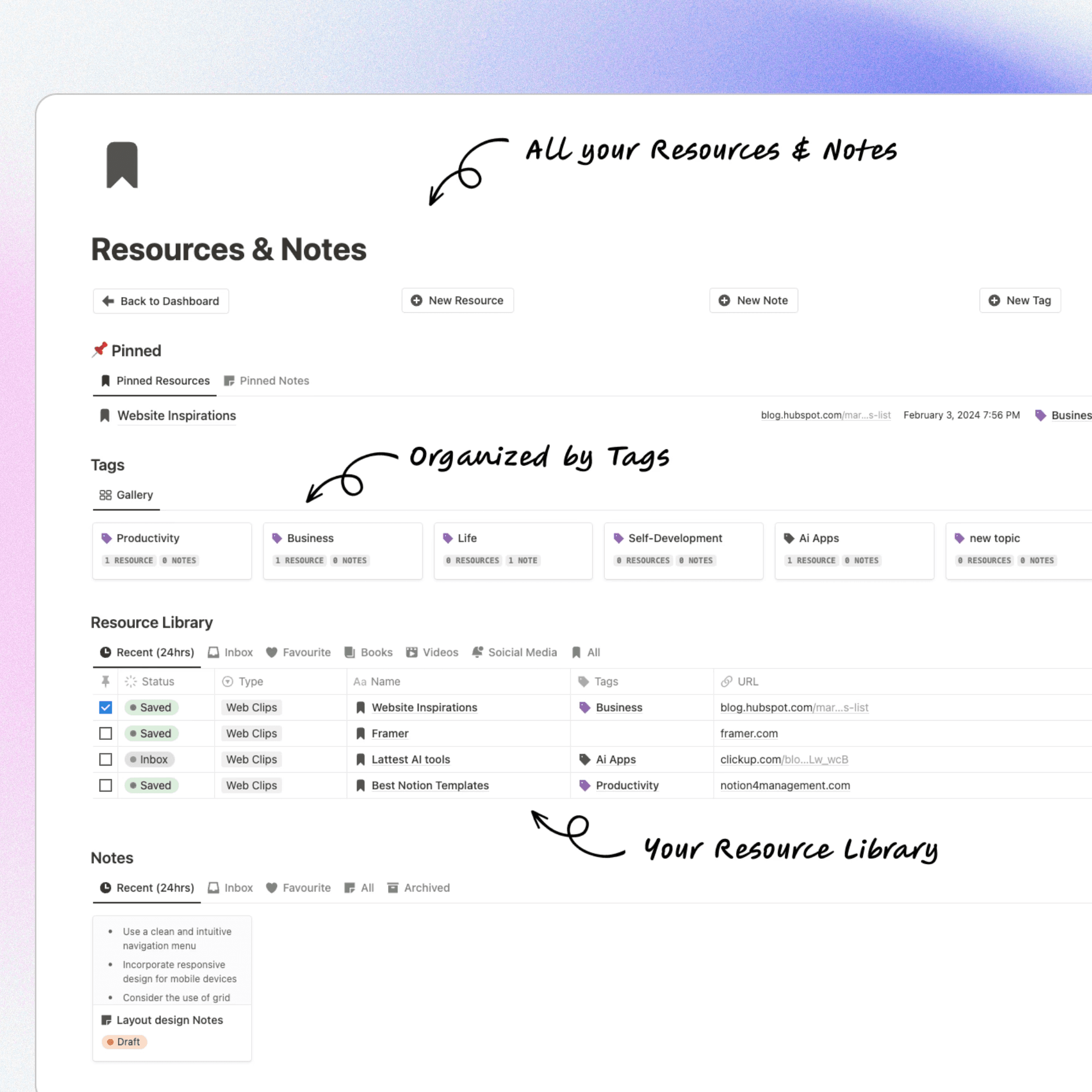
Build Your Knowledge Hub
The Knowledge Hub inside the Second Brain OS is a centralized Notion resource management system designed to store, organize, and retrieve all your external resources and personal notes in one structured digital library. It eliminates scattered bookmarks, saved links, and disconnected documents by bringing everything into a single, searchable workspace.
You can:
Save web clips, articles, tools, videos, and research links
Create structured notes connected to related resources
Organize content using customizable tags (Productivity, Business, Life, Self-Development, AI Apps, and more)
Pin important resources for quick access
Filter by type, status, or recency for efficient retrieval
Link resources directly to projects and areas of life
With a powerful tagging system and organized resource library, the Knowledge Hub transforms your Notion workspace into a fully functional digital second brain. Whether you’re managing research, business insights, study materials, or creative inspiration, this system ensures your information is structured, accessible, and always ready when you need it.
Get the Notion Second Brain OS
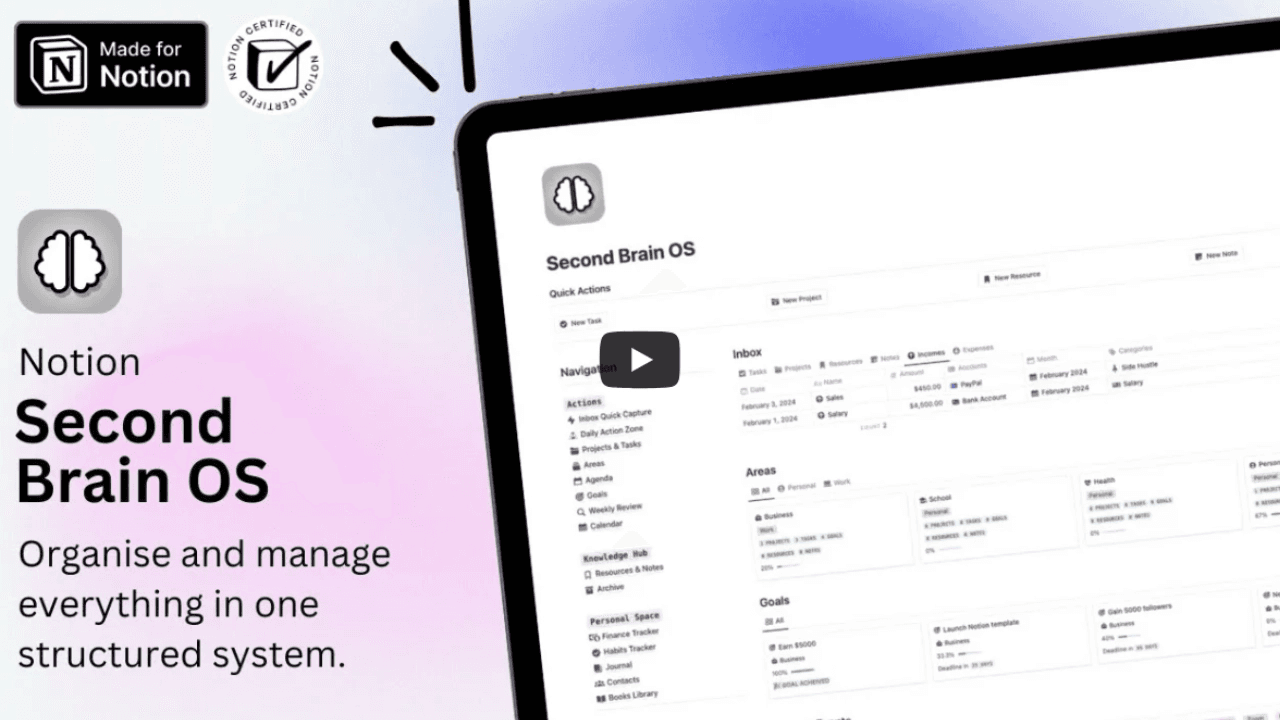
Take a look inside the Second Brain OS
Watch our detailed tutorial to see what’s inside the Notion Second Brain OS and how everything works.
Get the Notion Second Brain OS
Conclusion
The Notion Second Brain OS is a complete all-in-one productivity system designed to centralize your projects, tasks, goals, notes, finances, and habits inside one powerful Notion workspace. By combining the PARA method with GTD task management, it helps you eliminate digital clutter and stay organized with clarity and focus.
If you found this guide helpful, explore more on our blog, including Notion Life OS Templates, Notion Student Planner Templates, Notion Finance Tracker Templates, Notion Content Creator Templates, and Notion Marketing Templates to build a fully optimized productivity system tailored to your needs.
Get the Notion Second Brain OS
← All Posts
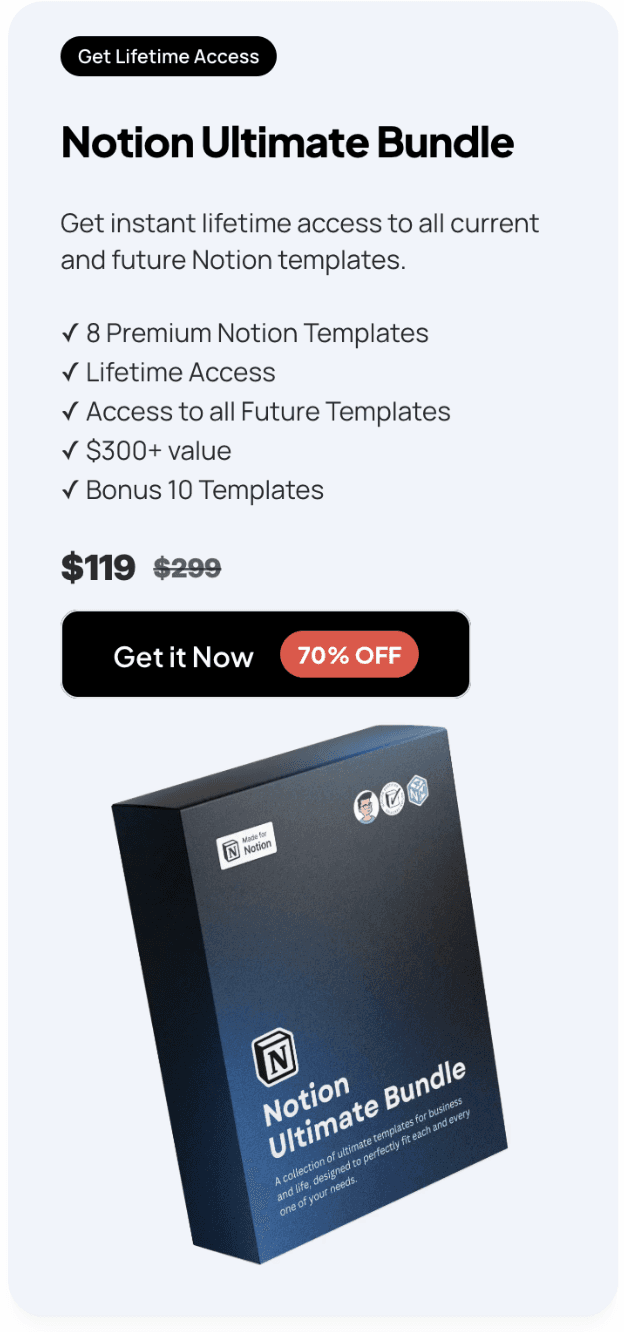
Get Lifetime Access
Get instant lifetime access to all current and future Notion templates.
✓ 8 Premium Notion Templates
✓ Lifetime Access
✓ Access to all Future Templates
✓ $300+ value
✓ Bonus 10 Templates
$119
$299
Get it Now
70% OFF