← All Posts

Hashim Sultan

Jan 1, 2026
Table Of Content
Are you finding it difficult to keep your finances organized as 2026 draws near? You are certainly not alone. Many people are searching for better ways to manage money, save more, and gain control over their financial future.
Choosing the right notion finance template can make a dramatic difference in how you budget, track expenses, and set financial goals. With so many templates available, it is easy to feel overwhelmed by the options.
This article highlights the 7 best Notion finance template picks for 2026. Each offers unique features designed to help you master your money, whether you are a student, freelancer, entrepreneur, or managing a household.
Explore which template will empower you to take charge of your finances and set yourself up for success this year.
Why Use Notion for Personal Finance in 2026?
Struggling to keep your finances on track as new digital tools emerge? Notion has rapidly evolved into a go-to platform for organizing personal and business finances. The versatility and adaptability of a notion finance template now outshine traditional spreadsheets and even some dedicated finance apps. With AI and automation features becoming mainstream, Notion allows users to automate tasks, streamline workflows, and centralize all their financial records. Many professionals and families have successfully migrated their finance systems to Notion, leveraging a diverse template ecosystem. If you want to explore some top options, the Best Notion Finance Trackers guide showcases popular picks for every need.
The Rise of Notion as a Finance Hub
The adoption of Notion for financial management has grown dramatically. Once seen primarily as a note-taking app, Notion now empowers users to build powerful finance dashboards. Its flexibility allows you to create a notion finance template that integrates budgets, income, and investments all in one place. The increasing use of AI and automation means you spend less time on manual data entry and more time analyzing your finances. Both individuals and businesses are embracing Notion templates for everything from household budgeting to small business accounting. The availability of free, paid, and community-driven templates ensures there is a solution for every level of expertise.
Benefits of Notion Finance Templates
A notion finance template brings all your financial data together on a centralized dashboard. You can track budgets, expenses, investments, and savings goals in real time. Customizable categories make it simple to adapt the template to personal or business needs. Visual analytics, such as charts and reports, provide deeper insights into spending and saving patterns. Collaboration features allow families or teams to work together seamlessly. Importing and exporting data is straightforward with CSV and API options, making it easy to connect Notion to banking tools or other software.
Key Benefits Table
Benefit | Description |
|---|---|
Centralized Dashboard | All finances in one place |
Real-Time Tracking | Up-to-date budget and expenses |
Visual Analytics | Charts and custom reports |
Collaboration | Share with family or team |
Easy Data Import/Export | Supports CSV, API integration |
What to Look for in a Notion Finance Template
Choosing the right notion finance template means balancing features and usability. Look for templates that offer essential tools like budget tracking, expense categorization, and investment logging. Avoid overly complex setups that rely on dense formulas or cluttered layouts. Customizability is crucial, so you can adapt the template to your unique financial situation. Make sure the template protects your sensitive data by following best practices for privacy and security. Finally, opt for templates with ongoing updates and responsive support to ensure your system evolves with your needs.
2026 Trends in Digital Money Management
The landscape for personal finance is shifting rapidly in 2026. Automation and AI-powered features are now central to effective money management, helping users track spending and investments with minimal effort. Subscription management is increasingly important, as more people juggle multiple recurring payments. Notion finance template solutions are integrating with banking, cryptocurrency, and investment platforms, offering a holistic view of financial health. There is also a growing focus on financial wellness and goal-oriented planning, with templates evolving to support proactive, data-driven decisions. Notion continues to expand its capabilities, making it a smart choice for anyone seeking to future-proof their finances.
7 Best Notion Finance Template Picks for 2026
Choosing the right Notion finance template for 2026 can feel overwhelming with so many options available. To help you master your finances, we have handpicked seven top-rated templates that cater to a variety of needs, from personal budgeting to advanced investment tracking. Explore each option to discover which Notion finance template aligns with your goals and workflow.
Finance OS by Notion4Management
Finance OS by Notion4Management stands out as an all-in-one Notion finance template designed for individuals, freelancers, and small businesses. Priced at $29, or bundled within the Ultimate Pack at $97, this template is crafted by a Notion Certified Expert and boasts robust features that streamline every aspect of financial management.
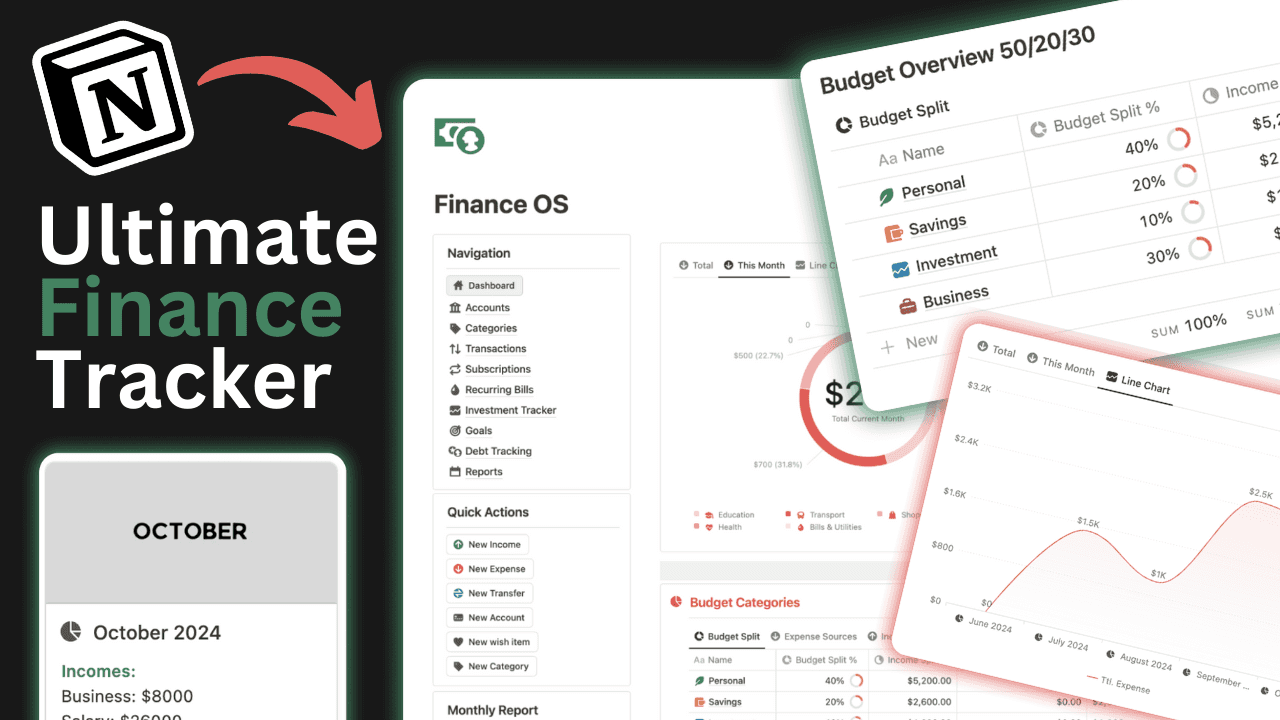
Key Features:
Income and expense tracking
Budget dashboards
Account overviews
Goal setting
Financial reporting
What makes Finance OS unique? Its comprehensive nature covers both simple and complex needs. The interface is visually appealing, with intuitive dashboards and easy navigation. Lifetime access ensures users receive regular updates and improvements.
Pros:
Lifetime access and ongoing updates
Visually engaging layouts
Responsive customer support
Suitable for personal and business use
Cons:
It is a paid Notion finance template, so not ideal for those seeking free solutions
May be more feature-rich than required for basic budgeting
Over 30,000 customers globally rely on this Notion finance template for streamlined money management. For a detailed overview of its features and benefits, visit the Notion Finance OS Template product page.
Personal Finance Tracker by Notion
Personal Finance Tracker by Notion is a free Notion finance template that focuses on automation and ease of use. This template is perfect for individuals and families who want to track income, expenses, and monthly summaries without hassle.
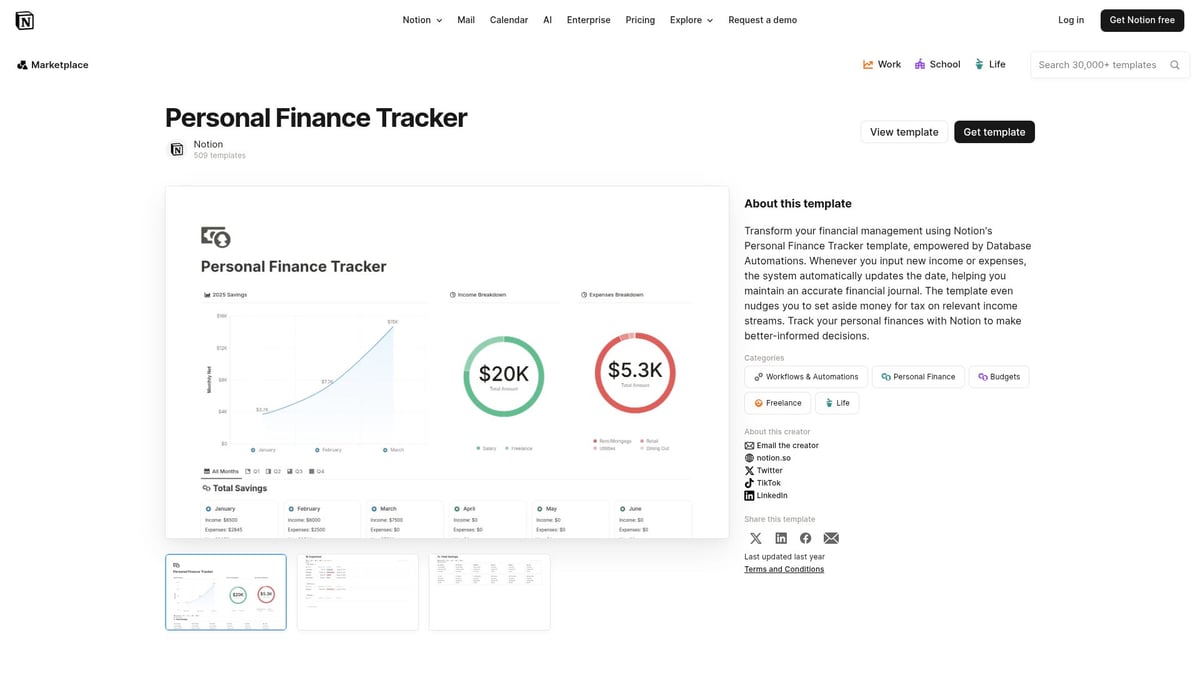
Core Features:
Automated expense and income logging
Monthly financial summaries
CSV bulk data import
Customizable categories for flexibility
Unique Benefits: Seamless integration with other Notion databases lets users keep all financial data centralized. Automated recurring transactions save time and reduce manual input, making it ideal for busy households.
Pros:
Free to use
Easy customization
Automation reduces manual work
Cons:
May lack advanced analytics for those needing deeper financial insights
This Notion finance template is featured by Notion and is widely duplicated in the community, making it a top choice for household budgeting.
Simple Finance Tracker + Analytics by Joe
The Simple Finance Tracker + Analytics by Joe is a minimalist Notion finance template designed for clarity and ease of use. It is free and particularly well-suited for students, beginners, or anyone overwhelmed by complex financial systems.
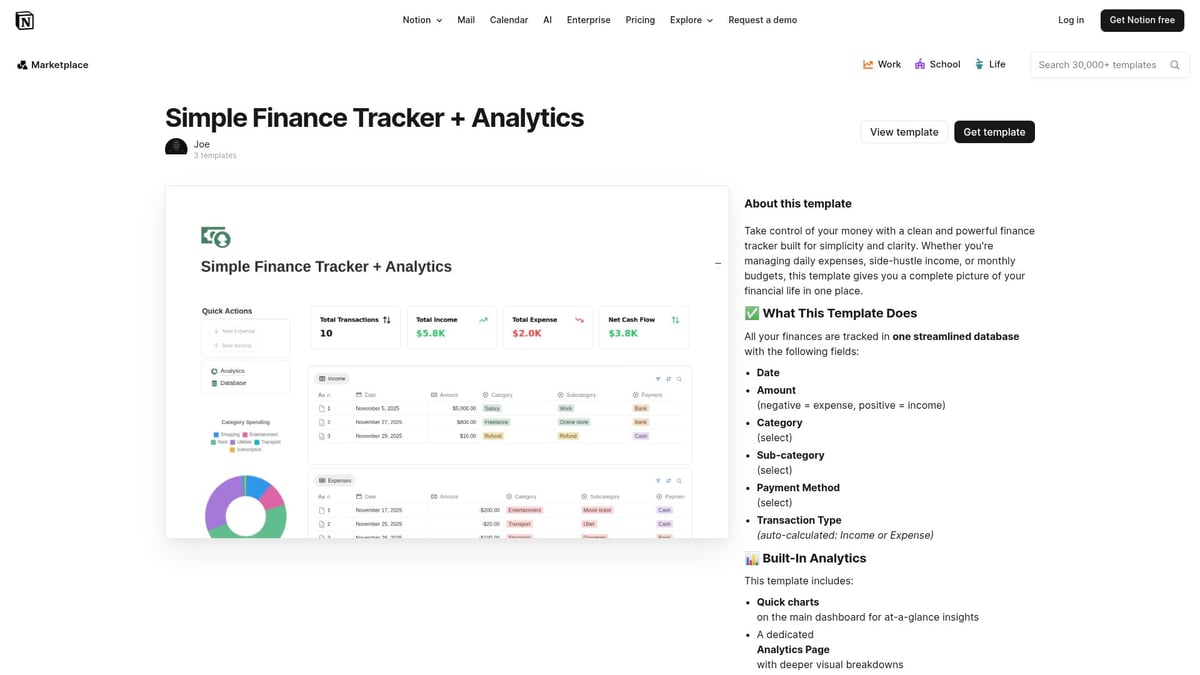
Core Features:
Simple income and expense logs
Analytics dashboard for trends
Monthly and yearly breakdowns
Key Benefits: The clean design ensures users can focus on their finances without distractions. It is quick to set up, and the analytics dashboard provides valuable insights for tracking spending habits.
Pros:
Intuitive and user-friendly
No learning curve
Clean, uncluttered visuals
Cons:
Lacks advanced or business-oriented features
This Notion finance template is popular among young professionals and students for its straightforward approach to budgeting and analytics.
NoFi – Personal Finance and Budgeting With Automated Data Entry
NoFi is a free Notion finance template that emphasizes automation. It is specifically built for users who want to minimize manual data entry while maintaining accurate records of their finances.
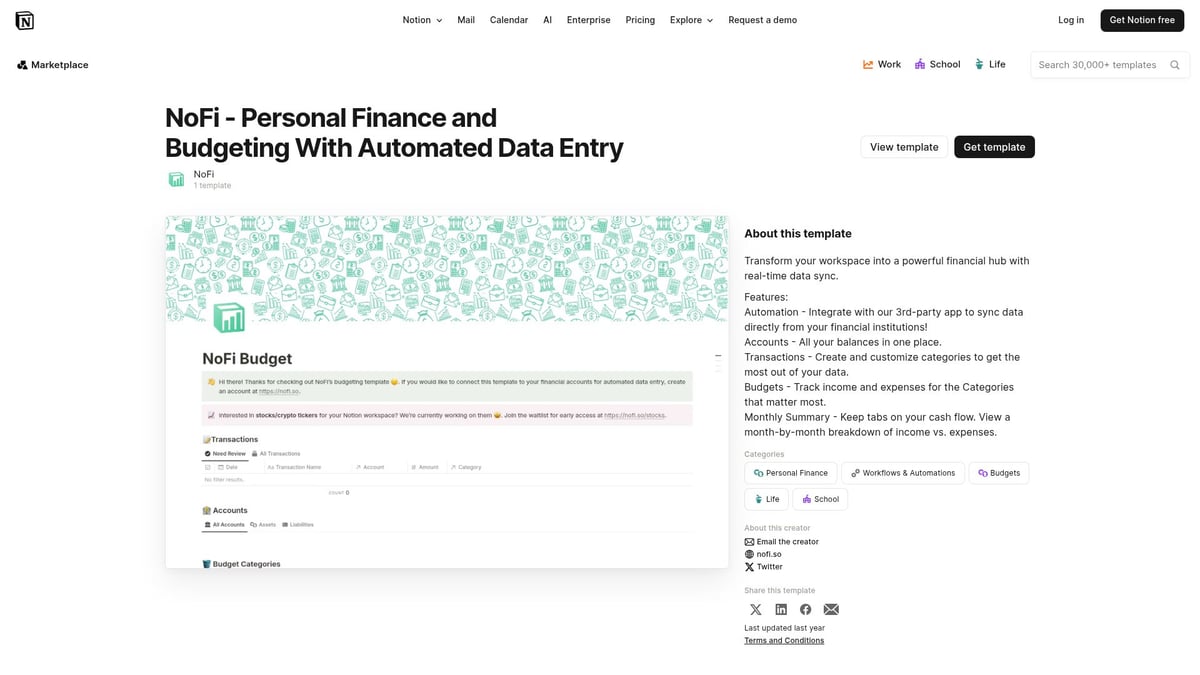
Core Features:
Automated data entry for transactions
Budget planning and monitoring
Expense categorization
Savings goal tracking
Unique Selling Points: NoFi supports integration with external data sources, making it easy to import bank statements or credit card data. This automation helps reduce errors and saves time for users with multiple accounts.
Pros:
Time-saving automation
Supports recurring transactions
Reduces manual entry errors
Cons:
Initial setup may require some technical knowledge
Fewer visual customization options
Ideal for busy professionals, this Notion finance template streamlines financial tracking with minimal effort.
Subscription Tracker by Sentele
Subscription Tracker by Sentele focuses on managing and monitoring recurring payments. This free Notion finance template is tailored for users with multiple digital subscriptions or recurring bills.
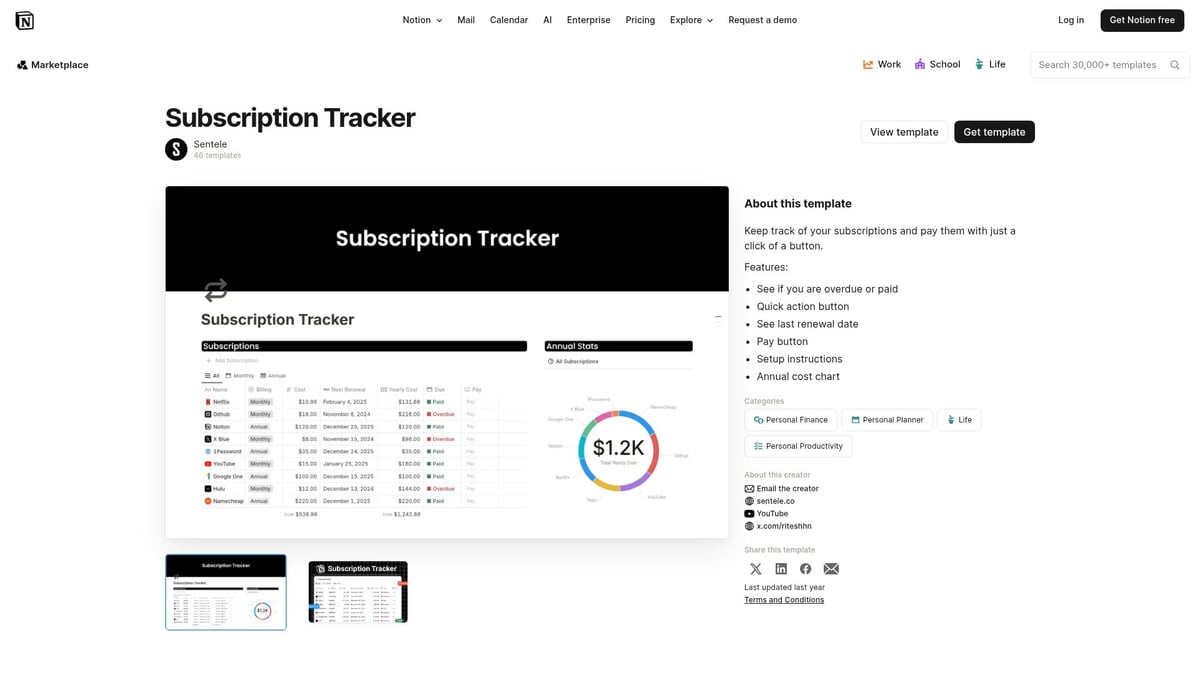
Core Features:
Tracks active subscriptions and renewal dates
Monitors costs and sends cancellation reminders
Key Benefits: Prevents forgotten subscriptions, unwanted charges, and helps users identify areas where they can save money.
Pros:
Specialized and easy to use
Customizable reminders for renewals
Helps avoid unnecessary spending
Cons:
Not a comprehensive finance solution
Best used alongside other Notion finance template options
This template is favored by digital natives and families who want to keep a close eye on their subscriptions and recurring expenses.
Stock Trading Dashboard by Finlo
Stock Trading Dashboard by Finlo is a specialized Notion finance template for active traders and investors looking for detailed portfolio analysis.
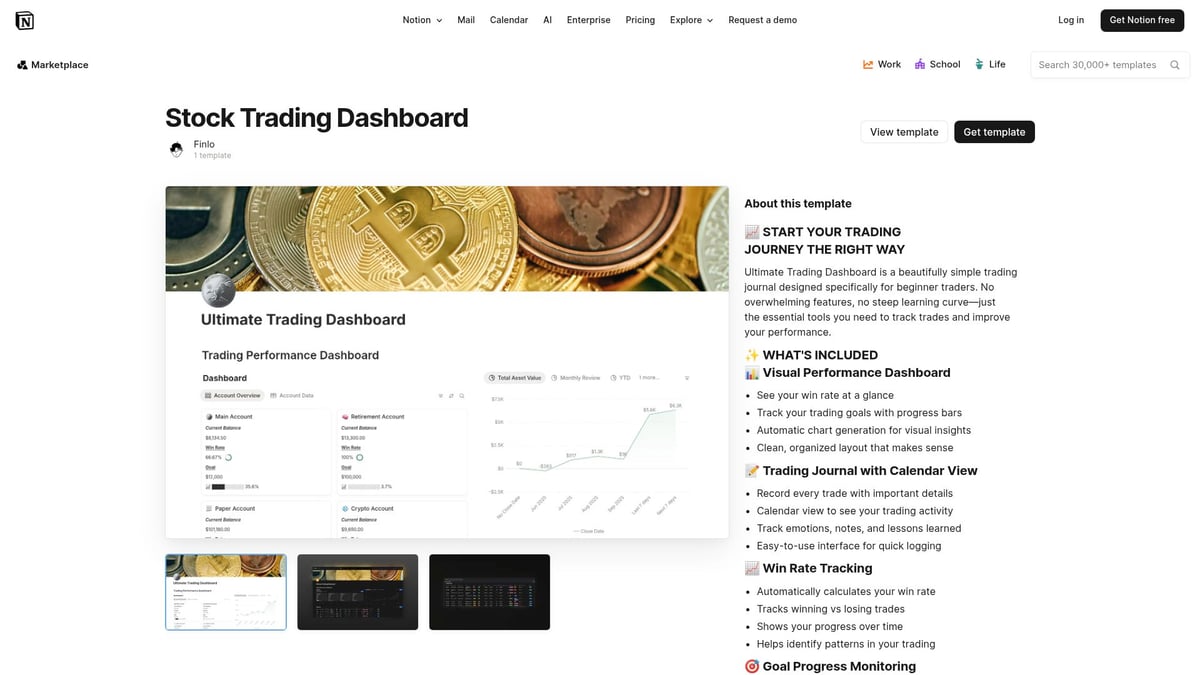
Core Features:
Tracks stock trades and portfolio performance
Monitors profit and loss
Offers space for trading notes
Unique Selling Points: The template includes analytics and visualization tools, enabling users to spot trends and refine their trading strategies.
Pros:
Comprehensive trading overview
Customizable for different asset types
Ideal for finance enthusiasts
Cons:
Not suitable for general budgeting
May not appeal to non-investors
Retail investors appreciate this Notion finance template for its powerful tracking and analysis capabilities within Notion.
Finance & Budget Tracker by Sentele
Finance & Budget Tracker by Sentele is a balanced Notion finance template that combines simplicity with a solid feature set. It is free and suitable for individuals, couples, and small businesses.
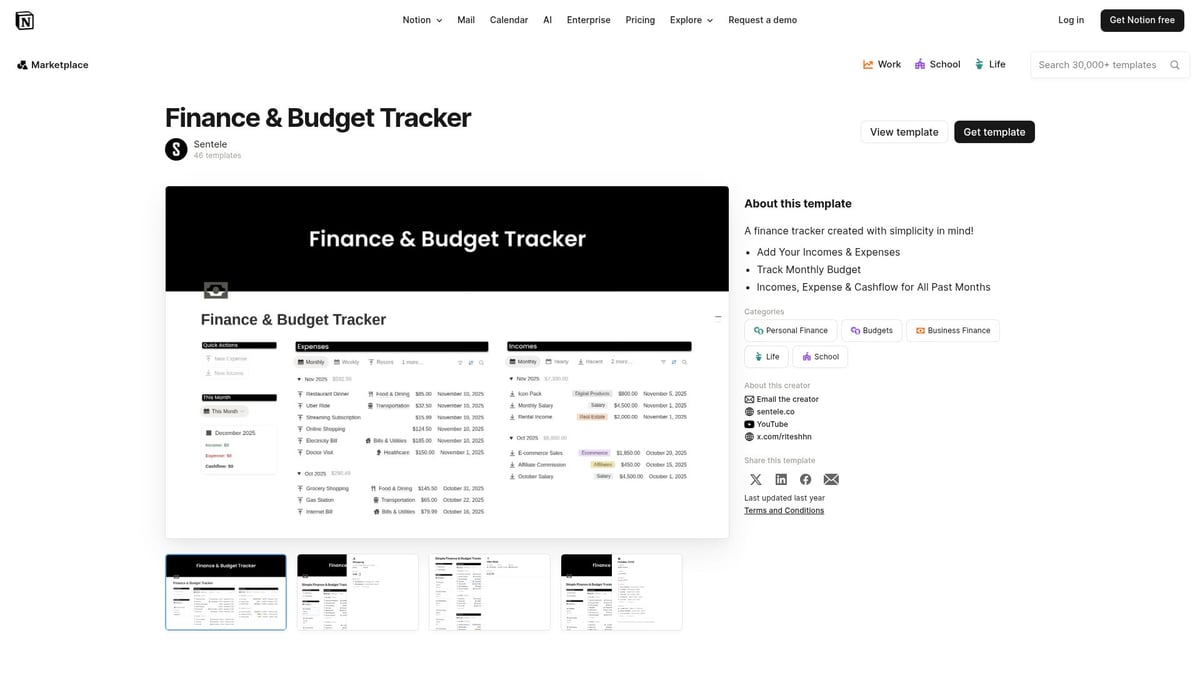
Core Features:
Income and expense tracking
Budget goal setting
Monthly summaries and visual dashboards
Unique Benefits: This template is easy to implement and offers clear reporting, making it accessible for beginners yet powerful enough for experienced users.
Pros:
Straightforward setup
Customizable dashboards
Clear, actionable reporting
Cons:
Focuses mainly on budgeting rather than investments
Frequently duplicated in Notion's template marketplace, this Notion finance template is valued for its versatility and user-friendly design.
How to Choose the Right Notion Finance Template for Your Needs
Selecting the ideal notion finance template can feel overwhelming with so many options available. To simplify your decision, consider your financial needs, desired features, budget, and the level of support you expect.
Assess Your Financial Goals and Complexity
Start by evaluating your specific financial situation. Do you need a notion finance template for simple personal budgeting, or do your needs extend to investment tracking and business finances? Consider whether you want automation, such as recurring transactions or AI insights, to streamline your process.
For freelancers, a template with client and project tracking may be essential, while students might only need basic expense logs. Defining your goals ensures you choose a notion finance template that matches your workflow and saves time.
Compare Features and Customizability
Every notion finance template offers a unique set of features. Use a checklist to evaluate what matters most:
Expense and income tracking
Budget dashboards
Analytics and goal setting
Subscription management
Investment tracking
Customizability is crucial. Look for templates that let you add or remove categories, adjust layouts, or personalize dashboards.
Free vs. Paid Templates: Which Is Right for You?
When choosing a notion finance template, weigh the benefits of free versus paid options. Free templates are perfect for basic needs or if you are experimenting with digital budgeting. They often provide essential features without commitment.
However, premium templates may offer advanced analytics, automation, and dedicated support. If you manage business finances or require robust features, investing in a paid notion finance template can be worthwhile. Consider your budget and long-term needs before making a decision.
User Experience and Support
A seamless user experience is essential when selecting a notion finance template. Templates with clear documentation, tutorials, and responsive support are easier to implement and maintain. Community-driven options often come with active forums and regular updates.
Prioritize templates with ongoing maintenance and an engaged creator. This ensures your notion finance template remains reliable as Notion evolves. Support resources can make a significant difference in your financial management success.
Tips for Maximizing Your Notion Finance Template in 2026
Unlocking the full potential of your notion finance template takes more than just downloading a file. With a few smart strategies, you can turn your digital finance hub into a powerful tool for 2026 and beyond.
Set Up Integrations and Automations
Integrating automation is essential to make your notion finance template work smarter for you. Use Notion’s API or connect third-party tools to import bank and credit card transactions directly into your workspace. This minimizes manual entry and reduces the risk of errors. Schedule recurring transactions, such as rent or subscriptions, and set up reminders for upcoming bills or savings goals.
For advanced users, tools like Zapier or Make can automate data flows between your financial accounts and Notion. If you want to stay ahead of the curve, explore Master the Future: 2026's Hottest Automation Trends and the Notion Templates Everyone Will Be Using for insights on the latest automation options. Automations ensure your financial data is always up to date and actionable.
Customize Dashboards for Clarity
A well-organized dashboard makes your notion finance template truly effective. Tailor the layout to prioritize your most important metrics, such as monthly savings, debt payoff progress, or investment returns. Notion’s visual widgets and chart features let you transform raw numbers into interactive, easy-to-read insights.
Create quick-access sections for urgent tasks or recurring expenses. Use color-coded tags and simple tables to highlight trends and anomalies. If you want inspiration or ideas to enhance your dashboard, check out the Best Notion Budget Templates roundup for examples of effective layouts. Customization keeps your financial picture clear and actionable.
Regularly Review and Update Data
Consistent review is crucial to get the most from your notion finance template. Set a weekly or monthly routine to update transactions, reconcile accounts, and assess your budget. Regular check-ins help you spot unexpected expenses, adjust savings targets, and ensure all data remains accurate.
Use Notion’s reminders and linked databases to track progress on goals, such as debt reduction or investment growth. If your circumstances change, quickly adjust categories, limits, or dashboards. Treat your template as a living document, evolving with your financial journey and keeping you on track.
Collaborate and Share with Family or Team
The sharing and collaboration features in your notion finance template make it ideal for joint money management. Invite family members, partners, or team members to view or edit financial dashboards. Assign roles and permissions to safeguard sensitive data while enabling teamwork.
Create shared goals, such as vacation savings or business expense tracking, with responsibilities clearly outlined. Use comment threads and task assignments to communicate and stay aligned. By leveraging collaboration tools, your Notion workspace becomes a central hub for transparent, goal-driven financial planning.
Frequently Asked Questions About Notion Finance Templates
Navigating the world of Notion finance template options can bring up many questions, especially as digital money management evolves. Here are answers to the most common queries, helping you feel confident and informed as you choose the best solution for your needs.
Are Notion finance templates secure for sensitive data?
Security is a top concern when using any notion finance template for tracking personal or business finances. Notion uses encryption to protect your data both in transit and at rest, and offers privacy controls for sharing or restricting access to sensitive pages.
To further safeguard your financial information, use strong passwords, enable two-factor authentication, and only share templates with trusted collaborators. Always review Notion's privacy settings before entering confidential data.
Can I integrate Notion with my bank or financial apps?
Direct integration between Notion and traditional banks is limited, but you can use third-party automation tools like Zapier or Make to import transactions. Many notion finance template creators offer CSV import features, making it easy to bring in data from your bank or credit card statements.
While Notion does not natively sync with all financial platforms, you can set up recurring imports or use API tools for semi-automated updates. Always review the security practices of any third-party service.
How do I migrate from spreadsheets to Notion templates?
Transitioning from spreadsheets to a notion finance template is straightforward with CSV import functionality. Start by exporting your existing data from Excel or Google Sheets as a CSV file. Most templates allow you to map categories and fields during import, ensuring your financial history remains intact.
Take time to review your data after import, and customize categories to match your workflow. This approach helps you maintain continuity as you move to Notion.
What if I outgrow my current finance template?
If your notion finance template no longer meets your needs, it may be time to upgrade to a more advanced solution. Signs include needing more detailed analytics, automation, or business-specific features.
You can transition by exporting your current data, then importing it into a new template that offers the additional capabilities you require. Many premium templates offer migration guides and ongoing support to ease the process.
Are there templates tailored for businesses or freelancers?
Yes, the notion finance template ecosystem includes specialized options for businesses and freelancers. These templates often feature invoicing, client management, and advanced analytics, making them ideal for professional use.
If you are seeking cost-effective solutions, explore the Free Notion Templates Guide, which highlights a range of free templates suitable for business and freelance needs. Choosing the right template ensures your financial operations scale with your goals.
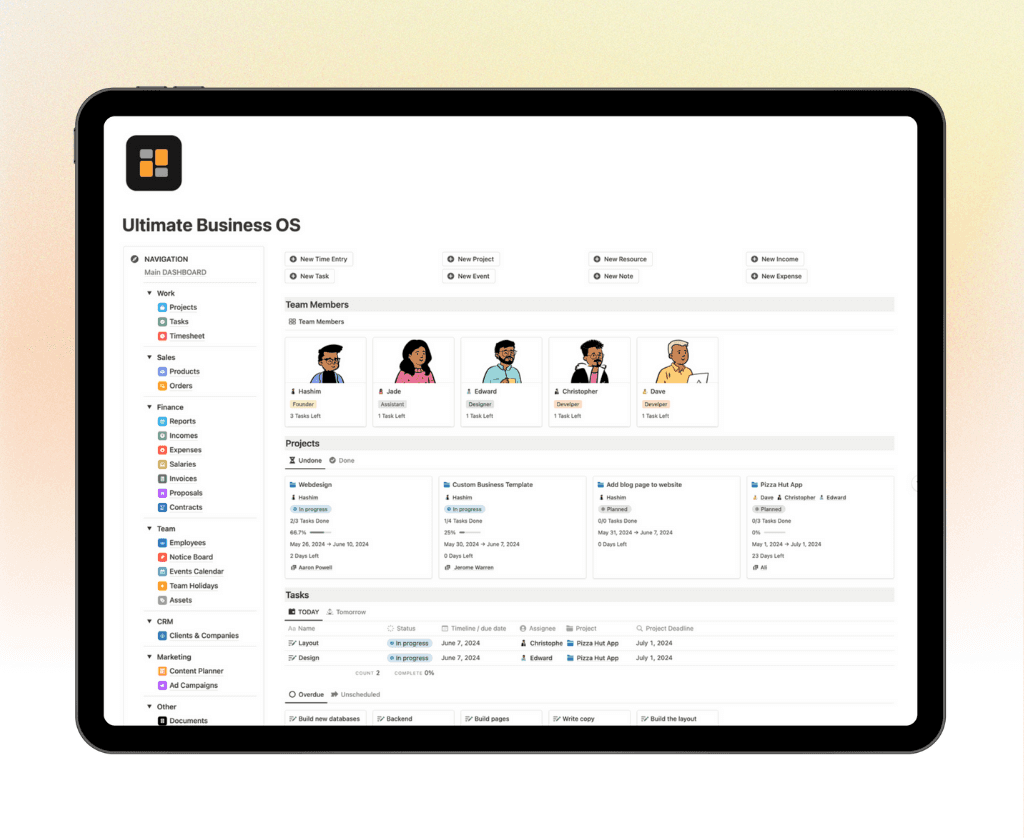
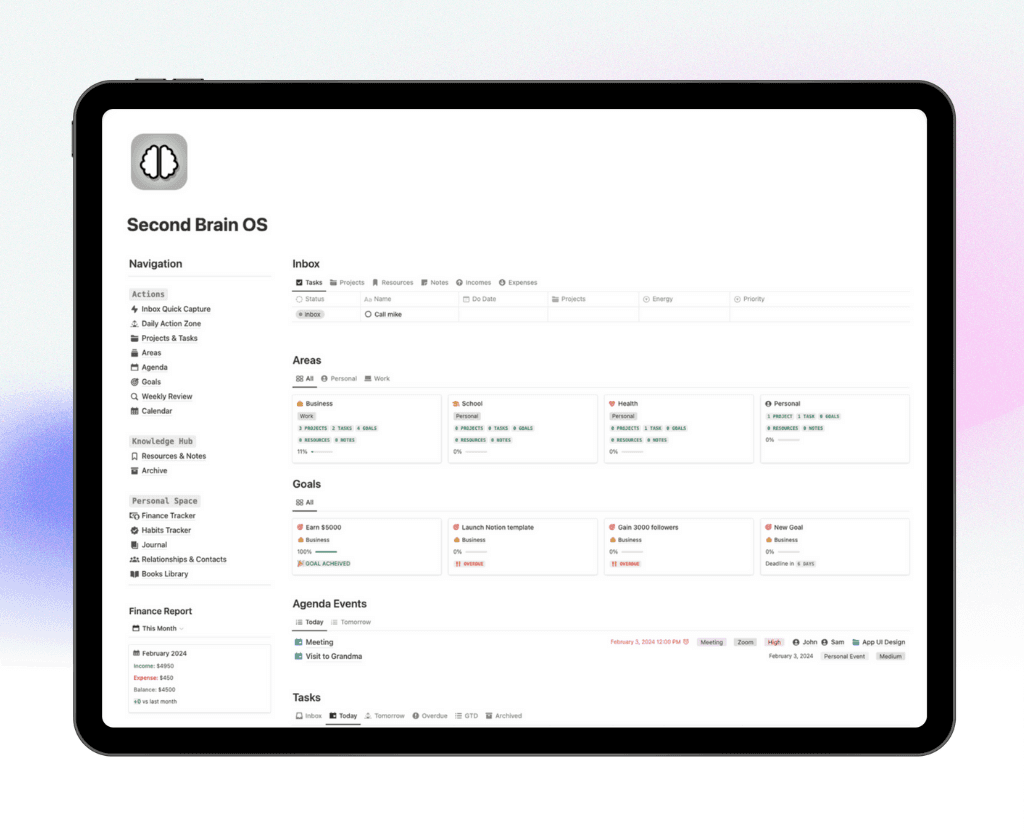
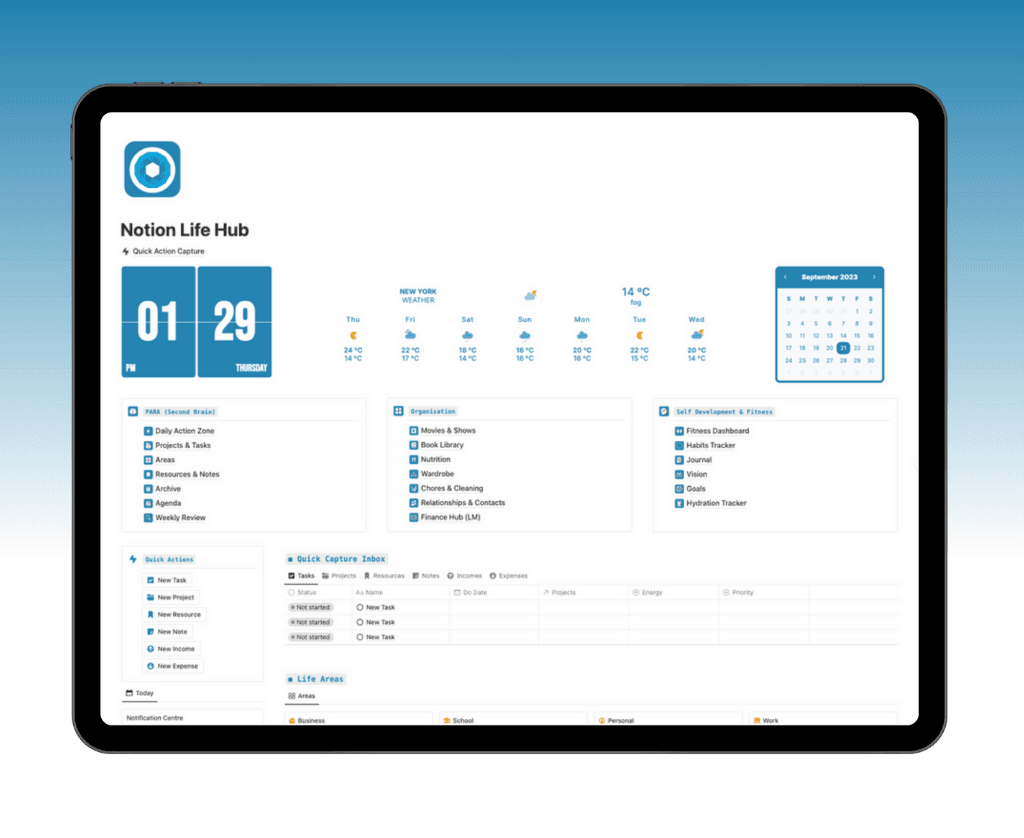
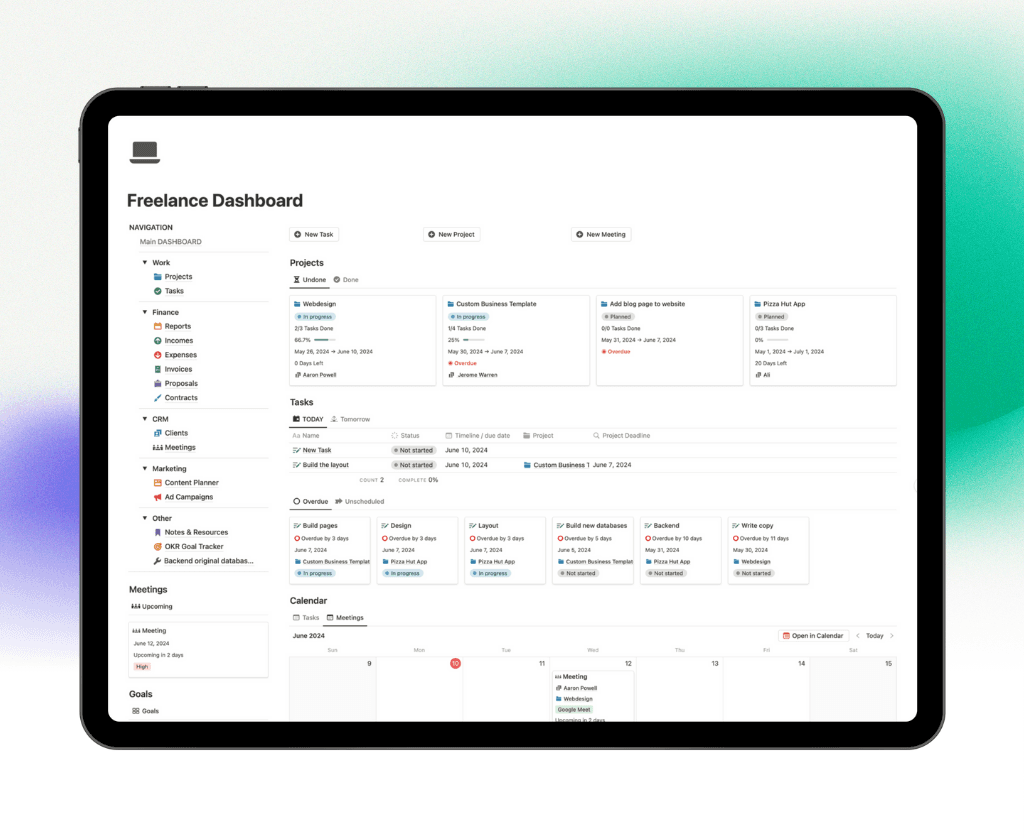
Now that you’ve explored the top Notion finance templates for 2026, you can see how the right system can transform your approach to budgeting, goal tracking, and financial clarity. If you’re ready to take your money management even further and want the flexibility to organize every aspect of your personal and professional life, I recommend checking out the Get the Ultimate Notion Bundle. This bundle brings together powerful, user-friendly templates designed for real results—so you can streamline your finances and focus on what matters most, all in one place.
← All Posts
Get Lifetime Access
Get instant lifetime access to all current and future Notion templates.
✓ 8 Premium Notion Templates
✓ Lifetime Access
✓ Access to all Future Templates
✓ $300+ value
✓ Bonus 10 Templates
$119
$299
Get it Now
70% OFF